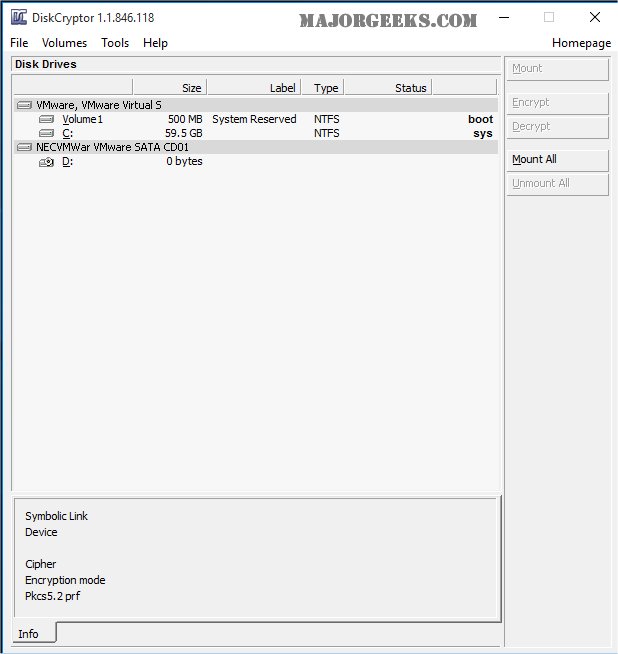
DiskCryptor 1.4 Beta has been released, offering a free and open-source solution for full disk encryption that allows users to encrypt either an entire hard drive or a single partition. Developed as an alternative to commercial encryption tools like DriveCrypt Plus Pack and PGP Whole Disk Encryption, DiskCryptor supports a variety of encryption algorithms, including AES, Twofish, and Serpent, as well as their combinations. The performance of the encryption process can vary based on the user’s hardware and selected algorithm.
The software can be installed through a standard Windows setup file or used as a plugin for Windows Preinstallation Environment (WinPE). After installation, a system reboot is necessary, and users are advised to create a bootable LiveCD and back up the volume header if encrypting the system partition.
Key features of DiskCryptor include:
- Support for multiple encryption algorithms and combinations.
- Transparent encryption for disk partitions.
- Full compatibility with dynamic disks and large sector sizes, which is beneficial for hardware RAID configurations.
- High performance that mirrors that of non-encrypted systems.
- Hardware AES acceleration support for recent Intel and AMD CPUs, as well as VIA processors.
- Compatibility with UEFI/GPT and MBR bootloaders, including third-party options like LILO and GRUB.
- Pre-boot authentication for system partition encryption.
- Options for placing the bootloader on external media and authenticating via key media.
- Support for key files and external storage devices, as well as the ability to create encrypted CD and DVD disks.
- Features like automatic mounting of disks, support for hotkeys, and an optional command-line interface (CLI).
In summary, DiskCryptor 1.4 Beta is a robust tool for users seeking reliable disk encryption solutions, enhancing data security while maintaining high performance. Its comprehensive features cater to a variety of user needs, making it a valuable addition to the open-source encryption software landscape. Future updates may continue to improve usability and expand compatibility with emerging technologies
The software can be installed through a standard Windows setup file or used as a plugin for Windows Preinstallation Environment (WinPE). After installation, a system reboot is necessary, and users are advised to create a bootable LiveCD and back up the volume header if encrypting the system partition.
Key features of DiskCryptor include:
- Support for multiple encryption algorithms and combinations.
- Transparent encryption for disk partitions.
- Full compatibility with dynamic disks and large sector sizes, which is beneficial for hardware RAID configurations.
- High performance that mirrors that of non-encrypted systems.
- Hardware AES acceleration support for recent Intel and AMD CPUs, as well as VIA processors.
- Compatibility with UEFI/GPT and MBR bootloaders, including third-party options like LILO and GRUB.
- Pre-boot authentication for system partition encryption.
- Options for placing the bootloader on external media and authenticating via key media.
- Support for key files and external storage devices, as well as the ability to create encrypted CD and DVD disks.
- Features like automatic mounting of disks, support for hotkeys, and an optional command-line interface (CLI).
In summary, DiskCryptor 1.4 Beta is a robust tool for users seeking reliable disk encryption solutions, enhancing data security while maintaining high performance. Its comprehensive features cater to a variety of user needs, making it a valuable addition to the open-source encryption software landscape. Future updates may continue to improve usability and expand compatibility with emerging technologies
DiskCryptor 1.4 Beta released
DiskCryptor is a free, Open Source, full disk encryption software that allows you to encrypt an entire hard drive or a single partition.