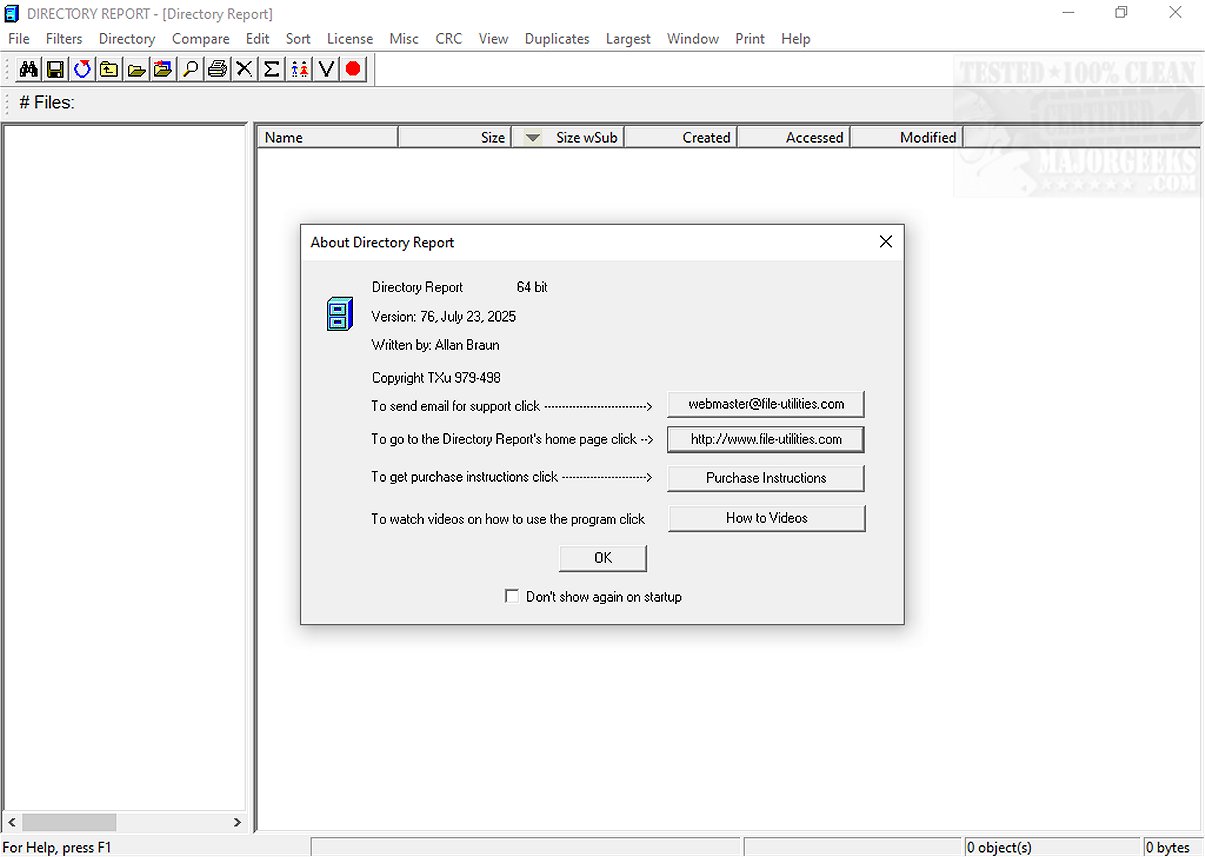
Directory Report is a robust software tool designed for the efficient analysis and management of files and directories. It enables users to search, compare, and generate reports across various drives or folders, making it particularly effective for identifying duplicate files, monitoring file changes, and organizing extensive datasets with high precision.
User-Friendly Yet Powerful Interface
Despite its straightforward user interface, which some may find outdated compared to modern software, Directory Report is quick and efficient. It caters to both personal and professional use, allowing for detailed file management and reporting. Users can generate extensive file lists, identify large folders, and monitor disk space usage, enhancing overall data oversight. The simplicity of the UI may pose a learning curve for new users, but once familiar, they can leverage the software's full capabilities.
Additionally, Directory Report offers versatile export options for reports in multiple formats, facilitating integration with spreadsheets and documentation. It functions seamlessly with network drives, making it a valuable tool for IT administrators, although its dated design may affect user-friendliness.
Key Features
Key features of Directory Report include:
- Duplicate file detection
- Directory size analysis
- Viewing file attributes
- Directory comparison and file synchronization
- Batch file renaming
These features significantly boost productivity, especially when managing large datasets. However, the software is only compatible with Windows, limiting accessibility for users operating in mixed environments that include Mac and Linux systems.
Comparison with Alternatives
While alternatives such as WinDirStat, TreeSize, and FreeCommander offer similar functionalities in disk space analysis and file management, Directory Report stands out with its in-depth duplicate detection and extensive reporting features. Although some competitors might offer more modern and user-friendly interfaces, Directory Report prioritizes precision and thorough data handling, thereby appealing to users who value accuracy over aesthetics.
Conclusion
Directory Report is an effective tool for those seeking comprehensive file management and reporting capabilities. Its outdated interface does not detract from its accuracy and efficiency, making it a valuable asset for organizing, maintaining, and analyzing extensive file systems. For users who prioritize functionality and thorough data handling in their file management processes, Directory Report remains a reliable choice for long-term success across various applications.
Future Developments
As Directory Report continues to evolve, potential enhancements could include an updated user interface, improved compatibility with non-Windows systems, and additional features addressing the needs of users in a modern, multi-platform environment. This could further solidify its position as a leading tool in file management and analysis, catering to an even broader audience
User-Friendly Yet Powerful Interface
Despite its straightforward user interface, which some may find outdated compared to modern software, Directory Report is quick and efficient. It caters to both personal and professional use, allowing for detailed file management and reporting. Users can generate extensive file lists, identify large folders, and monitor disk space usage, enhancing overall data oversight. The simplicity of the UI may pose a learning curve for new users, but once familiar, they can leverage the software's full capabilities.
Additionally, Directory Report offers versatile export options for reports in multiple formats, facilitating integration with spreadsheets and documentation. It functions seamlessly with network drives, making it a valuable tool for IT administrators, although its dated design may affect user-friendliness.
Key Features
Key features of Directory Report include:
- Duplicate file detection
- Directory size analysis
- Viewing file attributes
- Directory comparison and file synchronization
- Batch file renaming
These features significantly boost productivity, especially when managing large datasets. However, the software is only compatible with Windows, limiting accessibility for users operating in mixed environments that include Mac and Linux systems.
Comparison with Alternatives
While alternatives such as WinDirStat, TreeSize, and FreeCommander offer similar functionalities in disk space analysis and file management, Directory Report stands out with its in-depth duplicate detection and extensive reporting features. Although some competitors might offer more modern and user-friendly interfaces, Directory Report prioritizes precision and thorough data handling, thereby appealing to users who value accuracy over aesthetics.
Conclusion
Directory Report is an effective tool for those seeking comprehensive file management and reporting capabilities. Its outdated interface does not detract from its accuracy and efficiency, making it a valuable asset for organizing, maintaining, and analyzing extensive file systems. For users who prioritize functionality and thorough data handling in their file management processes, Directory Report remains a reliable choice for long-term success across various applications.
Future Developments
As Directory Report continues to evolve, potential enhancements could include an updated user interface, improved compatibility with non-Windows systems, and additional features addressing the needs of users in a modern, multi-platform environment. This could further solidify its position as a leading tool in file management and analysis, catering to an even broader audience
Directory Report 79 released
Directory Report is a powerful tool designed for efficient analysis and management of files and directories.