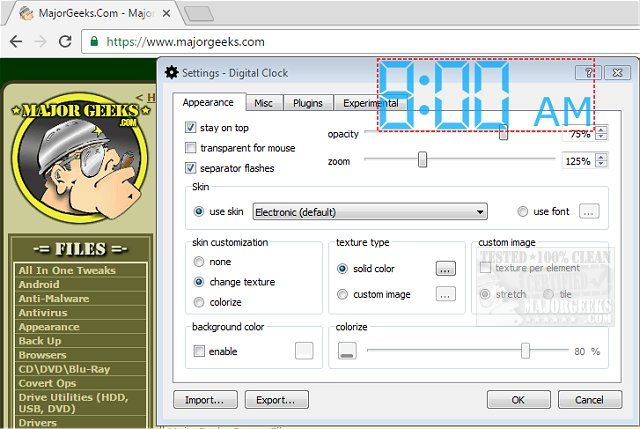
Digital Clock version 5.2.0 has been released, offering users a user-friendly portable timepiece to display on their desktop. This desktop clock is designed for easy configuration and comes with various fun settings to customize its appearance to suit individual preferences. Users can choose from multiple display types and create their own personalized skins, aided by a straightforward help file if needed. The software includes several pre-made themes, such as Vintage Digits, Binary Clock, Origami Style, Floral Digits, and seasonal themes like Christmas.
One of the clock's standout features is its flexibility; it can be moved anywhere on the desktop and set to remain on top of other windows. Additional customization options allow users to adjust the clock's opacity, size, background color, font styles, and more. Digital Clock not only enhances desktop aesthetics but also provides functionality with features like alarms, hourly signals, and multilingual support.
Key features of Digital Clock include:
- Customizable skins and textures
- Zoom functionality
- Alarm and hourly signals
- Extensive color options
- Plugin support
- Retina (HiDPI) display compatibility
- Support for multiple monitors
- Cross-platform compatibility
- Automatic startup with system boot
For users looking to enhance their timekeeping experience, the Digital Clock offers a refreshing and customizable approach. It is also worth noting that similar resources are available for managing time on Windows, such as displaying multiple clocks, fixing incorrect date or time settings, and customizing the Windows 10 taskbar clock.
As technology continues to evolve, users can expect even more innovative features and improvements in future updates, making Digital Clock a reliable and engaging tool for time management on desktop environments
One of the clock's standout features is its flexibility; it can be moved anywhere on the desktop and set to remain on top of other windows. Additional customization options allow users to adjust the clock's opacity, size, background color, font styles, and more. Digital Clock not only enhances desktop aesthetics but also provides functionality with features like alarms, hourly signals, and multilingual support.
Key features of Digital Clock include:
- Customizable skins and textures
- Zoom functionality
- Alarm and hourly signals
- Extensive color options
- Plugin support
- Retina (HiDPI) display compatibility
- Support for multiple monitors
- Cross-platform compatibility
- Automatic startup with system boot
For users looking to enhance their timekeeping experience, the Digital Clock offers a refreshing and customizable approach. It is also worth noting that similar resources are available for managing time on Windows, such as displaying multiple clocks, fixing incorrect date or time settings, and customizing the Windows 10 taskbar clock.
As technology continues to evolve, users can expect even more innovative features and improvements in future updates, making Digital Clock a reliable and engaging tool for time management on desktop environments
Digital Clock 5.2.0 released
Digital Clock gives you a straightforward portable timepiece for display on your desktop.