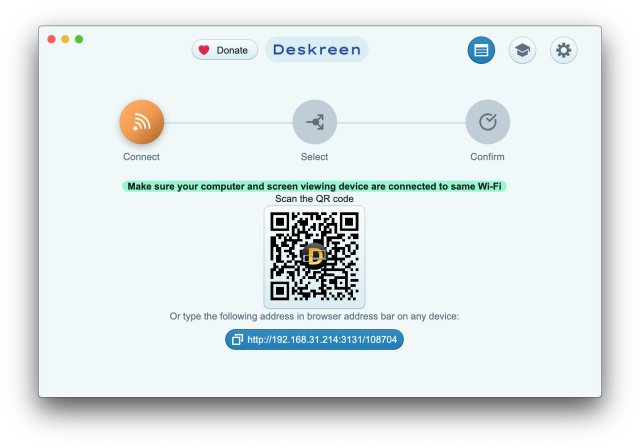
Deskreen version 3.2.14 has been released, enhancing its capabilities as a versatile desktop application that allows users to convert any web-enabled device into a secondary display for their computer. This innovative tool offers remarkable flexibility and convenience, making it ideal for various scenarios, from professional presentations to personal video conferencing.
What is Deskreen?
Deskreen is a desktop application that transforms devices with web browsers into secondary screens for computers via Wi-Fi. It stands out for its ability to mirror an entire display, which is perfect for sharing content or conducting presentations. Alternatively, users can choose to share only a specific application window, minimizing distractions and focusing attention on the intended content.
Virtual Display Adapter Feature
Deskreen utilizes a Virtual Display Adapter, ensuring a true extended desktop experience. Even without this feature, users can take advantage of the Flip Screen Mode, effectively turning any connected device into a teleprompter. This is particularly beneficial for video bloggers and presenters who want to maintain eye contact with their audience during streams or conferences.
Offline Functionality
A significant advantage of Deskreen is its capability to operate without internet access. Users can present their screens in offline locations through a local Wi-Fi network, making it an ideal solution for environments where internet connectivity is unreliable or unavailable.
Versatile Features
Deskreen allows any web-enabled device to serve as a second screen, enhancing collaborative work and presentations. Users can share their entire screen or restrict the view to a single application. Additionally, it offers adjustable video and image quality settings to optimize performance, and multiple devices can connect simultaneously, which is advantageous for larger presentations or collaborative efforts.
Deskreen Features at a Glance:
- Second Screen: Utilize any web browser-equipped device as a secondary display (with a virtual display adapter).
- Screen Sharing: Share the entire screen or limit sharing to specific applications.
- Teleprompter Capability: Use Flip Screen Mode for teleprompter functionality.
- Wi-Fi Compatibility: No cables needed for screen sharing over Wi-Fi.
- Multiple Device Connections: Connect and share with several devices at once.
Geek Verdict
Deskreen has proven itself as an essential tool for users who prioritize flexibility, convenience, and control over their computing activities. Its off-grid operation enhances its usability for various applications, from engaging presentations to smooth video conferencing. This adaptability makes Deskreen a valuable asset for both professional and personal uses, solidifying its status as a must-have in today's fast-paced digital environment.
Future Enhancements
Looking ahead, future updates to Deskreen could focus on further improving user experience, possibly by introducing more customization options for screen sharing, enhancing compatibility with a wider range of devices, or integrating advanced features for video and audio synchronization. Additionally, incorporating feedback from the user community could unveil new functionalities tailored to meet evolving needs in remote work and digital collaboration
What is Deskreen?
Deskreen is a desktop application that transforms devices with web browsers into secondary screens for computers via Wi-Fi. It stands out for its ability to mirror an entire display, which is perfect for sharing content or conducting presentations. Alternatively, users can choose to share only a specific application window, minimizing distractions and focusing attention on the intended content.
Virtual Display Adapter Feature
Deskreen utilizes a Virtual Display Adapter, ensuring a true extended desktop experience. Even without this feature, users can take advantage of the Flip Screen Mode, effectively turning any connected device into a teleprompter. This is particularly beneficial for video bloggers and presenters who want to maintain eye contact with their audience during streams or conferences.
Offline Functionality
A significant advantage of Deskreen is its capability to operate without internet access. Users can present their screens in offline locations through a local Wi-Fi network, making it an ideal solution for environments where internet connectivity is unreliable or unavailable.
Versatile Features
Deskreen allows any web-enabled device to serve as a second screen, enhancing collaborative work and presentations. Users can share their entire screen or restrict the view to a single application. Additionally, it offers adjustable video and image quality settings to optimize performance, and multiple devices can connect simultaneously, which is advantageous for larger presentations or collaborative efforts.
Deskreen Features at a Glance:
- Second Screen: Utilize any web browser-equipped device as a secondary display (with a virtual display adapter).
- Screen Sharing: Share the entire screen or limit sharing to specific applications.
- Teleprompter Capability: Use Flip Screen Mode for teleprompter functionality.
- Wi-Fi Compatibility: No cables needed for screen sharing over Wi-Fi.
- Multiple Device Connections: Connect and share with several devices at once.
Geek Verdict
Deskreen has proven itself as an essential tool for users who prioritize flexibility, convenience, and control over their computing activities. Its off-grid operation enhances its usability for various applications, from engaging presentations to smooth video conferencing. This adaptability makes Deskreen a valuable asset for both professional and personal uses, solidifying its status as a must-have in today's fast-paced digital environment.
Future Enhancements
Looking ahead, future updates to Deskreen could focus on further improving user experience, possibly by introducing more customization options for screen sharing, enhancing compatibility with a wider range of devices, or integrating advanced features for video and audio synchronization. Additionally, incorporating feedback from the user community could unveil new functionalities tailored to meet evolving needs in remote work and digital collaboration
Deskreen 3.2.14 released
Deskreen is a powerful desktop application that enables you to transform any device with a web browser into a secondary screen for your computer over Wi-Fi, offering unparalleled flexibility and convenience.