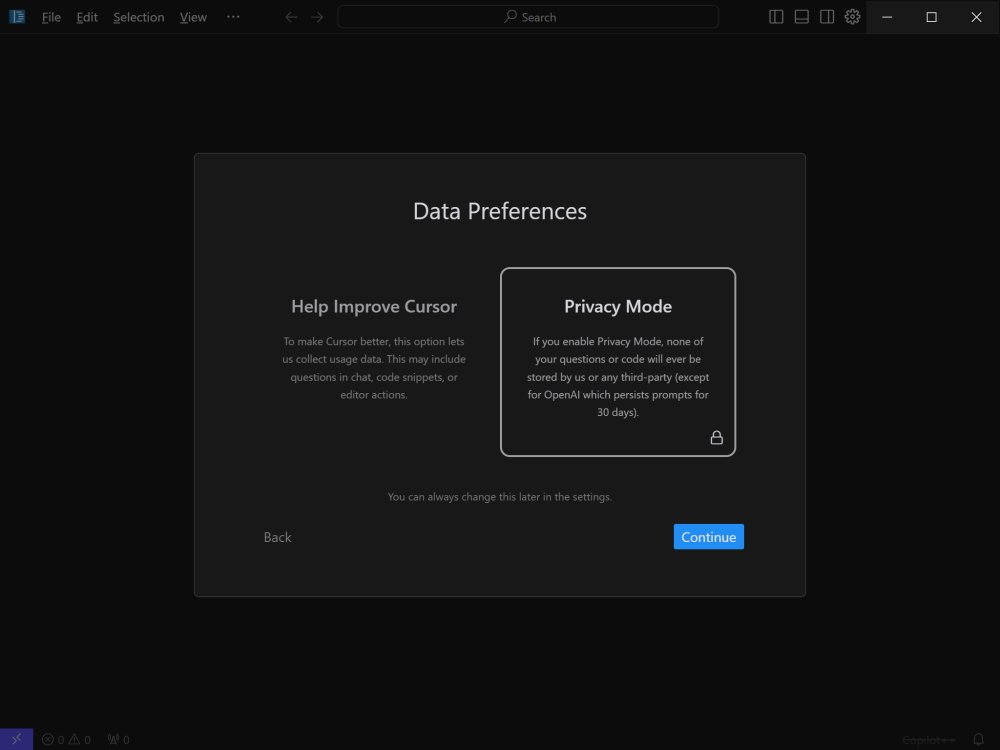
Cursor, a cutting-edge integrated development environment (IDE), has launched its latest version, 2.3.26, designed to accelerate software development with the power of artificial intelligence. This innovative tool reimagines the coding experience, particularly for intermediate to professional developers looking to enhance their productivity.
Key Features of Cursor:
1. Smart Code Suggestions and Auto-Completion: Cursor leverages advanced AI to comprehend the context of your coding project, offering intelligent suggestions and completions that simplify the coding process while minimizing errors.
2. Automatic Code Generation and Fixes: Users can generate code from scratch or effortlessly resolve lint errors by providing simple instructions, making the coding experience more efficient.
3. In-Editor Chat: The real-time chat feature allows users to seek assistance directly within the editor, ensuring they get immediate answers to their coding queries, including references to specific files and documentation.
4. Seamless Integration: Cursor supports all popular VSCode extensions, themes, and keybindings, providing a familiar environment for users transitioning from VSCode.
5. Enhanced Debugging: The IDE simplifies debugging by automatically analyzing stack traces to identify and address errors quickly.
6. Local Mode for Privacy: For those concerned about data security, Cursor's local mode guarantees that no project data is stored on external servers.
7. Blazing-Fast Performance: Powered by GPT-4, Cursor operates significantly faster than traditional methods, boosting productivity without lag.
8. Supported Languages: Cursor supports a diverse array of programming languages, including Python, JavaScript, Java, C++, Ruby, and Go, catering to various coding needs.
Free vs Pro Plans: Cursor offers both Free and Pro plans tailored to different user requirements. The Free plan is ideal for hobbyists and mid-level developers, providing basic AI assistance and a limited number of monthly completions. In contrast, the Pro plan, priced at $20 per month (or $16 with an annual subscription), unlocks unlimited completions, enhanced AI capabilities, and advanced features like Copilot++. This plan is perfect for professional developers seeking comprehensive AI-driven support.
Conclusion: Cursor is a revolutionary tool that goes beyond basic coding assistance, providing an AI-driven coding environment that understands your codebase deeply. Whether you're developing large applications or looking to streamline your workflow, Cursor offers the potential to transform your coding experience. With its robust features and seamless integration, it stands out as a formidable ally for developers eager to harness the power of AI in their projects.
As software development continues to evolve, tools like Cursor will play an integral role in shaping the future of coding, making it more efficient, secure, and accessible for developers of all levels
Key Features of Cursor:
1. Smart Code Suggestions and Auto-Completion: Cursor leverages advanced AI to comprehend the context of your coding project, offering intelligent suggestions and completions that simplify the coding process while minimizing errors.
2. Automatic Code Generation and Fixes: Users can generate code from scratch or effortlessly resolve lint errors by providing simple instructions, making the coding experience more efficient.
3. In-Editor Chat: The real-time chat feature allows users to seek assistance directly within the editor, ensuring they get immediate answers to their coding queries, including references to specific files and documentation.
4. Seamless Integration: Cursor supports all popular VSCode extensions, themes, and keybindings, providing a familiar environment for users transitioning from VSCode.
5. Enhanced Debugging: The IDE simplifies debugging by automatically analyzing stack traces to identify and address errors quickly.
6. Local Mode for Privacy: For those concerned about data security, Cursor's local mode guarantees that no project data is stored on external servers.
7. Blazing-Fast Performance: Powered by GPT-4, Cursor operates significantly faster than traditional methods, boosting productivity without lag.
8. Supported Languages: Cursor supports a diverse array of programming languages, including Python, JavaScript, Java, C++, Ruby, and Go, catering to various coding needs.
Free vs Pro Plans: Cursor offers both Free and Pro plans tailored to different user requirements. The Free plan is ideal for hobbyists and mid-level developers, providing basic AI assistance and a limited number of monthly completions. In contrast, the Pro plan, priced at $20 per month (or $16 with an annual subscription), unlocks unlimited completions, enhanced AI capabilities, and advanced features like Copilot++. This plan is perfect for professional developers seeking comprehensive AI-driven support.
Conclusion: Cursor is a revolutionary tool that goes beyond basic coding assistance, providing an AI-driven coding environment that understands your codebase deeply. Whether you're developing large applications or looking to streamline your workflow, Cursor offers the potential to transform your coding experience. With its robust features and seamless integration, it stands out as a formidable ally for developers eager to harness the power of AI in their projects.
As software development continues to evolve, tools like Cursor will play an integral role in shaping the future of coding, making it more efficient, secure, and accessible for developers of all levels
Cursor 2.3.26 released
Cursor is bottom-up designed with the goal of creating an integrated development environment to build software faster using AI.