Cursor is an innovative AI-powered integrated development environment (IDE) designed to enhance software development efficiency through advanced coding tools. With a bottom-up design approach, Cursor aims to transform traditional coding routines, making it an essential resource for intermediate to professional developers looking to streamline their workflow.
Key Features of Cursor
1. Smart Code Suggestions and Auto-Completion: Utilizing advanced AI, Cursor comprehensively understands project context to offer intelligent code suggestions and auto-completions, significantly speeding up the coding process while reducing errors.
2. Automatic Code Generation and Fixes: Users can generate code or rectify lint errors effortlessly by providing simple instructions, allowing for a smooth coding experience.
3. In-Editor Chat: The real-time chat feature enables developers to seek assistance regarding their codebase, offering timely responses and references to specific files and documentation.
4. Seamless Integration: Cursor supports all VSCode extensions, themes, and keybindings to facilitate an easy transition for users familiar with the VSCode environment, ensuring continuity in their coding practices.
5. Enhanced Debugging: The IDE simplifies debugging by automatically analyzing stack traces to identify error sources, saving developers time and frustration.
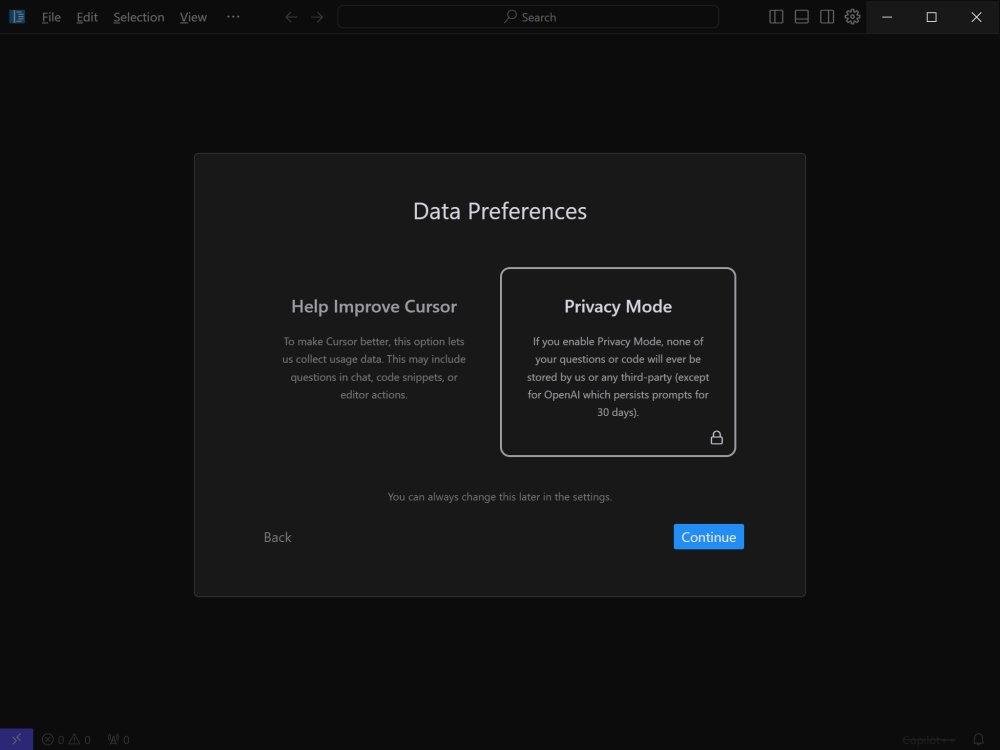
6. Local Mode for Privacy: For those concerned about data security, Cursor’s local mode ensures that no code is stored on external servers, protecting sensitive projects.
7. Blazing-Fast Performance: Powered by GPT-4, Cursor operates up to three times faster than direct OpenAI API usage, enhancing productivity without lag.
8. Supported Languages: Cursor is compatible with numerous programming languages, including Python, JavaScript, TypeScript, Java, C++, Ruby, and Go, making it versatile for various development needs.
Pricing Plans: Free vs. Pro
Cursor offers both Free and Pro plans tailored to different user requirements. The Free plan is adequate for hobbyists and mid-level developers, providing basic AI assistance with limitations on monthly completions and the use of GPT-3.5. Conversely, the Pro Plan, priced at $20 monthly (or $16 with annual subscription), offers unlimited completions, advanced AI models like GPT-4, and features such as Copilot++ for enhanced context-based coding assistance.
Conclusion
Cursor is a compelling choice for developers seeking a robust AI-powered IDE that transcends basic code completion. With its profound understanding of codebases, intelligent suggestions, and seamless integration with existing tools, Cursor is poised to revolutionize the coding experience. As developers work on diverse projects, Cursor’s capabilities can significantly enhance productivity and simplify complex coding tasks. Whether tackling large-scale applications or optimizing coding workflows, Cursor positions itself as an invaluable coding partner.
Future Prospects
Looking ahead, Cursor may expand its feature set to include even more AI-driven functionalities, possibly incorporating machine learning models that adapt to individual coding styles over time. The development team could also explore collaborative features that allow multiple developers to work seamlessly within the same project environment, further enhancing productivity and teamwork. As AI technology continues to evolve, Cursor is well-positioned to lead the way in redefining coding environments for the modern developer
Key Features of Cursor
1. Smart Code Suggestions and Auto-Completion: Utilizing advanced AI, Cursor comprehensively understands project context to offer intelligent code suggestions and auto-completions, significantly speeding up the coding process while reducing errors.
2. Automatic Code Generation and Fixes: Users can generate code or rectify lint errors effortlessly by providing simple instructions, allowing for a smooth coding experience.
3. In-Editor Chat: The real-time chat feature enables developers to seek assistance regarding their codebase, offering timely responses and references to specific files and documentation.
4. Seamless Integration: Cursor supports all VSCode extensions, themes, and keybindings to facilitate an easy transition for users familiar with the VSCode environment, ensuring continuity in their coding practices.
5. Enhanced Debugging: The IDE simplifies debugging by automatically analyzing stack traces to identify error sources, saving developers time and frustration.
6. Local Mode for Privacy: For those concerned about data security, Cursor’s local mode ensures that no code is stored on external servers, protecting sensitive projects.
7. Blazing-Fast Performance: Powered by GPT-4, Cursor operates up to three times faster than direct OpenAI API usage, enhancing productivity without lag.
8. Supported Languages: Cursor is compatible with numerous programming languages, including Python, JavaScript, TypeScript, Java, C++, Ruby, and Go, making it versatile for various development needs.
Pricing Plans: Free vs. Pro
Cursor offers both Free and Pro plans tailored to different user requirements. The Free plan is adequate for hobbyists and mid-level developers, providing basic AI assistance with limitations on monthly completions and the use of GPT-3.5. Conversely, the Pro Plan, priced at $20 monthly (or $16 with annual subscription), offers unlimited completions, advanced AI models like GPT-4, and features such as Copilot++ for enhanced context-based coding assistance.
Conclusion
Cursor is a compelling choice for developers seeking a robust AI-powered IDE that transcends basic code completion. With its profound understanding of codebases, intelligent suggestions, and seamless integration with existing tools, Cursor is poised to revolutionize the coding experience. As developers work on diverse projects, Cursor’s capabilities can significantly enhance productivity and simplify complex coding tasks. Whether tackling large-scale applications or optimizing coding workflows, Cursor positions itself as an invaluable coding partner.
Future Prospects
Looking ahead, Cursor may expand its feature set to include even more AI-driven functionalities, possibly incorporating machine learning models that adapt to individual coding styles over time. The development team could also explore collaborative features that allow multiple developers to work seamlessly within the same project environment, further enhancing productivity and teamwork. As AI technology continues to evolve, Cursor is well-positioned to lead the way in redefining coding environments for the modern developer
Cursor 2.2.23 released
Cursor is bottom-up designed with the goal of creating an integrated development environment to build software faster using AI.