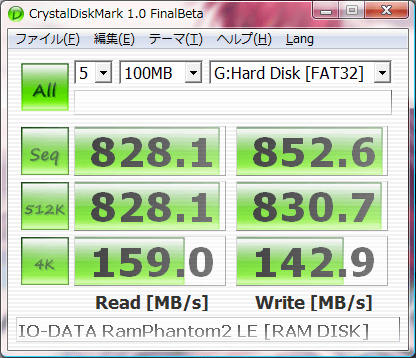
CrystalDiskMark 9.0.2 has been released, continuing its role as a vital tool for quickly assessing the performance of hard drives. Users can measure both sequential and random read/write speeds, providing a comprehensive overview of their storage device's performance capabilities.
Key features of CrystalDiskMark include:
- Measurement of sequential read and write speeds.
- Assessment of random read/write speeds at different block sizes: 512KB, 4KB, and 4KB with a Queue Depth of 32.
- The option to select various test data types, including Random, 0Fill, and 1Fill.
- Support for different themes to customize the user interface.
- Multi-language support, making it accessible for users around the globe.
In addition to its benchmarking capabilities, users may find it beneficial to explore related topics such as how to check the health of their hard disk using WMIC, how to find their hard drive's serial number, and various methods for benchmarking their computer systems.
Extended Commentary:
As technology evolves, tools like CrystalDiskMark are essential for users wanting to optimize their systems, especially in an era where data storage and transfer speeds are critical. The latest version, 9.0.2, continues to build on its robust capabilities, allowing users to gain valuable insights into their hard drive performance. With the addition of theme and language support, it caters to a diverse audience, ensuring a user-friendly experience. Regular updates not only enhance functionality but also maintain compatibility with newer hardware and software environments. For those looking to maximize their computer's efficiency, understanding how to utilize benchmarking tools effectively is paramount
Key features of CrystalDiskMark include:
- Measurement of sequential read and write speeds.
- Assessment of random read/write speeds at different block sizes: 512KB, 4KB, and 4KB with a Queue Depth of 32.
- The option to select various test data types, including Random, 0Fill, and 1Fill.
- Support for different themes to customize the user interface.
- Multi-language support, making it accessible for users around the globe.
In addition to its benchmarking capabilities, users may find it beneficial to explore related topics such as how to check the health of their hard disk using WMIC, how to find their hard drive's serial number, and various methods for benchmarking their computer systems.
Extended Commentary:
As technology evolves, tools like CrystalDiskMark are essential for users wanting to optimize their systems, especially in an era where data storage and transfer speeds are critical. The latest version, 9.0.2, continues to build on its robust capabilities, allowing users to gain valuable insights into their hard drive performance. With the addition of theme and language support, it caters to a diverse audience, ensuring a user-friendly experience. Regular updates not only enhance functionality but also maintain compatibility with newer hardware and software environments. For those looking to maximize their computer's efficiency, understanding how to utilize benchmarking tools effectively is paramount
CrystalDiskMark 9.0.2 released
CrystalDiskMark is designed to test the performance of your hard drives quickly. Currently, the program allows you to measure sequential and random read/write speeds.