Coodesker version 1.1.0.3 has been released, introducing an innovative way to organize desktop items into visually appealing boxes. This software not only allows users to manually organize their desktop clutter by placing items within designated boxes but also features an "Organize Desktop" option that automatically sorts and arranges items for optimal organization.
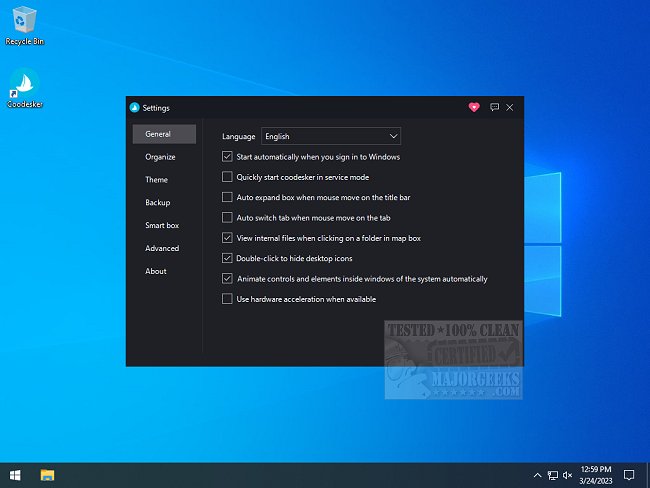
Once items are sorted into boxes, users have the flexibility to choose between large or small display options, assign names to each box, or disband them to return items to a free-range mode. Coodesker provides a user-friendly settings interface where various options can be customized, including the ability to start with Windows, operate in service mode, and utilize hardware acceleration for enhanced performance.
Customization extends to the appearance of the boxes, allowing users to resize them according to their contents and select themes, including the option to add a personalized background image. The software also offers a backup feature to safeguard users' favorite layouts, ensuring that their organizational preferences are preserved.
For those overwhelmed by a cluttered desktop, Coodesker is a valuable tool that enhances productivity and visual appeal. A comprehensive usage guide is available on the developer's website, making it easy for users to get started.
In addition, users seeking to streamline their desktop experience may find related resources helpful, such as guides on showing or hiding desktop icons and creating shortcuts for easier access in Windows 10 and 11. As desktop organization becomes increasingly important for efficiency, tools like Coodesker offer creative solutions to keep digital workspaces tidy and functional
Once items are sorted into boxes, users have the flexibility to choose between large or small display options, assign names to each box, or disband them to return items to a free-range mode. Coodesker provides a user-friendly settings interface where various options can be customized, including the ability to start with Windows, operate in service mode, and utilize hardware acceleration for enhanced performance.
Customization extends to the appearance of the boxes, allowing users to resize them according to their contents and select themes, including the option to add a personalized background image. The software also offers a backup feature to safeguard users' favorite layouts, ensuring that their organizational preferences are preserved.
For those overwhelmed by a cluttered desktop, Coodesker is a valuable tool that enhances productivity and visual appeal. A comprehensive usage guide is available on the developer's website, making it easy for users to get started.
In addition, users seeking to streamline their desktop experience may find related resources helpful, such as guides on showing or hiding desktop icons and creating shortcuts for easier access in Windows 10 and 11. As desktop organization becomes increasingly important for efficiency, tools like Coodesker offer creative solutions to keep digital workspaces tidy and functional
Coodesker 1.1.0.3 released
Coodesker lets you organize all your desktop items into neat boxes.