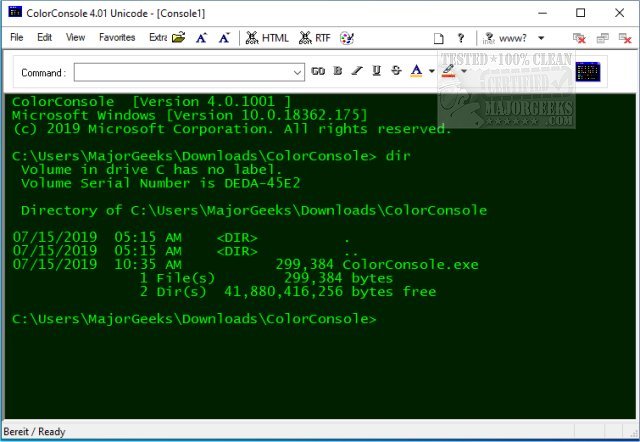
ColorConsole 7.27 has been released, offering an enhanced command-line experience for users of cmd.exe and PowerShell. This utility not only adds vibrant colors to the traditional monochrome console interface but also introduces a variety of useful features that improve usability, particularly for individuals with visual impairments.
Key functionalities include easy-to-use commands for copying, pasting, and cutting text, as well as tabbed browsing for managing multiple command windows simultaneously. Additionally, ColorConsole allows for quick exporting of command outputs to HTML and RTF formats, and users can customize font styles and colors to suit their preferences.
Being a portable application, ColorConsole can be extracted and run from any location, such as the desktop, without the need for installation, making it a convenient alternative to the standard DOS prompt. Overall, ColorConsole enhances productivity by reducing the number of manual actions required for common tasks, thereby saving users time and effort.
In conclusion, ColorConsole not only beautifies the command-line experience but also adds significant functionality, making it a valuable tool for both casual and power users. Future updates could potentially include even more customization options, additional file format exports, and enhanced integration with other command-line utilities to further streamline the user experience
Key functionalities include easy-to-use commands for copying, pasting, and cutting text, as well as tabbed browsing for managing multiple command windows simultaneously. Additionally, ColorConsole allows for quick exporting of command outputs to HTML and RTF formats, and users can customize font styles and colors to suit their preferences.
Being a portable application, ColorConsole can be extracted and run from any location, such as the desktop, without the need for installation, making it a convenient alternative to the standard DOS prompt. Overall, ColorConsole enhances productivity by reducing the number of manual actions required for common tasks, thereby saving users time and effort.
In conclusion, ColorConsole not only beautifies the command-line experience but also adds significant functionality, making it a valuable tool for both casual and power users. Future updates could potentially include even more customization options, additional file format exports, and enhanced integration with other command-line utilities to further streamline the user experience
ColorConsole 7.27 released
ColorConsole quite simply does what it says; it allows you to use (cmd.exe) and Powershell with colors and add additional features.