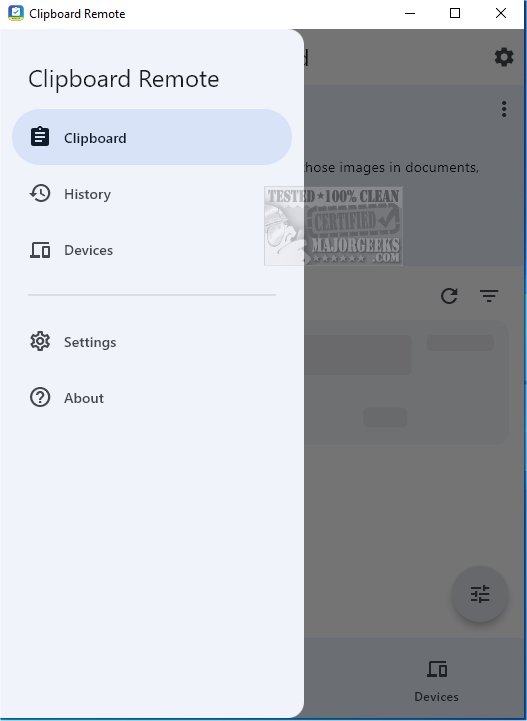
Clipboard Remote 1.0.6 has been released, offering an enhanced way to share URLs and transfer photos between devices. This application serves as a reliable alternative to Quick Share, allowing users to quickly utilize images in various formats such as documents, presentations, or social media posts.
Key Features and Functionality:
To use Clipboard Remote, you need to have it installed on at least two devices, which can range from mobile phones to desktop computers. The app simplifies the setup process by automatically scanning for nearby devices and presenting them in a user-friendly interface. Pairing devices is straightforward, typically requiring just a couple of clicks.
Once devices are paired, Clipboard Remote allows for seamless content sharing. For instance, when you copy text (CTRL-C), it uploads the clipboard content to the app, making it instantly accessible on the paired device. A standout feature is its ability to preserve text formatting during transfers, ensuring a consistent appearance across devices.
Limitations:
While the app excels at sharing text between mobile devices and Windows PCs, image sharing is limited. Currently, images can only be sent from Android or iOS devices to a desktop, not vice versa. This is an important consideration for users who prioritize media sharing.
Additional Features:
Clipboard Remote supports cross-platform compatibility, handling clipboard format differences across Windows, macOS, iOS, and Android. Users can copy and paste content easily, click on URLs or email addresses in their clipboard to open them directly, and even edit or crop images before or after sending them. The app also maintains a clipboard history for quick access to recent copy-paste operations and ensures secure data transfer through LAN or Wi-Fi, keeping user data private and encrypted.
Conclusion:
In summary, Clipboard Remote is a powerful tool that simplifies the sharing of text snippets, URLs, and images between devices, enhancing productivity and organization. By connecting multiple devices, users can create a seamless workflow that bridges data transfer across their digital ecosystem, making it a must-have application for those looking to optimize their connectivity and efficiency
Key Features and Functionality:
To use Clipboard Remote, you need to have it installed on at least two devices, which can range from mobile phones to desktop computers. The app simplifies the setup process by automatically scanning for nearby devices and presenting them in a user-friendly interface. Pairing devices is straightforward, typically requiring just a couple of clicks.
Once devices are paired, Clipboard Remote allows for seamless content sharing. For instance, when you copy text (CTRL-C), it uploads the clipboard content to the app, making it instantly accessible on the paired device. A standout feature is its ability to preserve text formatting during transfers, ensuring a consistent appearance across devices.
Limitations:
While the app excels at sharing text between mobile devices and Windows PCs, image sharing is limited. Currently, images can only be sent from Android or iOS devices to a desktop, not vice versa. This is an important consideration for users who prioritize media sharing.
Additional Features:
Clipboard Remote supports cross-platform compatibility, handling clipboard format differences across Windows, macOS, iOS, and Android. Users can copy and paste content easily, click on URLs or email addresses in their clipboard to open them directly, and even edit or crop images before or after sending them. The app also maintains a clipboard history for quick access to recent copy-paste operations and ensures secure data transfer through LAN or Wi-Fi, keeping user data private and encrypted.
Conclusion:
In summary, Clipboard Remote is a powerful tool that simplifies the sharing of text snippets, URLs, and images between devices, enhancing productivity and organization. By connecting multiple devices, users can create a seamless workflow that bridges data transfer across their digital ecosystem, making it a must-have application for those looking to optimize their connectivity and efficiency
Clipboard Remote 1.0.6 released
With Clipboard Remote, sharing URLs and transferring photos between your devices has never been easier. It is a solid alternative to Quick Share for facilitating immediate use of those images in documents, presentations, or social media posts.