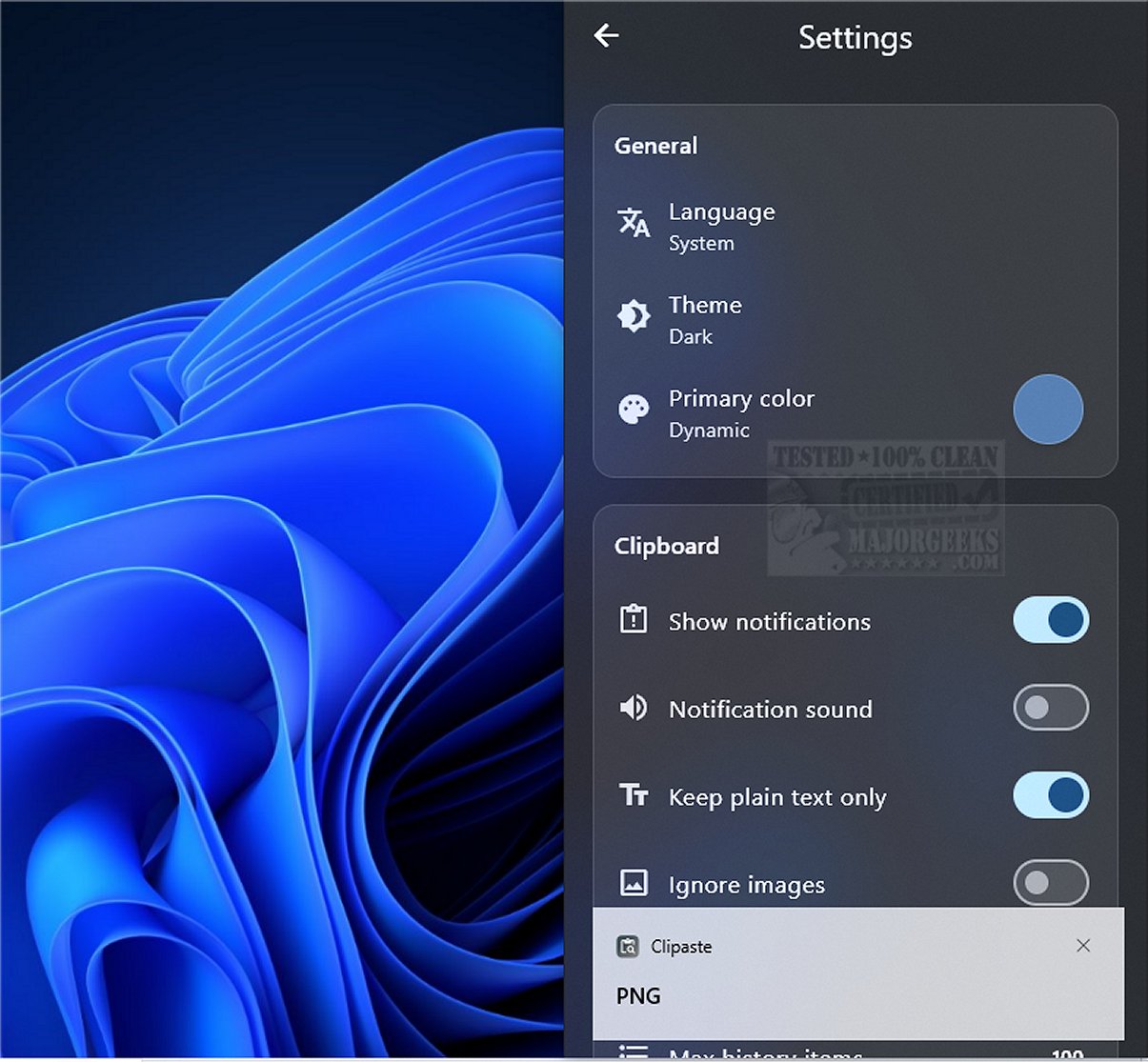
Clipaste is a cutting-edge clipboard manager that prioritizes user privacy by securely storing a searchable history of everything copied, including text, URLs, images, and files. This tool is designed for individuals like developers, designers, and writers who need to organize snippets efficiently and boost productivity.
Key Features and Functionality
1. Local Data Operations: Clipaste operates locally, ensuring that all copied data remains on your device without being uploaded to external servers. It employs AES-256 encryption to protect sensitive information by default.
2. Multi-format Support: The application supports various content types such as plain text, formatted text, images, and files, allowing non-intrusive copying from any application.
3. Smart Search and Filtering: One of Clipaste's standout features is its Smart Search, enabling quick retrieval of copied items through keyword searches. Users can filter their search results by application, making it easy to find specific content.
4. Pinned Snippets: For frequent use, users can pin important snippets for quick access, further enhancing their workflow.
5. Keyboard Shortcuts and Drag-and-Drop: Clipaste includes keyboard shortcuts for pasting previous items without the need for a mouse, and drag-and-drop functionality for seamless transfer of items between applications.
6. User-Friendly Interface: The application boasts a clean, modern design with animations and a dark mode option, making it visually appealing and easy to navigate.
Conclusion
Clipaste is an innovative tool that transforms the clipboard into a powerful asset for productivity. By automatically saving every copied snippet, it allows users to access and reuse information effortlessly. This seamless management of data not only enhances workflow efficiency but also provides a new level of convenience. Experience the benefits of improved productivity and organization with Clipaste, and elevate your daily tasks to a smarter, more efficient level.
Future Prospects
As Clipaste continues to evolve, users can look forward to enhanced features such as customization options, more advanced search capabilities, and integration with other productivity tools to further streamline their experiences. The focus on user privacy and local operation positions Clipaste as a leading choice for anyone seeking a secure and effective clipboard management solution
Key Features and Functionality
1. Local Data Operations: Clipaste operates locally, ensuring that all copied data remains on your device without being uploaded to external servers. It employs AES-256 encryption to protect sensitive information by default.
2. Multi-format Support: The application supports various content types such as plain text, formatted text, images, and files, allowing non-intrusive copying from any application.
3. Smart Search and Filtering: One of Clipaste's standout features is its Smart Search, enabling quick retrieval of copied items through keyword searches. Users can filter their search results by application, making it easy to find specific content.
4. Pinned Snippets: For frequent use, users can pin important snippets for quick access, further enhancing their workflow.
5. Keyboard Shortcuts and Drag-and-Drop: Clipaste includes keyboard shortcuts for pasting previous items without the need for a mouse, and drag-and-drop functionality for seamless transfer of items between applications.
6. User-Friendly Interface: The application boasts a clean, modern design with animations and a dark mode option, making it visually appealing and easy to navigate.
Conclusion
Clipaste is an innovative tool that transforms the clipboard into a powerful asset for productivity. By automatically saving every copied snippet, it allows users to access and reuse information effortlessly. This seamless management of data not only enhances workflow efficiency but also provides a new level of convenience. Experience the benefits of improved productivity and organization with Clipaste, and elevate your daily tasks to a smarter, more efficient level.
Future Prospects
As Clipaste continues to evolve, users can look forward to enhanced features such as customization options, more advanced search capabilities, and integration with other productivity tools to further streamline their experiences. The focus on user privacy and local operation positions Clipaste as a leading choice for anyone seeking a secure and effective clipboard management solution
Clipaste 1.0.1 released
Clipaste is a privacy-first clipboard manager that keeps a secure, searchable history of everything you copy: text, URLs, images, and files.