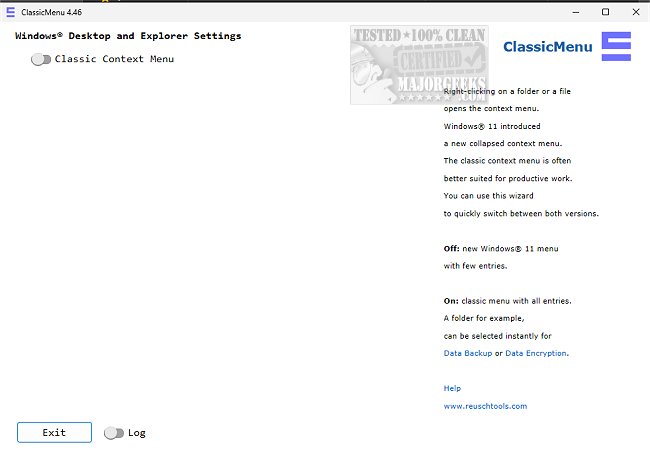
ClassicMenu version 4.75 has been released, offering an easy way for Windows 11 users to toggle between the context menus of Windows 10 and Windows 11. This tool addresses the concerns of users who find the new collapsed context menu in Windows 11 less efficient or confusing. With a simple toggle switch, ClassicMenu allows users to instantly switch to the more familiar Windows 10 context menu, which many find more productive and user-friendly.
Upon launching ClassicMenu, users can quickly adjust their context menu preference without needing to navigate through complex settings or configurations. The changes take effect immediately, ensuring a seamless transition that minimizes disruption to the user’s workflow. This flexibility caters to personal preferences, making it an effective solution for those who wish to retain the functionality they enjoyed in Windows 10.
In addition to its primary feature, ClassicMenu serves as a reminder of the growing demand for customizable user experiences in operating systems. As users continue to adapt to new software updates, tools like ClassicMenu not only enhance usability but also empower individuals to tailor their computing experience to better suit their needs.
Furthermore, ClassicMenu complements existing resources that assist users in managing context menu items across both Windows 10 and 11, such as guides on deleting, adding, and editing context menu items, as well as integrating features like the Control Panel into the context menu. As software continues to evolve, the availability of such tools underscores the importance of user-centric design in enhancing productivity and satisfaction
Upon launching ClassicMenu, users can quickly adjust their context menu preference without needing to navigate through complex settings or configurations. The changes take effect immediately, ensuring a seamless transition that minimizes disruption to the user’s workflow. This flexibility caters to personal preferences, making it an effective solution for those who wish to retain the functionality they enjoyed in Windows 10.
In addition to its primary feature, ClassicMenu serves as a reminder of the growing demand for customizable user experiences in operating systems. As users continue to adapt to new software updates, tools like ClassicMenu not only enhance usability but also empower individuals to tailor their computing experience to better suit their needs.
Furthermore, ClassicMenu complements existing resources that assist users in managing context menu items across both Windows 10 and 11, such as guides on deleting, adding, and editing context menu items, as well as integrating features like the Control Panel into the context menu. As software continues to evolve, the availability of such tools underscores the importance of user-centric design in enhancing productivity and satisfaction
ClassicMenu 4.75 released
ClassicMenu provides a simple option to change the Windows 11 context menu to the one previously available in Windows 10 and vice versa via a simple toggle switch.