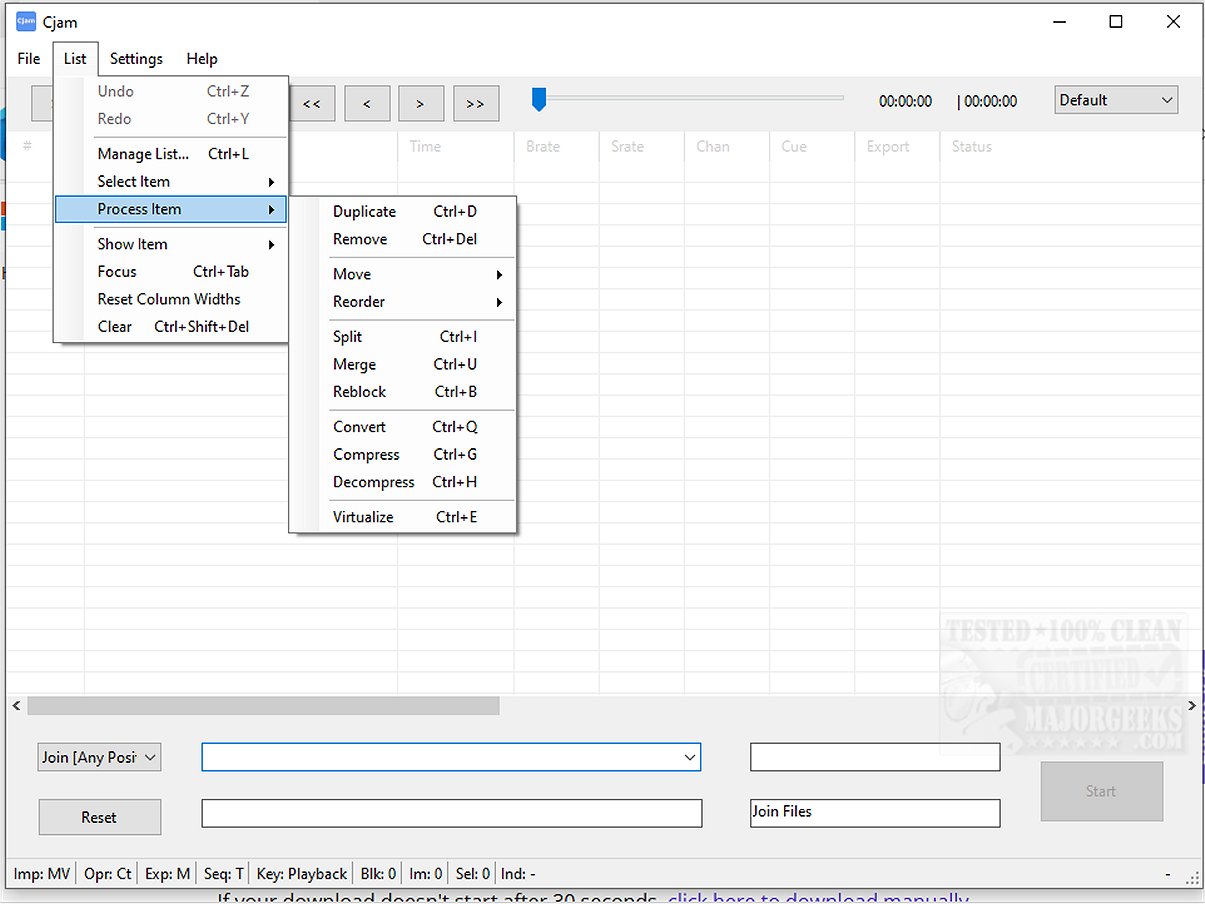
Cjam 2.4.4.0 has recently been released, serving as a user-friendly MP3 file editing software designed specifically for Windows 10 and 11 users. Its intuitive interface and essential functionalities make it accessible for anyone needing to edit audio files efficiently.
What is Cjam?
Cjam is a lightweight MP3 editing tool that provides seamless and efficient audio file manipulation. Users can easily cut, join, and edit MP3 files while preserving audio quality through lossless editing. This characteristic makes Cjam ideal for tasks like trimming music tracks, combining various audio pieces, or preparing content for educational purposes and podcasts.
Simplified Import Process
The software allows for a straightforward import process, enabling users to drag and drop audio files directly into the interface. Once imported, users can process and export audio files according to their specific settings.
Supported File Formats:
- MP3 (*.mp3)
- CUE (*.cue)
- M3U (*.m3u)
- CJAMC (*.cjc) - Cjam's custom format
- CJAMJ (*.cjj) - Cjam's custom format
- CJAM (*.cjm) - Cjam's custom format
In addition to basic editing functions, Cjam supports batch processing, scripting, and management of cue and playlist files, all while maintaining a user-friendly experience.
Cjam Features:
- Cut MP3 files
- Join MP3 files
- Add fade effects
- Insert silent intervals
- Play MP3 files
- Operate through text commands
- Save user-defined settings
Highlighted Feature
A noteworthy aspect of Cjam is its text command functionality, allowing users to perform multiple independent actions sequentially. This feature facilitates quick editing without the need for audio decoding and re-encoding, thereby ensuring that the audio quality remains unchanged.
Geek Verdict
With its straightforward interface and vital features, Cjam simplifies audio editing, making it accessible for users of all skill levels—from beginners to seasoned audio manipulators. Whether you're just starting or have prior experience, Cjam provides the necessary tools to enhance your audio projects easily.
Additional Requirements
Cjam requires Microsoft .NET to function properly.
Similar Guides:
- How to Enable Windows Sonic Surround Sound on Windows 10 & 11
- How to Toggle Key Sounds on or off in Windows 10 & 11
- Troubleshooting Low Computer Sound Volume
- Solutions for Fixing Sound Problems in Windows
Future Developments
As of October 2023, Cjam continues to evolve, with potential future updates likely to include enhanced features and support for additional audio formats, aiming to further simplify the editing process and improve user experience
What is Cjam?
Cjam is a lightweight MP3 editing tool that provides seamless and efficient audio file manipulation. Users can easily cut, join, and edit MP3 files while preserving audio quality through lossless editing. This characteristic makes Cjam ideal for tasks like trimming music tracks, combining various audio pieces, or preparing content for educational purposes and podcasts.
Simplified Import Process
The software allows for a straightforward import process, enabling users to drag and drop audio files directly into the interface. Once imported, users can process and export audio files according to their specific settings.
Supported File Formats:
- MP3 (*.mp3)
- CUE (*.cue)
- M3U (*.m3u)
- CJAMC (*.cjc) - Cjam's custom format
- CJAMJ (*.cjj) - Cjam's custom format
- CJAM (*.cjm) - Cjam's custom format
In addition to basic editing functions, Cjam supports batch processing, scripting, and management of cue and playlist files, all while maintaining a user-friendly experience.
Cjam Features:
- Cut MP3 files
- Join MP3 files
- Add fade effects
- Insert silent intervals
- Play MP3 files
- Operate through text commands
- Save user-defined settings
Highlighted Feature
A noteworthy aspect of Cjam is its text command functionality, allowing users to perform multiple independent actions sequentially. This feature facilitates quick editing without the need for audio decoding and re-encoding, thereby ensuring that the audio quality remains unchanged.
Geek Verdict
With its straightforward interface and vital features, Cjam simplifies audio editing, making it accessible for users of all skill levels—from beginners to seasoned audio manipulators. Whether you're just starting or have prior experience, Cjam provides the necessary tools to enhance your audio projects easily.
Additional Requirements
Cjam requires Microsoft .NET to function properly.
Similar Guides:
- How to Enable Windows Sonic Surround Sound on Windows 10 & 11
- How to Toggle Key Sounds on or off in Windows 10 & 11
- Troubleshooting Low Computer Sound Volume
- Solutions for Fixing Sound Problems in Windows
Future Developments
As of October 2023, Cjam continues to evolve, with potential future updates likely to include enhanced features and support for additional audio formats, aiming to further simplify the editing process and improve user experience
Cjam 2.4.4.0 released
Cjam is an easy-to-use MP3 file editing software tailored for Windows 10 and 11 users. It offers a simple interface and essential features, making it usable for anyone looking to edit their audio files efficiently.