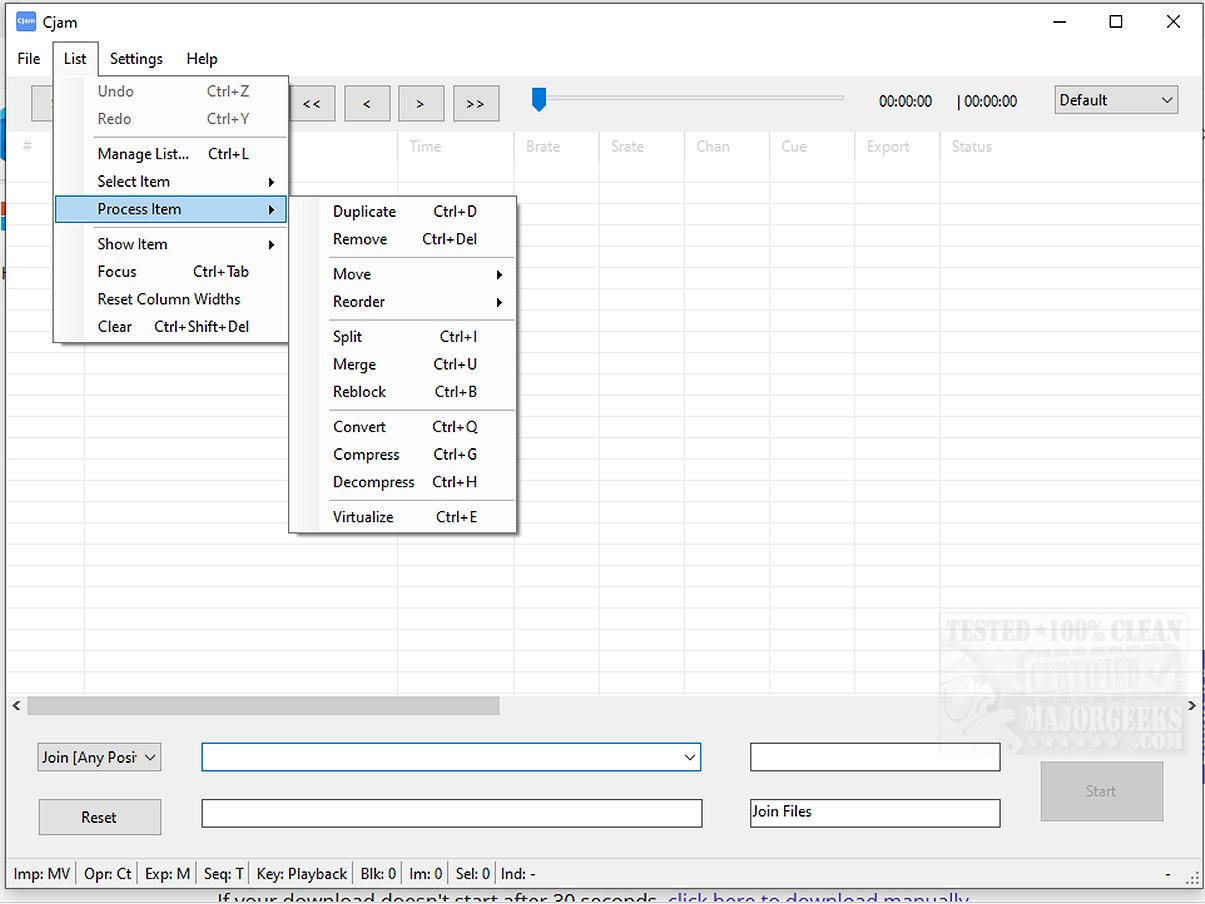
Cjam 2.4.3.0 has been released as a user-friendly MP3 editing software specifically designed for Windows 10 and 11 users. This software stands out due to its simple interface and essential features that allow users to efficiently edit their audio files.
Key Features of Cjam:
Cjam is lightweight and efficient, making it ideal for seamless audio file manipulation. Users can easily cut, join, and edit MP3 files while maintaining audio quality thanks to its emphasis on lossless editing. This is particularly beneficial for trimming music tracks, merging audio files, or preparing content for podcasts and educational purposes. The software supports a straightforward drag-and-drop import process for audio files, enabling users to quickly start their editing tasks.
Supported File Formats:
Cjam supports a variety of file formats including:
- MP3 (*.mp3)
- CUE (*.cue)
- M3U (*.m3u)
- CJAMC (*.cjc) - Cjam's custom format
- CJAMJ (*.cjj) - Cjam's custom format
- CJAM (*.cjm) - Cjam's custom format
Additional Features:
The software also includes batch processing, scripting capabilities, and the ability to work with cue and playlist files. Users can perform various operations such as cutting, joining, adding fade effects, and inserting silent intervals into their MP3 files. A unique feature of Cjam is its ability to define operations through text input, allowing users to execute multiple actions in sequence without sacrificing audio quality.
User Experience:
Cjam’s intuitive design makes it accessible for both novice and experienced users. The software empowers anyone to enhance their audio projects without the complexities often found in more advanced audio editing suites.
System Requirements:
Cjam requires Microsoft .NET to function properly.
Overall, Cjam 2.4.3.0 is an excellent tool for those looking to enhance their audio experience, offering a balance of simplicity and powerful features suitable for a wide range of editing needs.
Extension:
In addition to its core functionalities, future updates to Cjam could focus on expanding its capabilities by incorporating advanced effects, enhanced audio visualization tools, and improved integration with other audio software. Additionally, user feedback could guide the development of features such as cloud storage support for easier access and sharing of audio projects. This would allow users to not only edit but also collaborate on audio files effortlessly, catering to the needs of podcasters, musicians, and educators alike
Key Features of Cjam:
Cjam is lightweight and efficient, making it ideal for seamless audio file manipulation. Users can easily cut, join, and edit MP3 files while maintaining audio quality thanks to its emphasis on lossless editing. This is particularly beneficial for trimming music tracks, merging audio files, or preparing content for podcasts and educational purposes. The software supports a straightforward drag-and-drop import process for audio files, enabling users to quickly start their editing tasks.
Supported File Formats:
Cjam supports a variety of file formats including:
- MP3 (*.mp3)
- CUE (*.cue)
- M3U (*.m3u)
- CJAMC (*.cjc) - Cjam's custom format
- CJAMJ (*.cjj) - Cjam's custom format
- CJAM (*.cjm) - Cjam's custom format
Additional Features:
The software also includes batch processing, scripting capabilities, and the ability to work with cue and playlist files. Users can perform various operations such as cutting, joining, adding fade effects, and inserting silent intervals into their MP3 files. A unique feature of Cjam is its ability to define operations through text input, allowing users to execute multiple actions in sequence without sacrificing audio quality.
User Experience:
Cjam’s intuitive design makes it accessible for both novice and experienced users. The software empowers anyone to enhance their audio projects without the complexities often found in more advanced audio editing suites.
System Requirements:
Cjam requires Microsoft .NET to function properly.
Overall, Cjam 2.4.3.0 is an excellent tool for those looking to enhance their audio experience, offering a balance of simplicity and powerful features suitable for a wide range of editing needs.
Extension:
In addition to its core functionalities, future updates to Cjam could focus on expanding its capabilities by incorporating advanced effects, enhanced audio visualization tools, and improved integration with other audio software. Additionally, user feedback could guide the development of features such as cloud storage support for easier access and sharing of audio projects. This would allow users to not only edit but also collaborate on audio files effortlessly, catering to the needs of podcasters, musicians, and educators alike
Cjam 2.4.3.0 released
Cjam is an easy-to-use MP3 file editing software tailored for Windows 10 and 11 users. It offers a simple interface and essential features, making it usable for anyone looking to edit their audio files efficiently.