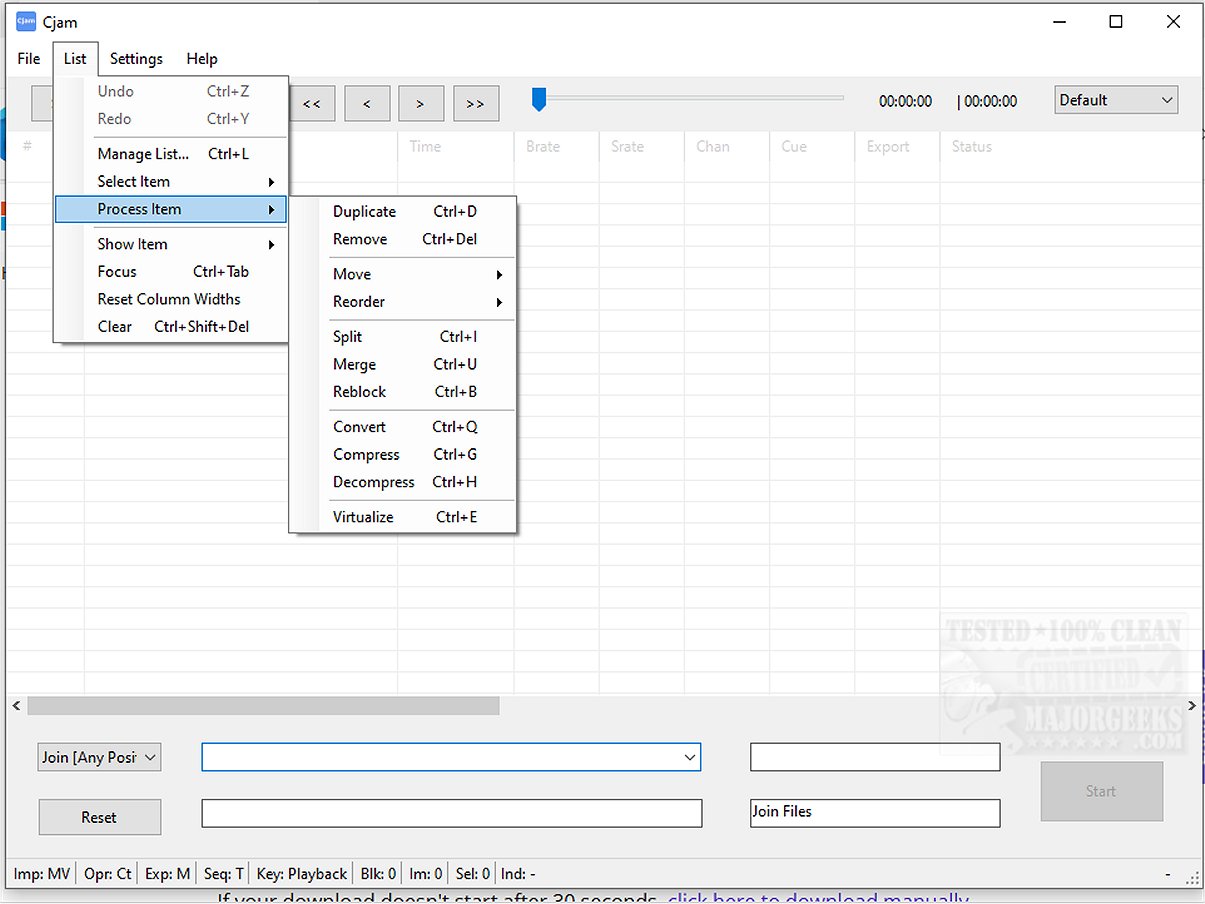
Cjam 2.3.4.0 has been released, enhancing its reputation as a user-friendly MP3 editing software specifically designed for Windows 10 and 11 users. This software features a straightforward interface, making it accessible for anyone interested in efficiently editing audio files.
Cjam stands out for its lightweight nature, allowing users to manipulate MP3 files seamlessly. It provides essential editing functions such as cutting, joining, and modifying MP3 files while ensuring that audio quality is preserved through lossless editing. This makes it particularly suitable for a variety of applications, including trimming music, merging tracks, or preparing audio for educational content and podcasts.
The software simplifies the audio import process, allowing users to drag and drop files directly into the interface. Once imported, users can process and export audio files according to their preferences. Cjam supports several file formats, including:
- MP3 (*.mp3)
- CUE (*.cue)
- M3U (*.m3u)
- CJAMC (*.cjc) - Cjam's custom format
- CJAMJ (*.cjj) - Cjam's custom format
- CJAM (*.cjm) - Cjam's custom format
In addition to basic editing features, Cjam offers batch processing, scripting support, and the ability to manage cue and playlist files, all within an intuitive interface. This makes it an excellent choice for anyone seeking effective MP3 editing without the complexities found in more comprehensive audio editing software.
Notable features of Cjam include:
- Cutting MP3 files
- Joining MP3 files
- Adding fade effects
- Inserting silent intervals
- Playing MP3 files
- Operating through text commands
- Saving user-defined settings
A highlighted feature that sets Cjam apart is its support for defining operations via text input. This allows users to execute multiple independent actions in a sequence, enhancing the efficiency of the editing process while maintaining audio quality.
Overall, Cjam combines an intuitive design with essential editing functions, making it a valuable tool for both novice and experienced users in audio manipulation. Its accessible features cater to a broad spectrum of skill levels, ensuring that anyone can enhance their audio experience with ease. Note that Cjam requires Microsoft .NET for optimal performance.
In summary, Cjam 2.3.4.0 is a versatile and efficient MP3 editing solution that caters to a wide array of users, empowering them to edit and enhance audio files with minimal hassle
Cjam stands out for its lightweight nature, allowing users to manipulate MP3 files seamlessly. It provides essential editing functions such as cutting, joining, and modifying MP3 files while ensuring that audio quality is preserved through lossless editing. This makes it particularly suitable for a variety of applications, including trimming music, merging tracks, or preparing audio for educational content and podcasts.
The software simplifies the audio import process, allowing users to drag and drop files directly into the interface. Once imported, users can process and export audio files according to their preferences. Cjam supports several file formats, including:
- MP3 (*.mp3)
- CUE (*.cue)
- M3U (*.m3u)
- CJAMC (*.cjc) - Cjam's custom format
- CJAMJ (*.cjj) - Cjam's custom format
- CJAM (*.cjm) - Cjam's custom format
In addition to basic editing features, Cjam offers batch processing, scripting support, and the ability to manage cue and playlist files, all within an intuitive interface. This makes it an excellent choice for anyone seeking effective MP3 editing without the complexities found in more comprehensive audio editing software.
Notable features of Cjam include:
- Cutting MP3 files
- Joining MP3 files
- Adding fade effects
- Inserting silent intervals
- Playing MP3 files
- Operating through text commands
- Saving user-defined settings
A highlighted feature that sets Cjam apart is its support for defining operations via text input. This allows users to execute multiple independent actions in a sequence, enhancing the efficiency of the editing process while maintaining audio quality.
Overall, Cjam combines an intuitive design with essential editing functions, making it a valuable tool for both novice and experienced users in audio manipulation. Its accessible features cater to a broad spectrum of skill levels, ensuring that anyone can enhance their audio experience with ease. Note that Cjam requires Microsoft .NET for optimal performance.
In summary, Cjam 2.3.4.0 is a versatile and efficient MP3 editing solution that caters to a wide array of users, empowering them to edit and enhance audio files with minimal hassle
Cjam 2.3.4.0 released
Cjam is an easy-to-use MP3 file editing software tailored for Windows 10 and 11 users. It offers a simple interface and essential features, making it usable for anyone looking to edit their audio files efficiently.