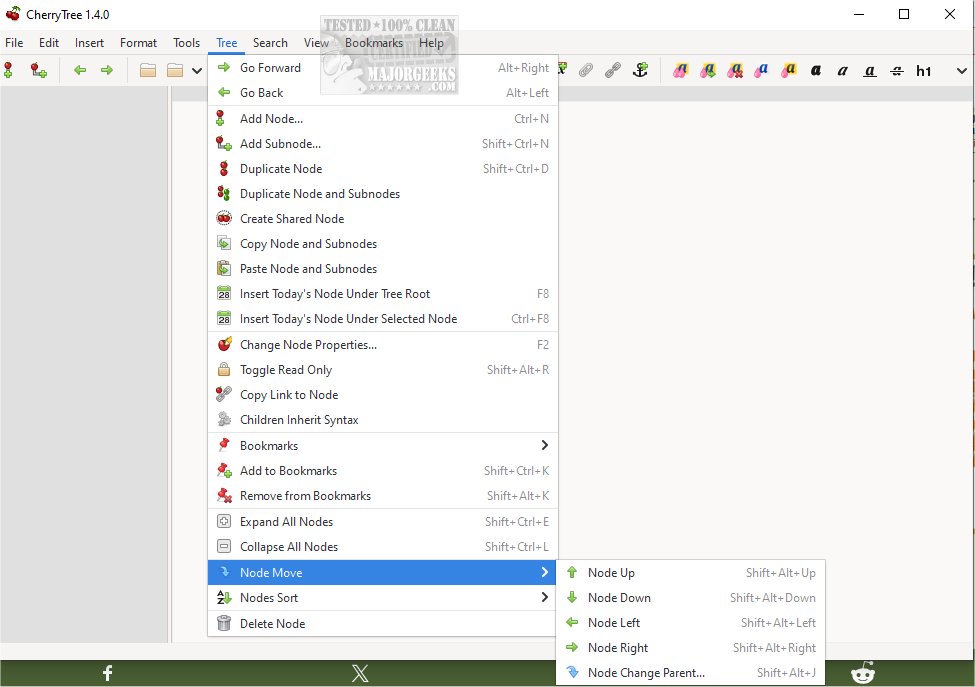
Cherrytree 1.6.3 has been released, offering a versatile and free hierarchical note-taking application compatible with Windows, Mac, and Linux. This software allows users to manage notes with rich text formatting and syntax highlighting, and it stores data in a single XML or SQLite file. Additionally, a portable version that requires no dependencies is available for those who prefer a lightweight option.
The design of Cherrytree can be visualized as a tree structure, where the root represents the main document and each "node" acts as a branch, further branching out into sub-nodes. This layout is reminiscent of other outlining programs such as OmniNote and Keepnote, making it user-friendly for those familiar with such tools. Cherrytree consolidates scattered information into a single, organized document, simplifying the process of information retrieval.
- Syntax Highlighting: Compatible with multiple programming languages for code snippets.
- Image Handling: Users can insert, edit, and save images as PNG files within their notes.
- Embedded File Handling: Allows the insertion and saving of files directly into the note.
- List Management: Supports bulleted, numbered, and to-do lists, with easy switching options.
- Table Support: Enables simple tables, with options for cut/copy/paste and CSV import/export.
- Codeboxes: Users can create plain text codeboxes with optional syntax highlighting.
- Text Alignment: Offers alignment options for text, images, tables, and codeboxes.
- Hyperlinking: Users can link to web pages, other nodes, files, and folders.
- Spell Check: Integrated spell check using pygtkspellcheck and pyenchant.
- Cross-Application Copy/Paste: Facilitates easy sharing of content with other applications like LibreOffice and Gmail.
- File Management: Users can copy lists of files directly into Cherrytree, creating links to those files automatically.
- Export and Printing Options: Allows for PDF printing, HTML exporting, and plain text exporting of selected nodes or the entire tree.
- Search and Replace Functionality: Comprehensive search and replace capabilities across nodes and subnodes.
- Import Options: Supports importing from various formats including HTML and plain text files.
- Password Protection: Offers a layer of security by allowing users to password-protect their notes.
- Drag and Drop Functionality: Users can easily rearrange tree nodes through drag and drop.
In summary, Cherrytree stands out as a powerful tool for users looking to organize their notes hierarchically while providing a rich set of features that enhance the note-taking experience. With continuous updates and a robust feature set, it remains an excellent choice for anyone needing a comprehensive solution for information management. Future enhancements could include improved collaboration tools, mobile app support, or integration with cloud services for seamless access across devices
The design of Cherrytree can be visualized as a tree structure, where the root represents the main document and each "node" acts as a branch, further branching out into sub-nodes. This layout is reminiscent of other outlining programs such as OmniNote and Keepnote, making it user-friendly for those familiar with such tools. Cherrytree consolidates scattered information into a single, organized document, simplifying the process of information retrieval.
Key Features of Cherrytree:
- Rich Text Formatting: Supports various text styles including colors, bold, italic, underline, and different header sizes (h1, h2, h3).- Syntax Highlighting: Compatible with multiple programming languages for code snippets.
- Image Handling: Users can insert, edit, and save images as PNG files within their notes.
- Embedded File Handling: Allows the insertion and saving of files directly into the note.
- List Management: Supports bulleted, numbered, and to-do lists, with easy switching options.
- Table Support: Enables simple tables, with options for cut/copy/paste and CSV import/export.
- Codeboxes: Users can create plain text codeboxes with optional syntax highlighting.
- Text Alignment: Offers alignment options for text, images, tables, and codeboxes.
- Hyperlinking: Users can link to web pages, other nodes, files, and folders.
- Spell Check: Integrated spell check using pygtkspellcheck and pyenchant.
- Cross-Application Copy/Paste: Facilitates easy sharing of content with other applications like LibreOffice and Gmail.
- File Management: Users can copy lists of files directly into Cherrytree, creating links to those files automatically.
- Export and Printing Options: Allows for PDF printing, HTML exporting, and plain text exporting of selected nodes or the entire tree.
- Search and Replace Functionality: Comprehensive search and replace capabilities across nodes and subnodes.
- Import Options: Supports importing from various formats including HTML and plain text files.
- Password Protection: Offers a layer of security by allowing users to password-protect their notes.
- Drag and Drop Functionality: Users can easily rearrange tree nodes through drag and drop.
In summary, Cherrytree stands out as a powerful tool for users looking to organize their notes hierarchically while providing a rich set of features that enhance the note-taking experience. With continuous updates and a robust feature set, it remains an excellent choice for anyone needing a comprehensive solution for information management. Future enhancements could include improved collaboration tools, mobile app support, or integration with cloud services for seamless access across devices
Cherrytree 1.6.3 released
Cherrytree for Windows, Mac, and Linux is a free hierarchical note-taking application featuring rich text and syntax highlighting, storing data in a single XML or SQLite file. Zero-dependency portable version is also available.