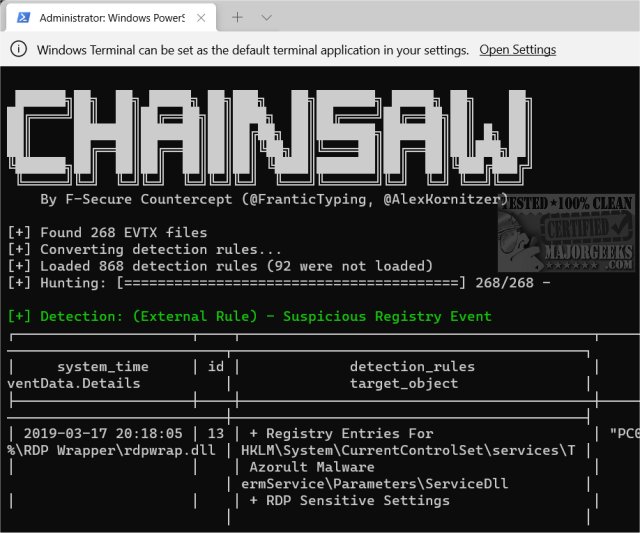
Chainsaw version 2.14.0 has been released, providing advanced users with an efficient tool for navigating and analyzing Windows Event Logs. It specializes in quickly identifying potential threats through a robust 'first-response' capability. The software allows users to search logs rapidly for keywords and threats, utilizing built-in detection logic along with support for Sigma detection rules.
Key features of Chainsaw include:
- The ability to search and extract event log records using event IDs, string matches, and regex patterns.
- Threat hunting capabilities through Sigma detection rules and custom detection logic.
- High-speed performance as it is developed in Rust and utilizes the EVTX parser library by OBenamram.
- Document tagging through the TAU Engine Library to match detection logic.
- Output options in ASCII table format, CSV, or JSON for ease of analysis and integration.
Chainsaw is tailored for advanced users who are adept at using the Command Prompt, making it particularly useful for IT technicians and administrators. For those interested in seeing the program in action, a demonstration can be initiated with a command such as:
`./chainsaw hunt evtx_attack_samples/ --rules sigma_rules/ --mapping mapping_files/sigma-mapping.yml`.
In addition to its primary offerings, users may find related resources helpful, such as guides on clearing all event logs in Windows Event Viewer and methods for reading Event Viewer logs for Check Disk operations.
As the software evolves, future updates may include enhanced features for even more streamlined event log analysis, integration with additional detection frameworks, and a more user-friendly interface for those less comfortable with command-line tools
Key features of Chainsaw include:
- The ability to search and extract event log records using event IDs, string matches, and regex patterns.
- Threat hunting capabilities through Sigma detection rules and custom detection logic.
- High-speed performance as it is developed in Rust and utilizes the EVTX parser library by OBenamram.
- Document tagging through the TAU Engine Library to match detection logic.
- Output options in ASCII table format, CSV, or JSON for ease of analysis and integration.
Chainsaw is tailored for advanced users who are adept at using the Command Prompt, making it particularly useful for IT technicians and administrators. For those interested in seeing the program in action, a demonstration can be initiated with a command such as:
`./chainsaw hunt evtx_attack_samples/ --rules sigma_rules/ --mapping mapping_files/sigma-mapping.yml`.
In addition to its primary offerings, users may find related resources helpful, such as guides on clearing all event logs in Windows Event Viewer and methods for reading Event Viewer logs for Check Disk operations.
As the software evolves, future updates may include enhanced features for even more streamlined event log analysis, integration with additional detection frameworks, and a more user-friendly interface for those less comfortable with command-line tools
Chainsaw 2.14.0 released
Chainsaw allows advanced users to search and hunt through Windows Event Logs rapidly.