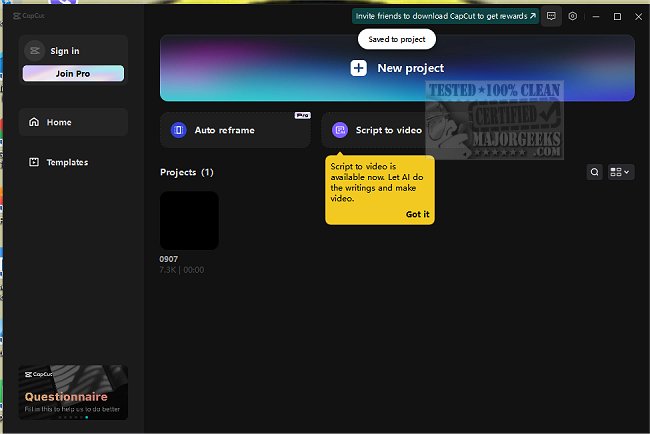
CapCut has recently launched version 8.3.0, further enhancing its reputation as a versatile and user-friendly video editing software. Designed for various editing needs, CapCut caters to content creators, vloggers, educators, and marketers alike, enabling them to produce stunning videos efficiently.
CapCut’s intuitive interface makes it accessible for both beginners and experienced editors, allowing users to create engaging content whether they're at home or on the go. The software is particularly beneficial for quick edits during busy moments, such as commuting or coffee breaks, and offers features tailored for different purposes—from educational videos with captions to creative family montages and compelling marketing content.
Key features of CapCut include:
- Advanced Green Screen Effects: The chroma key feature allows users to replace backgrounds seamlessly, enhancing creativity and visual appeal.
- Pre-Designed Templates: A handy library of templates helps users produce professional-looking videos quickly, whether for personal or promotional use.
- Speech-to-Text Capabilities: CapCut automates the captioning process in multiple languages and can convert text into realistic voiceovers.
- High-Quality Exports: Users can export videos in 4K resolution at 60fps, ensuring a crisp and clear viewing experience on any platform.
- Accurate Background Remover: The background removal tool delivers precision without unsightly edges, making it easier to create clean and professional-looking videos.
The latest version of CapCut empowers creators to produce high-quality videos without requiring extensive technical knowledge, making it an ideal choice for anyone looking to enhance their video content. Users can benefit from robust color grading tools, advanced editing options, and the absence of watermarks—all for free.
In conclusion, CapCut continues to solidify its position as a go-to video editing tool for creators at all levels, encouraging anyone interested in video production to download the app and unleash their creativity. With its latest features, CapCut not only simplifies the editing process but also elevates the quality of content produced, making it suitable for various platforms, including TikTok, YouTube, and social media. Don’t miss out on the opportunity to enhance your video editing experience—explore CapCut and let your imagination run wild
CapCut’s intuitive interface makes it accessible for both beginners and experienced editors, allowing users to create engaging content whether they're at home or on the go. The software is particularly beneficial for quick edits during busy moments, such as commuting or coffee breaks, and offers features tailored for different purposes—from educational videos with captions to creative family montages and compelling marketing content.
Key features of CapCut include:
- Advanced Green Screen Effects: The chroma key feature allows users to replace backgrounds seamlessly, enhancing creativity and visual appeal.
- Pre-Designed Templates: A handy library of templates helps users produce professional-looking videos quickly, whether for personal or promotional use.
- Speech-to-Text Capabilities: CapCut automates the captioning process in multiple languages and can convert text into realistic voiceovers.
- High-Quality Exports: Users can export videos in 4K resolution at 60fps, ensuring a crisp and clear viewing experience on any platform.
- Accurate Background Remover: The background removal tool delivers precision without unsightly edges, making it easier to create clean and professional-looking videos.
The latest version of CapCut empowers creators to produce high-quality videos without requiring extensive technical knowledge, making it an ideal choice for anyone looking to enhance their video content. Users can benefit from robust color grading tools, advanced editing options, and the absence of watermarks—all for free.
In conclusion, CapCut continues to solidify its position as a go-to video editing tool for creators at all levels, encouraging anyone interested in video production to download the app and unleash their creativity. With its latest features, CapCut not only simplifies the editing process but also elevates the quality of content produced, making it suitable for various platforms, including TikTok, YouTube, and social media. Don’t miss out on the opportunity to enhance your video editing experience—explore CapCut and let your imagination run wild
CapCut 8.3.0 released
CapCut is a versatile video editing software with an intuitive interface that allows you to easily create stunning videos.