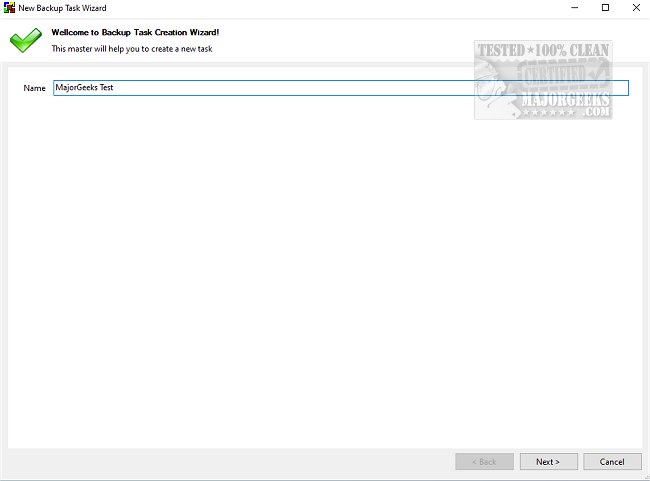
BUtil 2026.01.23 has been released, introducing an efficient tool designed for creating encrypted backups of documents and data on your PC. Regular backups of important files and folders are essential to safeguard against data loss, and BUtil makes this process simple and quick. Unlike various Windows tools that often require more time and effort, BUtil allows users to select target files and folders to back up and save them either on the same drive, an FTP server, or a network computer, facilitating multiple storage options for convenience.
For those who prefer an automated approach, BUtil includes a built-in scheduler that allows users to specify the exact time, frequency, and even enable silent backups for a seamless experience. Users can configure the encryption of their backup files with a password, which can be generated using BUtil’s built-in password generator. BUtil also offers a Command Line interface for advanced users, providing commands for executing tasks, shutting down, logging off, or rebooting the PC after a backup.
Key features of BUtil include an incremental backup model with file deduplication, the ability to import multimedia from various devices via Wi-Fi, a user-friendly configuration process, support for multiple backup tasks, and HTML log file formatting. BUtil supports two modes of operation: a manual UI for immediate tasks and an automated scheduling option for regular backups.
To utilize BUtil effectively, users must have 7-Zip (or similar) and Microsoft .NET installed. The app is suitable for all user types, making it a reliable option for both personal and professional use.
As data management becomes increasingly critical in our digital age, tools like BUtil not only ensure the safety of important files but also promote a culture of regular data backup. With features that cater to both novice and experienced users, BUtil stands out as a comprehensive solution that can adapt to various user needs.
In summary, BUtil is an essential tool for anyone looking to maintain secure and efficient backups of their important data. Its combination of user-friendly design, automation capabilities, and robust security features makes it an excellent choice for ensuring data integrity and accessibility
For those who prefer an automated approach, BUtil includes a built-in scheduler that allows users to specify the exact time, frequency, and even enable silent backups for a seamless experience. Users can configure the encryption of their backup files with a password, which can be generated using BUtil’s built-in password generator. BUtil also offers a Command Line interface for advanced users, providing commands for executing tasks, shutting down, logging off, or rebooting the PC after a backup.
Key features of BUtil include an incremental backup model with file deduplication, the ability to import multimedia from various devices via Wi-Fi, a user-friendly configuration process, support for multiple backup tasks, and HTML log file formatting. BUtil supports two modes of operation: a manual UI for immediate tasks and an automated scheduling option for regular backups.
To utilize BUtil effectively, users must have 7-Zip (or similar) and Microsoft .NET installed. The app is suitable for all user types, making it a reliable option for both personal and professional use.
As data management becomes increasingly critical in our digital age, tools like BUtil not only ensure the safety of important files but also promote a culture of regular data backup. With features that cater to both novice and experienced users, BUtil stands out as a comprehensive solution that can adapt to various user needs.
In summary, BUtil is an essential tool for anyone looking to maintain secure and efficient backups of their important data. Its combination of user-friendly design, automation capabilities, and robust security features makes it an excellent choice for ensuring data integrity and accessibility
BUtil 2026.01.23 released
BUtil is a powerful tool for creating encrypted backups of documents and data on your PC.