Bullzip PDF Printer has released version 2026.0.0.2993, enhancing its functionality as a virtual printer for Windows users. This software allows users to create PDF documents from nearly any application that supports printing. Users can choose to save the output to the same file consistently or select a new destination each time they print. The software also offers the option to view the generated PDF document immediately after creation.
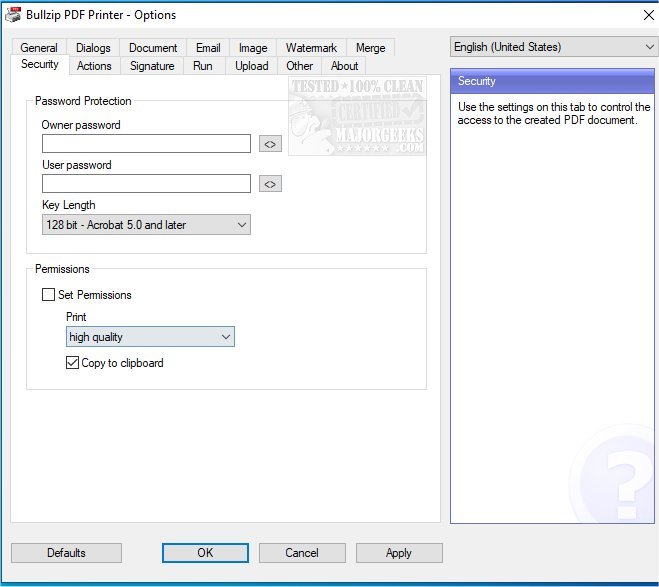
In addition to PDFs, Bullzip PDF Printer supports various output formats including BMP, JPEG, PCX, PNG, and TIFF. Users have extensive control over the printing process, including unattended setup options, a user-friendly graphical interface, and the ability to apply password protection with up to 128-bit encryption for added security.
The software allows for customization in terms of quality settings (such as screen, printer, ebook, and prepress), document properties, and the addition of watermarks with adjustable text size, rotation, and transparency. The range of features is extensive, and users can explore them further through the official website.
Additional related topics include instructions on managing PDF file settings in browsers like Microsoft Edge and Google Chrome, as well as tips for managing printers within the Windows operating system.
Furthermore, the new version could pave the way for enhancements in productivity for both personal and professional use, making it easier for users to handle document creation and distribution. As technology continues to evolve, Bullzip PDF Printer may incorporate even more advanced features, such as cloud integration or improved collaboration tools, to further streamline the document management process
In addition to PDFs, Bullzip PDF Printer supports various output formats including BMP, JPEG, PCX, PNG, and TIFF. Users have extensive control over the printing process, including unattended setup options, a user-friendly graphical interface, and the ability to apply password protection with up to 128-bit encryption for added security.
The software allows for customization in terms of quality settings (such as screen, printer, ebook, and prepress), document properties, and the addition of watermarks with adjustable text size, rotation, and transparency. The range of features is extensive, and users can explore them further through the official website.
Additional related topics include instructions on managing PDF file settings in browsers like Microsoft Edge and Google Chrome, as well as tips for managing printers within the Windows operating system.
Furthermore, the new version could pave the way for enhancements in productivity for both personal and professional use, making it easier for users to handle document creation and distribution. As technology continues to evolve, Bullzip PDF Printer may incorporate even more advanced features, such as cloud integration or improved collaboration tools, to further streamline the document management process
Bullzip PDF Printer 2026.0.0.2993 released
Bullzip PDF Printer works as a Microsoft Windows printer and allows you to write PDF documents from virtually any Windows application.