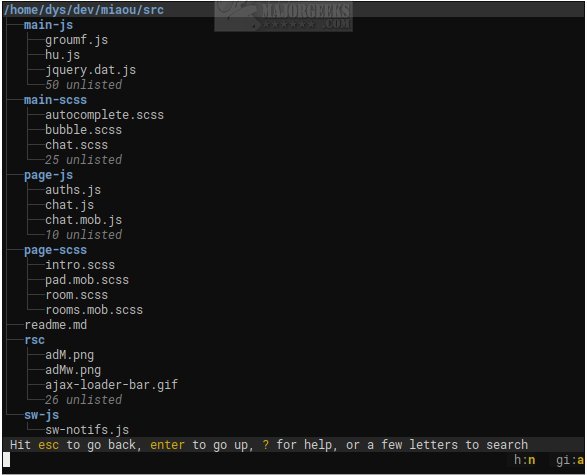
Broot version 1.55.0 has been released, offering an innovative open-source solution for viewing and navigating directory trees via the command line. This command-line file manager enhances terminal navigation, making it not only bearable but potentially enjoyable. Unlike traditional methods that involve switching between commands like `ls`, `cd`, and `find`, Broot provides users with a dynamic, searchable tree view that updates in real-time as you type.
Designed specifically for terminal enthusiasts, Broot prioritizes speed and simplicity, avoiding the complications often associated with bulky terminal user interfaces (TUIs) that come with numerous panels and intricate key combinations. When you launch Broot, it immediately displays the entire folder structure, allowing for quick access to desired files and directories.
Key features of Broot include the ability to search for files, create custom shortcuts, and manipulate files without disrupting the underlying folder hierarchy. However, it requires the user to set up a `br` shell function for launching, which may necessitate administrative privileges. Broot is optimized for performance, capable of handling even large, slow disks without blocking operations, as any keystroke can interrupt a search to initiate a new one.
For those interested in maximizing their efficiency in terminal navigation, it's advisable to visit the author's website to explore the comprehensive usage guide. This will help users understand all the functionalities Broot offers and how to make the most of this powerful tool.
As Broot continues to evolve, future updates may introduce even more features and enhancements, making it an essential tool for anyone who regularly interacts with the command line. The focus on a clean, minimal design paired with robust functionality positions Broot as a standout option among command-line file managers. Additionally, users might find value in exploring related resources, such as comprehensive command prompt and PowerShell command lists, or guides on resetting folder view settings in Windows 10 and 11
Designed specifically for terminal enthusiasts, Broot prioritizes speed and simplicity, avoiding the complications often associated with bulky terminal user interfaces (TUIs) that come with numerous panels and intricate key combinations. When you launch Broot, it immediately displays the entire folder structure, allowing for quick access to desired files and directories.
Key features of Broot include the ability to search for files, create custom shortcuts, and manipulate files without disrupting the underlying folder hierarchy. However, it requires the user to set up a `br` shell function for launching, which may necessitate administrative privileges. Broot is optimized for performance, capable of handling even large, slow disks without blocking operations, as any keystroke can interrupt a search to initiate a new one.
For those interested in maximizing their efficiency in terminal navigation, it's advisable to visit the author's website to explore the comprehensive usage guide. This will help users understand all the functionalities Broot offers and how to make the most of this powerful tool.
As Broot continues to evolve, future updates may introduce even more features and enhancements, making it an essential tool for anyone who regularly interacts with the command line. The focus on a clean, minimal design paired with robust functionality positions Broot as a standout option among command-line file managers. Additionally, users might find value in exploring related resources, such as comprehensive command prompt and PowerShell command lists, or guides on resetting folder view settings in Windows 10 and 11
Broot 1.55.0 released
Broot is an Open Source way to view and navigate any size directory trees through the command line.