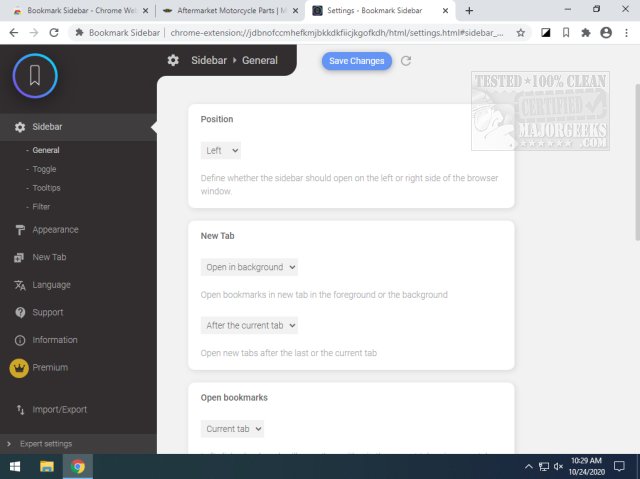
The latest release of Bookmark Sidebar for Chrome and Edge, version 2.5.6, introduces a user-friendly toggleable sidebar that houses all your bookmarks, offering flexibility in their organization and access. Users can position the sidebar on either the left or right side of their screen, allowing for easy sorting, editing, deleting, or rearranging of bookmarks directly within the sidebar. The extension boasts numerous configuration options, enabling users to customize its appearance fully.
Additionally, Bookmark Sidebar includes a useful feature that checks bookmarks for updated or broken URLs. However, during testing, it was noted that when Super Dark Mode is enabled, the sidebar tends to overlay the webpage entirely, which can be a minor inconvenience. Furthermore, it's important to note that this extension is compatible only with Chrome versions 80 and above, limiting its use for those on older versions.
Overall, Bookmark Sidebar stands out as an efficient tool for quick access to bookmarks through a fast-launching, customizable interface. It enhances the browsing experience while providing essential features for bookmark management.
To further enhance the functionality of Bookmark Sidebar, future updates could consider addressing the overlay issue with Super Dark Mode to improve usability. Additionally, incorporating features such as bookmark tagging or categorization could help users better organize their bookmarks, making it even easier to navigate through large collections. Integration with cloud storage services could also allow users to sync bookmarks across multiple devices seamlessly
Additionally, Bookmark Sidebar includes a useful feature that checks bookmarks for updated or broken URLs. However, during testing, it was noted that when Super Dark Mode is enabled, the sidebar tends to overlay the webpage entirely, which can be a minor inconvenience. Furthermore, it's important to note that this extension is compatible only with Chrome versions 80 and above, limiting its use for those on older versions.
Overall, Bookmark Sidebar stands out as an efficient tool for quick access to bookmarks through a fast-launching, customizable interface. It enhances the browsing experience while providing essential features for bookmark management.
To further enhance the functionality of Bookmark Sidebar, future updates could consider addressing the overlay issue with Super Dark Mode to improve usability. Additionally, incorporating features such as bookmark tagging or categorization could help users better organize their bookmarks, making it even easier to navigate through large collections. Integration with cloud storage services could also allow users to sync bookmarks across multiple devices seamlessly
Bookmark Sidebar for Chrome and Edge 2.5.6 released
Bookmark Sidebar for Chrome and Edge provides a toggleable sidebar with all your bookmarks from several pre-defined screen locations and customization possibilities.
Bookmark Sidebar for Chrome and Edge 2.5.6 released @ MajorGeeks