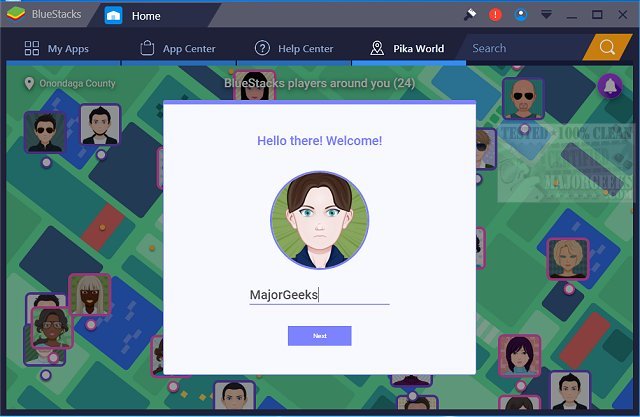
BlueStacks has recently released version 5.22.168.1001 / 10.42.167.1001, enhancing the capability of running Android OS and apps seamlessly on Windows PCs. This update allows users to switch instantly between Android and Windows environments without needing to reboot, providing a more integrated experience for those who enjoy Android applications on their computers.
Users can now access their favorite Android apps directly from their Windows machines, with options for displaying these apps as desktop icons or within a fully functional Android interface. This advancement is particularly beneficial for PC manufacturers looking to leverage the growing popularity of Android by enabling these apps on various x86-based devices like notebooks, tablets, netbooks, convertibles, and all-in-one PCs. The hybrid convertible form factor aims to reduce the hassle of carrying multiple devices by combining functionalities.
Moreover, BlueStacks offers robust integration with Citrix and Microsoft software delivery systems, including Citrix's Enterprise App Store, facilitating the secure and rapid deployment of Android applications across Windows platforms. The new versions, BlueStacks 5 and BlueStacks 10, cater to different user preferences: BlueStacks 5 is celebrated for its speed and lightweight performance, making it easy to download and play games, whereas BlueStacks 10 incorporates Hybrid Cloud technology to enhance Android gaming experiences on PCs.
In summary, the latest BlueStacks update significantly enriches the user experience by providing versatile options for accessing and utilizing Android apps on Windows, catering to both casual users and enterprises looking to maximize their software offerings. As the demand for cross-platform functionality continues to rise, BlueStacks positions itself as a pivotal tool for bridging the gap between Android and Windows ecosystems
Users can now access their favorite Android apps directly from their Windows machines, with options for displaying these apps as desktop icons or within a fully functional Android interface. This advancement is particularly beneficial for PC manufacturers looking to leverage the growing popularity of Android by enabling these apps on various x86-based devices like notebooks, tablets, netbooks, convertibles, and all-in-one PCs. The hybrid convertible form factor aims to reduce the hassle of carrying multiple devices by combining functionalities.
Moreover, BlueStacks offers robust integration with Citrix and Microsoft software delivery systems, including Citrix's Enterprise App Store, facilitating the secure and rapid deployment of Android applications across Windows platforms. The new versions, BlueStacks 5 and BlueStacks 10, cater to different user preferences: BlueStacks 5 is celebrated for its speed and lightweight performance, making it easy to download and play games, whereas BlueStacks 10 incorporates Hybrid Cloud technology to enhance Android gaming experiences on PCs.
In summary, the latest BlueStacks update significantly enriches the user experience by providing versatile options for accessing and utilizing Android apps on Windows, catering to both casual users and enterprises looking to maximize their software offerings. As the demand for cross-platform functionality continues to rise, BlueStacks positions itself as a pivotal tool for bridging the gap between Android and Windows ecosystems
BlueStacks 5.22.168.1001 / 10.42.167.1001 released
BlueStacks will operate Android OS and apps right on your Windows PCs, allowing instantaneous switching between Android and Windows - eliminating the need for a reboot.
BlueStacks 5.22.168.1001 / 10.42.167.1001 released @ MajorGeeks