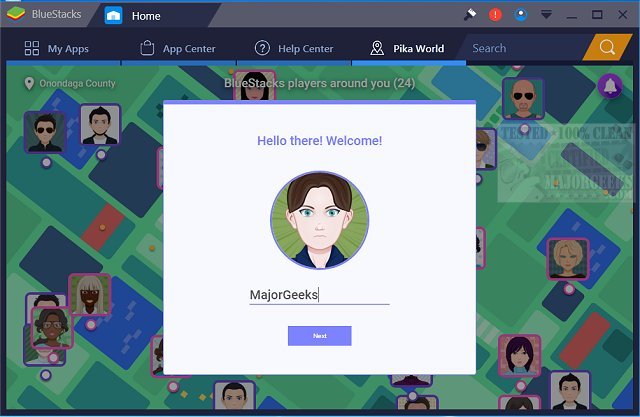
BlueStacks has released version 5.22.167.1006 and 10.42.166.1001, enhancing the experience of running Android apps on Windows PCs. This new version allows users to seamlessly switch between Android and Windows without the need for a reboot, making it easier to enjoy favorite Android applications directly from a Windows device. Users can choose to have Android apps displayed as icons on their desktop or within a complete Android environment.
The integration of BlueStacks is particularly beneficial for PC manufacturers looking to capitalize on the growing popularity of Android applications. By enabling these apps on various x86-based devices such as notebooks, tablets, and all-in-one PCs, BlueStacks helps streamline the user experience by reducing the need to carry multiple devices.
Moreover, BlueStacks offers compatibility with Citrix and Microsoft software delivery systems, facilitating secure and efficient distribution of Android apps across Windows machines. The platform features two versions tailored for different user needs: BlueStacks 5, recognized for its speed and efficiency, and BlueStacks 10, which employs Hybrid Cloud technology to enhance gameplay.
In summary, the latest BlueStacks updates reinforce its role as a pivotal tool for bridging Android and Windows ecosystems. With its user-friendly interface and robust performance, BlueStacks continues to be a preferred choice for gamers and app enthusiasts alike. As technology evolves, the blending of these two operating systems is likely to become more prevalent, leading to further innovations in how applications are accessed and enjoyed
The integration of BlueStacks is particularly beneficial for PC manufacturers looking to capitalize on the growing popularity of Android applications. By enabling these apps on various x86-based devices such as notebooks, tablets, and all-in-one PCs, BlueStacks helps streamline the user experience by reducing the need to carry multiple devices.
Moreover, BlueStacks offers compatibility with Citrix and Microsoft software delivery systems, facilitating secure and efficient distribution of Android apps across Windows machines. The platform features two versions tailored for different user needs: BlueStacks 5, recognized for its speed and efficiency, and BlueStacks 10, which employs Hybrid Cloud technology to enhance gameplay.
In summary, the latest BlueStacks updates reinforce its role as a pivotal tool for bridging Android and Windows ecosystems. With its user-friendly interface and robust performance, BlueStacks continues to be a preferred choice for gamers and app enthusiasts alike. As technology evolves, the blending of these two operating systems is likely to become more prevalent, leading to further innovations in how applications are accessed and enjoyed
BlueStacks 5.22.167.1006 / 10.42.166.1001 released
BlueStacks will operate Android OS and apps right on your Windows PCs, allowing instantaneous switching between Android and Windows - eliminating the need for a reboot.
BlueStacks 5.22.167.1006 / 10.42.166.1001 released @ MajorGeeks