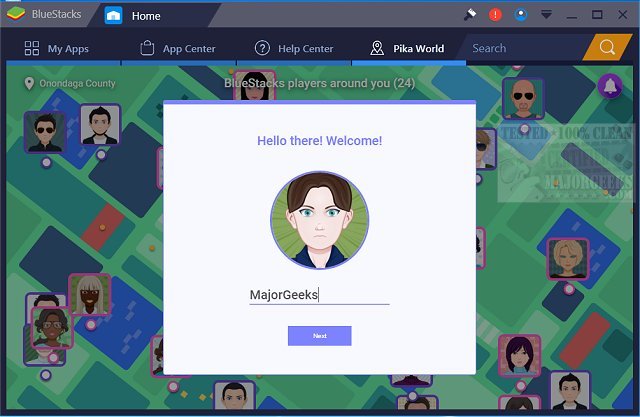
BlueStacks has just released version 5.22.153.1029 and 10.42.153.1003, enhancing the ability to run Android applications directly on Windows PCs. This latest update allows users to switch seamlessly between the Android operating system and Windows, eliminating the need for reboots, thus providing a more efficient and convenient user experience.
With BlueStacks, users can access their favorite Android apps directly from their Windows machines, with options to display these apps as desktop icons or within a full Android environment. This capability is particularly beneficial for PC manufacturers aiming to leverage the growing Android market by enabling Android applications on a variety of x86-based devices, such as notebooks, tablets, netbooks, convertibles, and all-in-one PCs. The hybrid convertible devices allow users to enjoy the functionality of both Android and Windows without the hassle of carrying multiple devices.
Moreover, BlueStacks integrates smoothly with Citrix and Microsoft’s software delivery systems, including Citrix's Enterprise App Store, facilitating quick and secure deployment of Android apps across Windows machines.
The platform offers two distinct versions for gaming: BlueStacks 5, praised for being the fastest and lightest app player, and BlueStacks 10, which employs Hybrid Cloud technology to enhance the Android gaming experience on PCs. This versatility enables users to choose their preferred method of playing Android games, maximizing enjoyment and performance.
In summary, BlueStacks continues to innovate by bridging the gap between Android and Windows environments, providing users with enhanced access to mobile applications directly on their PCs, all while supporting various device types and ensuring a smooth integration with enterprise solutions.
Looking ahead, we can anticipate further updates that may introduce new features, improved performance optimizations, and broader compatibility with a wider range of Android applications, making it an invaluable tool for both casual users and professionals alike
With BlueStacks, users can access their favorite Android apps directly from their Windows machines, with options to display these apps as desktop icons or within a full Android environment. This capability is particularly beneficial for PC manufacturers aiming to leverage the growing Android market by enabling Android applications on a variety of x86-based devices, such as notebooks, tablets, netbooks, convertibles, and all-in-one PCs. The hybrid convertible devices allow users to enjoy the functionality of both Android and Windows without the hassle of carrying multiple devices.
Moreover, BlueStacks integrates smoothly with Citrix and Microsoft’s software delivery systems, including Citrix's Enterprise App Store, facilitating quick and secure deployment of Android apps across Windows machines.
The platform offers two distinct versions for gaming: BlueStacks 5, praised for being the fastest and lightest app player, and BlueStacks 10, which employs Hybrid Cloud technology to enhance the Android gaming experience on PCs. This versatility enables users to choose their preferred method of playing Android games, maximizing enjoyment and performance.
In summary, BlueStacks continues to innovate by bridging the gap between Android and Windows environments, providing users with enhanced access to mobile applications directly on their PCs, all while supporting various device types and ensuring a smooth integration with enterprise solutions.
Looking ahead, we can anticipate further updates that may introduce new features, improved performance optimizations, and broader compatibility with a wider range of Android applications, making it an invaluable tool for both casual users and professionals alike
BlueStacks 5.22.153.1029 / 10.42.153.1003 released
BlueStacks will operate Android OS and apps right on your Windows PCs, allowing instantaneous switching between Android and Windows - eliminating the need for a reboot.
BlueStacks 5.22.153.1029 / 10.42.153.1003 released @ MajorGeeks