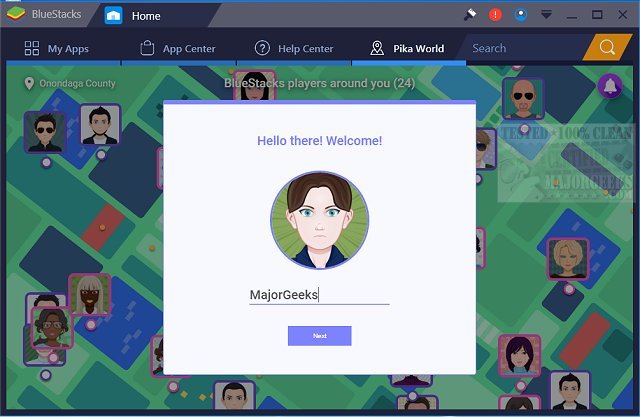
BlueStacks has released version 5.22.152.1025 / 10.42.140.1001, enhancing its capability to run Android OS and applications directly on Windows PCs. This functionality allows users to switch seamlessly between Android and Windows without the need for a reboot, facilitating a smoother user experience. With BlueStacks, users can enjoy their favorite Android apps from their Windows machines, with options to display them as desktop icons or within a fully operational Android interface.
This release is particularly beneficial for PC manufacturers aiming to incorporate Android apps into their x86-based devices, such as notebooks, tablets, netbooks, and all-in-one PCs. The introduction of hybrid convertible devices means users no longer need to juggle multiple gadgets, as they can access both Windows and Android applications on one device.
Moreover, BlueStacks integrates effectively with Citrix and Microsoft’s software delivery systems, including Citrix's Enterprise App Store, allowing for the secure and efficient deployment of Android applications across various Windows devices. Users can choose between BlueStacks 5, which is recognized for its speed and lightweight performance, making it easy to download and play games, and BlueStacks 10, which employs Hybrid Cloud technology to facilitate Android gaming experiences on PCs.
In addition to these features, BlueStacks continues to enhance its compatibility and performance, making it a valuable tool for anyone looking to bridge the gap between Android applications and Windows computing. As technology evolves, users can anticipate further improvements and expanded functionalities, solidifying BlueStacks as a leading platform for Android gaming and app usage on Windows systems
This release is particularly beneficial for PC manufacturers aiming to incorporate Android apps into their x86-based devices, such as notebooks, tablets, netbooks, and all-in-one PCs. The introduction of hybrid convertible devices means users no longer need to juggle multiple gadgets, as they can access both Windows and Android applications on one device.
Moreover, BlueStacks integrates effectively with Citrix and Microsoft’s software delivery systems, including Citrix's Enterprise App Store, allowing for the secure and efficient deployment of Android applications across various Windows devices. Users can choose between BlueStacks 5, which is recognized for its speed and lightweight performance, making it easy to download and play games, and BlueStacks 10, which employs Hybrid Cloud technology to facilitate Android gaming experiences on PCs.
In addition to these features, BlueStacks continues to enhance its compatibility and performance, making it a valuable tool for anyone looking to bridge the gap between Android applications and Windows computing. As technology evolves, users can anticipate further improvements and expanded functionalities, solidifying BlueStacks as a leading platform for Android gaming and app usage on Windows systems
BlueStacks 5.22.152.1025 / 10.42.140.1001 released
BlueStacks will operate Android OS and apps right on your Windows PCs, allowing instantaneous switching between Android and Windows - eliminating the need for a reboot.
BlueStacks 5.22.152.1025 / 10.42.140.1001 released @ MajorGeeks