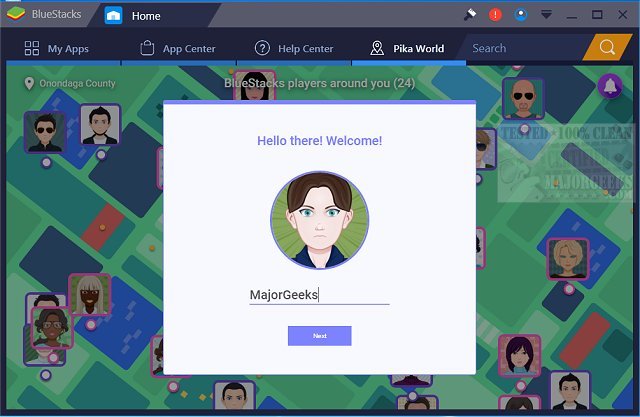
BlueStacks has released version 10.42.160.1001 / 5.22.160.1025, which enhances the capability of running Android OS and applications directly on Windows PCs. This allows users to switch seamlessly between Android and Windows without the need for a reboot, making it more convenient to access favorite Android apps. Users can enjoy these apps either through icons on their desktop or within a fully-functioning Android environment.
This development is particularly beneficial for PC manufacturers seeking to capitalize on the popularity of Android by enabling the use of Android apps on various x86-based devices such as notebooks, tablets, and all-in-one PCs. With the rise of hybrid convertible devices, users no longer need to carry multiple gadgets, as BlueStacks integrates smoothly with Citrix and Microsoft's software delivery systems, including Citrix's Enterprise App Store.
BlueStacks provides two versions for users: BlueStacks 5, which is recognized as the fastest and lightest app player available, and BlueStacks 10, which employs Hybrid Cloud technology for enhanced Android gameplay on PCs. This gives gamers and app users various options to enjoy their content efficiently and effectively.
In addition to these features, BlueStacks may also introduce new functionalities in future updates, such as improved performance optimizations, better compatibility with a wider range of Android apps, and enhanced integration with cloud services to further streamline the user experience. As technology evolves, users can expect BlueStacks to continue bridging the gap between Android and Windows, making mobile applications more accessible than ever on desktop platforms
This development is particularly beneficial for PC manufacturers seeking to capitalize on the popularity of Android by enabling the use of Android apps on various x86-based devices such as notebooks, tablets, and all-in-one PCs. With the rise of hybrid convertible devices, users no longer need to carry multiple gadgets, as BlueStacks integrates smoothly with Citrix and Microsoft's software delivery systems, including Citrix's Enterprise App Store.
BlueStacks provides two versions for users: BlueStacks 5, which is recognized as the fastest and lightest app player available, and BlueStacks 10, which employs Hybrid Cloud technology for enhanced Android gameplay on PCs. This gives gamers and app users various options to enjoy their content efficiently and effectively.
In addition to these features, BlueStacks may also introduce new functionalities in future updates, such as improved performance optimizations, better compatibility with a wider range of Android apps, and enhanced integration with cloud services to further streamline the user experience. As technology evolves, users can expect BlueStacks to continue bridging the gap between Android and Windows, making mobile applications more accessible than ever on desktop platforms
BlueStacks 10.42.160.1001 / 5.22.160.1025 released
BlueStacks will operate Android OS and apps right on your Windows PCs, allowing instantaneous switching between Android and Windows - eliminating the need for a reboot.
BlueStacks 10.42.160.1001 / 5.22.160.1025 released @ MajorGeeks