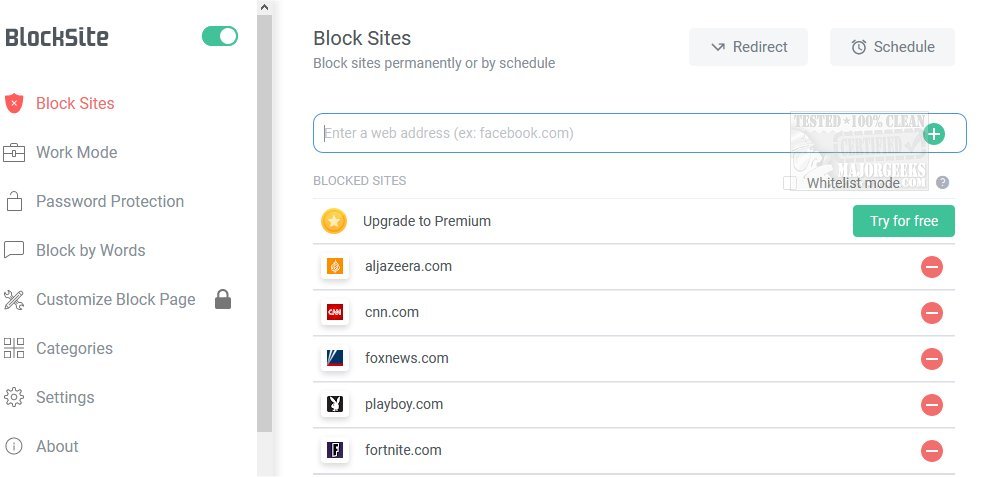
The latest version of BlockSite (6.9.8) for Chrome, Firefox, and Edge provides users with a straightforward tool to minimize distractions from websites and apps, enhancing focus and productivity. Specifically designed to support remote work and learning, BlockSite allows users to compile a list of distracting or harmful sites to be blocked, thus promoting a more productive online experience.
Key Features of BlockSite:
1. Stay Focused Extension: Users can block unwanted sites to maintain concentration and productivity. A focus timer feature helps users manage their tasks and breaks effectively.
2. Work Mode: This feature utilizes the Pomodoro technique, allowing users to set intervals for work and breaks without requiring self-discipline.
3. Adult Content Filter: BlockSite includes a built-in filter that automatically blocks access to adult websites, providing a safer browsing environment.
4. Scheduling: Users can create personalized schedules to control access to specific websites and apps, promoting better time management.
5. Password Protection: Users can protect their blocked sites with a custom passcode, adding an extra layer of commitment against procrastination.
6. Customized Blocked Page: Users can personalize their blocked page with custom images and text, ensuring the blocked experience is unique and engaging.
7. Uninstall Prevention: This feature prevents unauthorized removal of the extension, reinforcing the commitment to productivity.
Conclusion and Further Suggestions:
BlockSite is an essential productivity tool for anyone looking to enhance their online focus and manage distractions effectively. Beyond its core features, users can explore additional productivity tips, such as utilizing Google Chrome flags to improve browsing efficiency and methods to manage browser history for a cleaner online experience. By integrating tools like BlockSite into daily routines, individuals can significantly improve their work-life balance and productivity
Key Features of BlockSite:
1. Stay Focused Extension: Users can block unwanted sites to maintain concentration and productivity. A focus timer feature helps users manage their tasks and breaks effectively.
2. Work Mode: This feature utilizes the Pomodoro technique, allowing users to set intervals for work and breaks without requiring self-discipline.
3. Adult Content Filter: BlockSite includes a built-in filter that automatically blocks access to adult websites, providing a safer browsing environment.
4. Scheduling: Users can create personalized schedules to control access to specific websites and apps, promoting better time management.
5. Password Protection: Users can protect their blocked sites with a custom passcode, adding an extra layer of commitment against procrastination.
6. Customized Blocked Page: Users can personalize their blocked page with custom images and text, ensuring the blocked experience is unique and engaging.
7. Uninstall Prevention: This feature prevents unauthorized removal of the extension, reinforcing the commitment to productivity.
Conclusion and Further Suggestions:
BlockSite is an essential productivity tool for anyone looking to enhance their online focus and manage distractions effectively. Beyond its core features, users can explore additional productivity tips, such as utilizing Google Chrome flags to improve browsing efficiency and methods to manage browser history for a cleaner online experience. By integrating tools like BlockSite into daily routines, individuals can significantly improve their work-life balance and productivity
BlockSite for Chrome, Firefox, and Edge 6.9.8 released
BlockSite for Chrome, Firefox, and Edge gives you an easy way to block distracting websites and apps.
BlockSite for Chrome, Firefox, and Edge 6.9.8 released @ MajorGeeks