The latest update of Black Screen, versions 1.12.50.0 and 1.13, introduces enhancements to this eye-saver utility aimed at individuals who work long hours on their computers. With the increasing trend of remote work, this application serves as a crucial tool for promoting eye health and overall well-being.
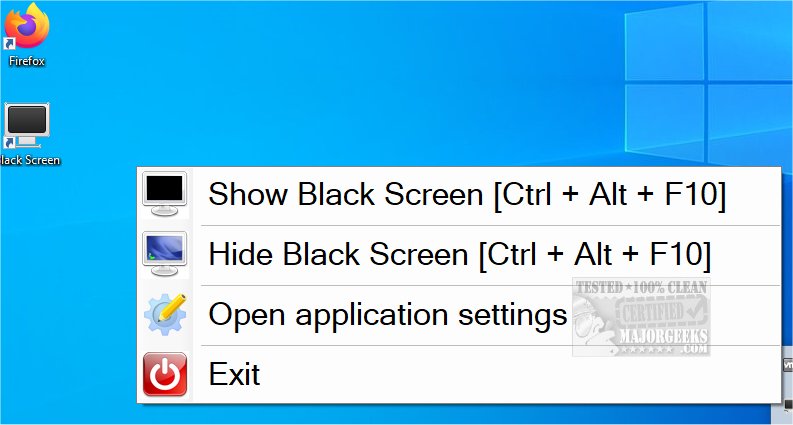
Black Screen features options that remind users to take breaks and rest their eyes, which can be especially beneficial for those adjusting to a home office setup. A key functionality allows users to turn their screen black by pressing Ctrl + Alt + F10, and pressing it again returns them to their desktop. Additionally, users can customize break intervals—setting reminders to take breaks after a specified duration, such as 30 minutes, followed by a 7-minute rest. This feature encourages regular pauses to relieve eye strain.
Moreover, the app offers an alternative to the black screen; it can display random images or keyword-directed visuals, providing a brief distraction and helping to reset focus. This functionality allows users to void any screen quickly using a simple keystroke.
In summary, Black Screen is an essential tool for anyone working long hours at a computer, promoting healthier work habits through its innovative features. As our reliance on screens continues to grow, tools like Black Screen will become even more important in fostering a balanced and healthy work environment. Future updates may include additional customization options, integration with other health-focused apps, or features that track and analyze eye strain over time
Black Screen features options that remind users to take breaks and rest their eyes, which can be especially beneficial for those adjusting to a home office setup. A key functionality allows users to turn their screen black by pressing Ctrl + Alt + F10, and pressing it again returns them to their desktop. Additionally, users can customize break intervals—setting reminders to take breaks after a specified duration, such as 30 minutes, followed by a 7-minute rest. This feature encourages regular pauses to relieve eye strain.
Moreover, the app offers an alternative to the black screen; it can display random images or keyword-directed visuals, providing a brief distraction and helping to reset focus. This functionality allows users to void any screen quickly using a simple keystroke.
In summary, Black Screen is an essential tool for anyone working long hours at a computer, promoting healthier work habits through its innovative features. As our reliance on screens continues to grow, tools like Black Screen will become even more important in fostering a balanced and healthy work environment. Future updates may include additional customization options, integration with other health-focused apps, or features that track and analyze eye strain over time
Black Screen 1.12.50.0 / 1.13 released
Black Screen is a small eye-saver utility designed for users who spend extended periods of time at their computers.