The Black Screen is a compact utility aimed at safeguarding users' eyes, particularly beneficial for those who spend long hours in front of computer screens. With the increasing shift towards remote work, this application is essential for individuals adjusting to home office settings.
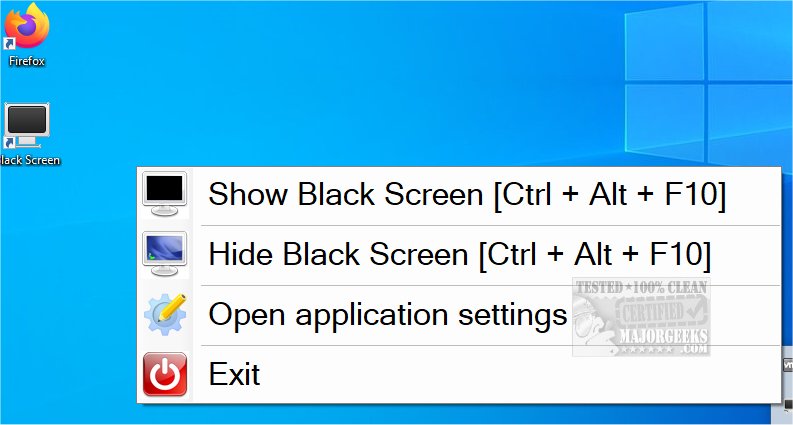
Black Screen offers several valuable features designed to promote eye health and mental clarity. For instance, users can activate a black screen by pressing Ctrl + Alt + F10, providing a momentary respite from screen glare. Pressing the same keys again restores the desktop view. Additionally, the app allows users to customize break intervals, such as taking a 7-minute break after every 30 minutes of screen time, ensuring regular pauses for the eyes and mind.
Furthermore, to enhance the break experience, users have the option to display random images or keyword-directed visuals instead of a plain black screen. This feature helps to momentarily divert attention, allowing for a more refreshing break. The application is designed to be user-friendly, enabling quick activation or deactivation with a simple keystroke.
In light of increasing concerns about digital eye strain, Black Screen serves as a practical tool not only for remote workers but for anyone seeking to maintain eye health while using computers for prolonged periods. It is a reminder of the importance of taking breaks and managing screen time effectively, similar to features found in night mode settings in Windows 10, which aim to reduce eye strain during evening hours.
In conclusion, Black Screen is a thoughtful solution for today's digital lifestyle, promoting healthier viewing habits and encouraging users to take necessary breaks, ultimately enhancing productivity and well-being in a work-from-home environment
Black Screen offers several valuable features designed to promote eye health and mental clarity. For instance, users can activate a black screen by pressing Ctrl + Alt + F10, providing a momentary respite from screen glare. Pressing the same keys again restores the desktop view. Additionally, the app allows users to customize break intervals, such as taking a 7-minute break after every 30 minutes of screen time, ensuring regular pauses for the eyes and mind.
Furthermore, to enhance the break experience, users have the option to display random images or keyword-directed visuals instead of a plain black screen. This feature helps to momentarily divert attention, allowing for a more refreshing break. The application is designed to be user-friendly, enabling quick activation or deactivation with a simple keystroke.
In light of increasing concerns about digital eye strain, Black Screen serves as a practical tool not only for remote workers but for anyone seeking to maintain eye health while using computers for prolonged periods. It is a reminder of the importance of taking breaks and managing screen time effectively, similar to features found in night mode settings in Windows 10, which aim to reduce eye strain during evening hours.
In conclusion, Black Screen is a thoughtful solution for today's digital lifestyle, promoting healthier viewing habits and encouraging users to take necessary breaks, ultimately enhancing productivity and well-being in a work-from-home environment
Black Screen 1.12.47.0 / 1.13 released
Black Screen is a small eye-saver utility designed for users who spend extended periods of time at their computers.