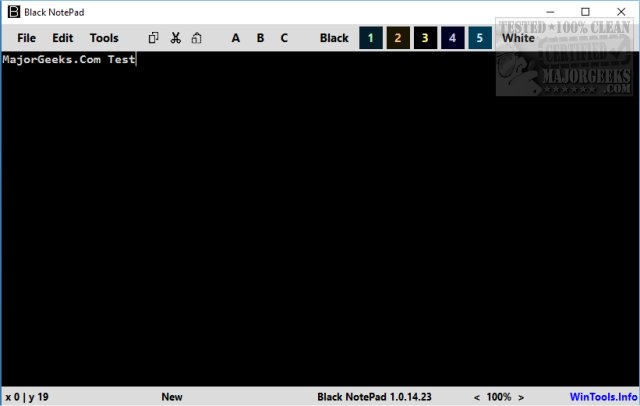
Black NotePad version 2.3.2.31 has been released as a portable alternative to Microsoft Notepad, emphasizing enhanced color and font options. Unlike the traditional Notepad that primarily uses a black-and-white scheme, Black NotePad features a default black background with the option to switch to white. Users can select from five colors and three font presets, allowing for a more personalized text editing experience.
To use Black NotePad, users should extract the application to a desired location and create a shortcut for easy access. It provides essential text editing features such as New, Open, Save, and Undo, alongside advanced options under the tools menu like defining font types and colors, enabling word wrap, and detecting URLs. Users can also save their preferred color and font settings for quick access.
This lightweight application, under 100KB, stands out among various Notepad alternatives for those specifically looking for customizable color and font options.
In addition to its core features, Black NotePad can greatly enhance productivity for users who frequently write or edit text documents. Its portability allows for easy use on different devices without installation, making it ideal for on-the-go users. Moreover, with the increasing demand for personalized user experiences in software applications, Black NotePad aligns with this trend by offering flexibility in appearance and functionality.
For those interested in exploring other text editing options, there are numerous alternatives available, each catering to different user needs. The release of Black NotePad adds to the diversity of tools that users can leverage for their text editing tasks
To use Black NotePad, users should extract the application to a desired location and create a shortcut for easy access. It provides essential text editing features such as New, Open, Save, and Undo, alongside advanced options under the tools menu like defining font types and colors, enabling word wrap, and detecting URLs. Users can also save their preferred color and font settings for quick access.
This lightweight application, under 100KB, stands out among various Notepad alternatives for those specifically looking for customizable color and font options.
In addition to its core features, Black NotePad can greatly enhance productivity for users who frequently write or edit text documents. Its portability allows for easy use on different devices without installation, making it ideal for on-the-go users. Moreover, with the increasing demand for personalized user experiences in software applications, Black NotePad aligns with this trend by offering flexibility in appearance and functionality.
For those interested in exploring other text editing options, there are numerous alternatives available, each catering to different user needs. The release of Black NotePad adds to the diversity of tools that users can leverage for their text editing tasks
Black NotePad 2.3.2.31 released
Black NotePad is a free portable alternative to Microsoft Notepad with a focus on colors and fonts.