Battery Notifier 4.0.0 has been released as a free and open-source application designed to monitor your device's battery charging status. This tool alerts users when their battery is fully charged or needs to be connected to a power source. Requirement for installation includes the latest Visual Basic Runtimes, and once set up, it operates quietly in the system tray until intervention is needed, such as a battery status update.
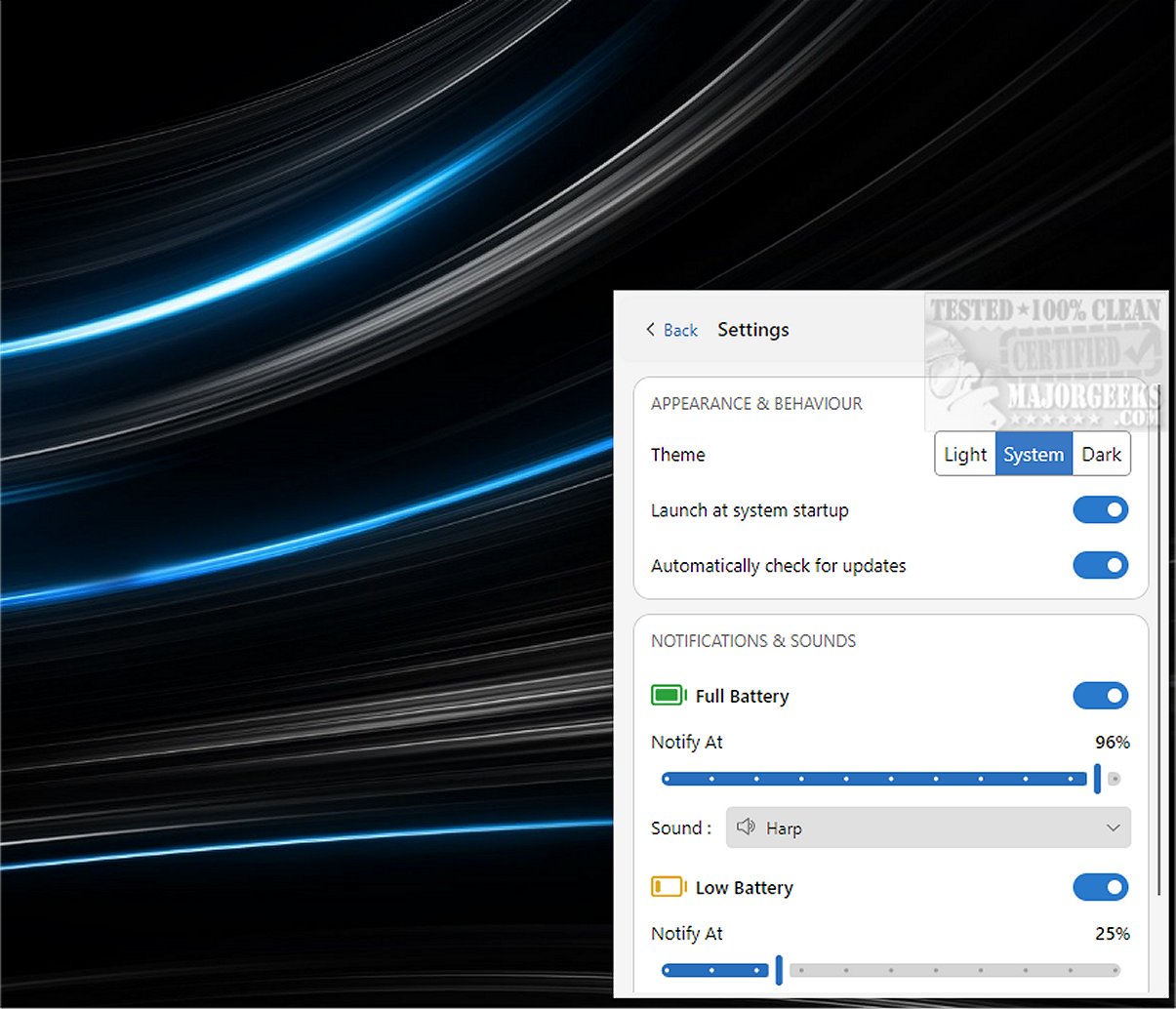
In addition to its primary function, Battery Notifier serves as a system information utility, providing insights into both the designed and current battery capacity, as well as estimated remaining battery time. Users receive alerts through a small popup accompanied by an audible notification. The app allows for customization, enabling users to switch off notifications for fully charged or low battery states and to set specific battery percentage thresholds for alerts in the settings menu. Additional customization options include selecting custom sounds, enabling dark mode, and displaying notifications in a window format.
While Windows offers built-in battery notifications, Battery Notifier enhances the experience with a more user-friendly interface and additional features.
Extension:
Battery Notifier 4.0.0 not only improves user interaction with battery management but also enhances productivity by minimizing the chances of unexpected shutdowns due to low battery. As technology continues to evolve, having a reliable tool like Battery Notifier can be particularly beneficial for professionals who rely heavily on portable devices. Future updates could potentially introduce features such as integration with cloud services for remote monitoring, advanced analytics for battery health trends, and even compatibility with a wider range of operating systems. Overall, Battery Notifier serves as a valuable addition to any user's toolkit, ensuring efficient battery management and prolonging the lifespan of devices
In addition to its primary function, Battery Notifier serves as a system information utility, providing insights into both the designed and current battery capacity, as well as estimated remaining battery time. Users receive alerts through a small popup accompanied by an audible notification. The app allows for customization, enabling users to switch off notifications for fully charged or low battery states and to set specific battery percentage thresholds for alerts in the settings menu. Additional customization options include selecting custom sounds, enabling dark mode, and displaying notifications in a window format.
While Windows offers built-in battery notifications, Battery Notifier enhances the experience with a more user-friendly interface and additional features.
Extension:
Battery Notifier 4.0.0 not only improves user interaction with battery management but also enhances productivity by minimizing the chances of unexpected shutdowns due to low battery. As technology continues to evolve, having a reliable tool like Battery Notifier can be particularly beneficial for professionals who rely heavily on portable devices. Future updates could potentially introduce features such as integration with cloud services for remote monitoring, advanced analytics for battery health trends, and even compatibility with a wider range of operating systems. Overall, Battery Notifier serves as a valuable addition to any user's toolkit, ensuring efficient battery management and prolonging the lifespan of devices
Battery Notifier 4.0.0 released
Battery Notifier is a free and Open Source app that tracks your battery charging status and notifies you when the battery is full, or you need to connect your charger.