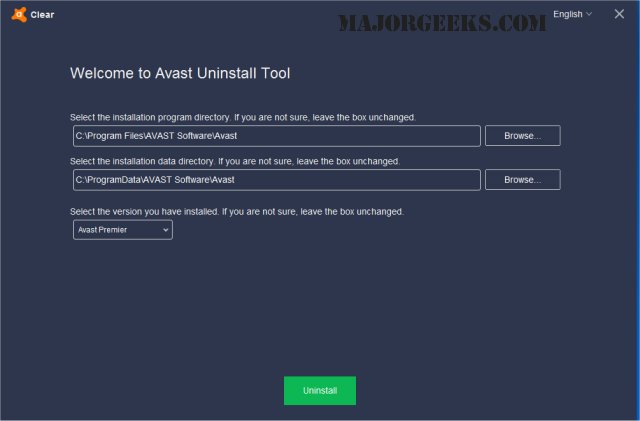
Avast Clear 26.1.10738 has been released as a utility designed to completely uninstall Avast software when the standard Add/Remove programs feature fails to perform correctly. This tool is especially useful for users who encounter issues removing Avast through conventional methods.
To use Avast Clear for uninstalling Avast, follow these steps:
1. Download the aswclear.exe file and save it to your desktop.
2. Boot your computer in Safe Mode (you can do this by rebooting and tapping F8).
3. Execute the uninstall utility.
4. If Avast was installed in a non-default folder, navigate to that location.
(Note: Selecting a folder will result in the deletion of its contents, so proceed with caution.)
5. Click the REMOVE button to initiate the uninstallation.
6. Restart your computer to complete the process.
Additionally, users may find related resources helpful, such as guides on installing Avast as a lightweight antivirus, handling expired Norton or McAfee antivirus subscriptions, differentiating between genuine viruses and false positives, and selecting the best anti-malware applications that can coexist with existing antivirus software.
In conclusion, the release of Avast Clear 26.1.10738 enhances the user experience by providing a reliable method for uninstalling Avast software, ensuring that users can maintain their systems without leftover files or potential conflicts. It's important for users to stay informed about their security software and know how to effectively manage it for optimal performance
To use Avast Clear for uninstalling Avast, follow these steps:
1. Download the aswclear.exe file and save it to your desktop.
2. Boot your computer in Safe Mode (you can do this by rebooting and tapping F8).
3. Execute the uninstall utility.
4. If Avast was installed in a non-default folder, navigate to that location.
(Note: Selecting a folder will result in the deletion of its contents, so proceed with caution.)
5. Click the REMOVE button to initiate the uninstallation.
6. Restart your computer to complete the process.
Additionally, users may find related resources helpful, such as guides on installing Avast as a lightweight antivirus, handling expired Norton or McAfee antivirus subscriptions, differentiating between genuine viruses and false positives, and selecting the best anti-malware applications that can coexist with existing antivirus software.
In conclusion, the release of Avast Clear 26.1.10738 enhances the user experience by providing a reliable method for uninstalling Avast software, ensuring that users can maintain their systems without leftover files or potential conflicts. It's important for users to stay informed about their security software and know how to effectively manage it for optimal performance
Avast Clear 26.1.10738 released
Avast Clear (Avast Software Uninstall Utility) can completely remove Avast when the Add/Remove programs option does not work properly.