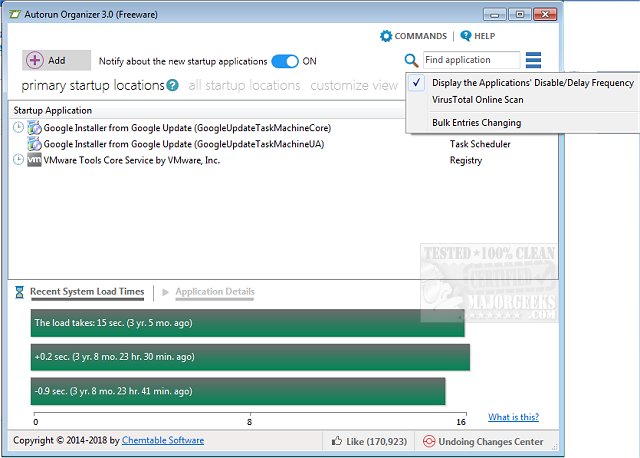
Autorun Organizer 6.31 has been released, offering users enhanced control over startup items and autoruns to improve boot-up times and overall Windows performance. This powerful tool provides a detailed overview of system boot times, helping users pinpoint and rectify any delays in the startup process. With Autorun Organizer, users can disable unnecessary applications and reorder their autostart list, leading to a more efficient launch of programs when the system boots.
One of the standout features of Autorun Organizer is its automatic monitoring of disabled entries, ensuring that these programs remain inactive during startup. This capability allows users to maintain control over their system's startup events, ultimately optimizing performance.
Key features of Autorun Organizer include:
- Accelerated boot times and enhanced Windows performance
- Management of autorun priorities
- Ability to enable or disable programs in the autorun list
- Automatic oversight of disabled applications to prevent their unintended activation
In addition to its primary functions, users may also find related guides useful, such as how to disable certain Task Scheduler tasks in Windows 10 & 11, utilize Storage Sense for automatic junk file deletion, and manage startup apps effectively in these operating systems.
This release is a significant step for users looking to streamline their computing experience, ensuring that their systems run smoothly and efficiently right from the moment they power on
One of the standout features of Autorun Organizer is its automatic monitoring of disabled entries, ensuring that these programs remain inactive during startup. This capability allows users to maintain control over their system's startup events, ultimately optimizing performance.
Key features of Autorun Organizer include:
- Accelerated boot times and enhanced Windows performance
- Management of autorun priorities
- Ability to enable or disable programs in the autorun list
- Automatic oversight of disabled applications to prevent their unintended activation
In addition to its primary functions, users may also find related guides useful, such as how to disable certain Task Scheduler tasks in Windows 10 & 11, utilize Storage Sense for automatic junk file deletion, and manage startup apps effectively in these operating systems.
This release is a significant step for users looking to streamline their computing experience, ensuring that their systems run smoothly and efficiently right from the moment they power on
Autorun Organizer 6.31 released
Autorun Organizer manages startup items and autoruns to speed boot-up times and Windows performance.