The recently released version 2.9.1 of AutoPause for Firefox is designed to enhance the user's browsing experience by automatically pausing audio and video sources whenever audio is detected from the currently active tab. This add-on operates without requiring any manual configuration or settings adjustments, aside from permitting auto-updates and the option to run in private windows. Users will find that there is no visible icon for interaction, as AutoPause functions seamlessly in the background.
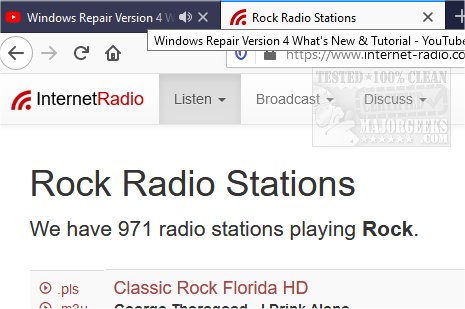
During testing, capturing a screenshot to demonstrate its functionality proved challenging. For instance, while streaming music from an Internet Radio station, the add-on effectively muted the audio once the user navigated to a tutorial page, allowing only the audio from the tutorial to play. This feature makes AutoPause particularly advantageous for users who frequently have multiple tabs open with audio content but want to focus on the sound from a specific active tab without distractions.
In addition to its core functionality, AutoPause complements existing browser features, such as tab muting in Chrome, Firefox, and Edge, as well as tools for restoring accidentally closed tabs. As web browsing becomes increasingly complex with multitasking, AutoPause offers a streamlined solution for managing audio playback across various tabs, enhancing overall user experience and productivity.
Furthermore, as the digital landscape continues to evolve, future iterations of AutoPause could incorporate additional features, such as customizable audio priorities or user-defined rules for specific sites. This would allow for even greater control over audio management and further enhance the browsing experience
During testing, capturing a screenshot to demonstrate its functionality proved challenging. For instance, while streaming music from an Internet Radio station, the add-on effectively muted the audio once the user navigated to a tutorial page, allowing only the audio from the tutorial to play. This feature makes AutoPause particularly advantageous for users who frequently have multiple tabs open with audio content but want to focus on the sound from a specific active tab without distractions.
In addition to its core functionality, AutoPause complements existing browser features, such as tab muting in Chrome, Firefox, and Edge, as well as tools for restoring accidentally closed tabs. As web browsing becomes increasingly complex with multitasking, AutoPause offers a streamlined solution for managing audio playback across various tabs, enhancing overall user experience and productivity.
Furthermore, as the digital landscape continues to evolve, future iterations of AutoPause could incorporate additional features, such as customizable audio priorities or user-defined rules for specific sites. This would allow for even greater control over audio management and further enhance the browsing experience
AutoPause for Firefox 2.9.1 released
AutoPause for Firefox can pause audio and video sources if audio is playing from the active tab with automatic resume.