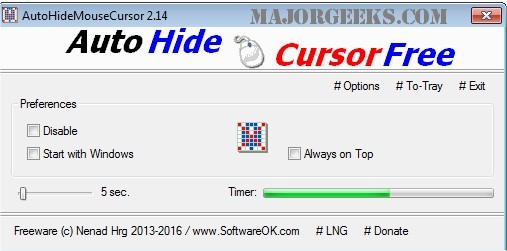
The recently released AutoHideMouseCursor 6.21 is a compact and portable application designed to enhance user experience by allowing the mouse cursor to automatically disappear from the screen after a designated period of inactivity. This feature is particularly beneficial for professionals who want to maintain focus during presentations, as it eliminates the distraction of an idle cursor.
Setting up AutoHideMouseCursor is user-friendly; users simply need to select their preferred countdown time, and the timer begins. Any movement of the mouse resets the countdown, ensuring the cursor only hides when the user is not actively engaging.
Key features of AutoHideMouseCursor include its minimal size, low CPU consumption, an adjustable timer, and an optional translation function for broader accessibility.
In addition to its primary function, similar tools and topics of interest include addressing issues with cursor movement while typing, activating windows by hovering, enabling mouse pointer trails, and managing the default button for mouse pointers in Windows.
This tool is a practical solution for anyone looking to enhance their workflow or presentation quality by reducing visual clutter. As technology continues to evolve, tools like AutoHideMouseCursor play an important role in improving user interaction and productivity
Setting up AutoHideMouseCursor is user-friendly; users simply need to select their preferred countdown time, and the timer begins. Any movement of the mouse resets the countdown, ensuring the cursor only hides when the user is not actively engaging.
Key features of AutoHideMouseCursor include its minimal size, low CPU consumption, an adjustable timer, and an optional translation function for broader accessibility.
In addition to its primary function, similar tools and topics of interest include addressing issues with cursor movement while typing, activating windows by hovering, enabling mouse pointer trails, and managing the default button for mouse pointers in Windows.
This tool is a practical solution for anyone looking to enhance their workflow or presentation quality by reducing visual clutter. As technology continues to evolve, tools like AutoHideMouseCursor play an important role in improving user interaction and productivity
AutoHideMouseCursor 6.21 released
AutoHideMouseCursor is a small portable tool that allows you to set specific times for your mouse cursor to disappear from the screen.