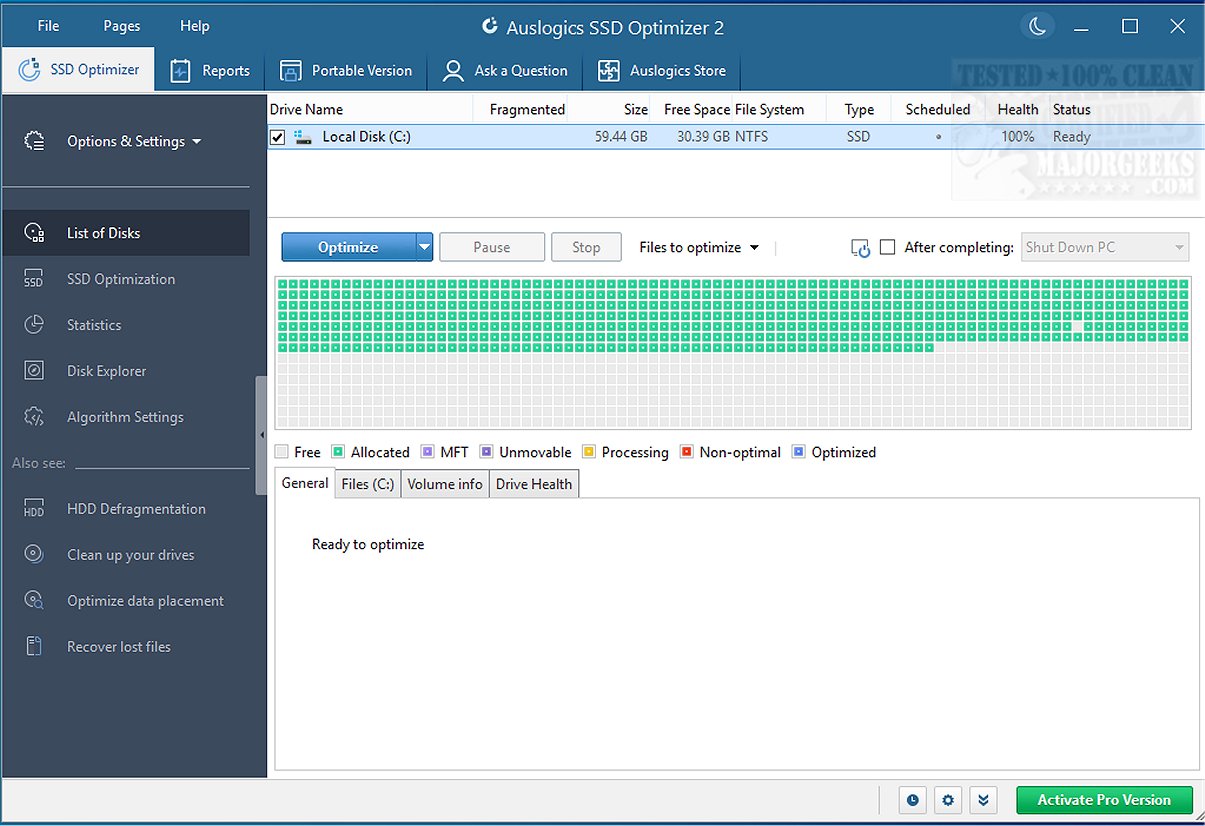
The latest version of Auslogics SSD Optimizer, 2.2.0.0, has been released, enhancing its capabilities as a free Windows tool dedicated to the optimization of solid-state drives (SSDs). This software aims to improve the performance and longevity of SSDs by cleaning up junk files, consolidating free space, and monitoring drive health in real-time.
Why Use Auslogics SSD Optimizer?
As SSDs are known for their speed, they can still degrade over time if not properly managed. Auslogics SSD Optimizer addresses this challenge by efficiently rearranging unused space, minimizing unnecessary write cycles, and disabling irrelevant Windows features for SSDs. Additionally, it provides real-time statistics about the SSD's health, including wear levels, which ensures users are informed about their drive's condition. This tool targets various scenarios, from everyday tasks to high-demand operations like video editing or software installations, making it an invaluable asset for users who need reliable SSD performance.
Everyday Use and Benefits
The SSD Optimizer is particularly useful for users who rely on their SSDs for operating systems, applications, or as scratch disks. Over time, these drives can accumulate temporary files, leading to fragmented writes and reduced performance. With features like Disk Explorer, users can easily identify large files and clear unnecessary clutter. The Pro version offers additional automation, allowing users to schedule optimizations during idle times, thus maintaining drive efficiency without manual intervention.
Key Features:
- Disk Explorer Tool: Simplifies the process of identifying large files, removing the hassle of manual searching.
- Detailed Real-Time Stats: Provides insights into read/write totals, power cycles, temperature, and estimated lifespan, a rarity in free optimization tools.
- Backup Safety: Uses a copy-on-write method during optimization to prevent data loss.
- Affordable Pro Version: Priced under $40, it offers automation and advanced tuning options.
Limitations and Considerations
While the interface is user-friendly, some optimization features may require users to engage with settings that could be perceived as more technical. Also, users who already employ comprehensive optimization suites may find overlaps in functionality. Notably, Auslogics SSD Optimizer focuses exclusively on SSDs and does not include features for traditional hard drives.
Conclusion
In conclusion, Auslogics SSD Optimizer stands out as a specialized utility designed specifically for SSD maintenance, offering innovative techniques that enhance performance and extend drive life. By using this tool, users can ensure their SSDs operate at peak efficiency and reliability, ultimately safeguarding their data and improving their experience. As SSD technology continues to evolve, tools like Auslogics SSD Optimizer will remain essential for users looking to maximize the potential of their drives
Why Use Auslogics SSD Optimizer?
As SSDs are known for their speed, they can still degrade over time if not properly managed. Auslogics SSD Optimizer addresses this challenge by efficiently rearranging unused space, minimizing unnecessary write cycles, and disabling irrelevant Windows features for SSDs. Additionally, it provides real-time statistics about the SSD's health, including wear levels, which ensures users are informed about their drive's condition. This tool targets various scenarios, from everyday tasks to high-demand operations like video editing or software installations, making it an invaluable asset for users who need reliable SSD performance.
Everyday Use and Benefits
The SSD Optimizer is particularly useful for users who rely on their SSDs for operating systems, applications, or as scratch disks. Over time, these drives can accumulate temporary files, leading to fragmented writes and reduced performance. With features like Disk Explorer, users can easily identify large files and clear unnecessary clutter. The Pro version offers additional automation, allowing users to schedule optimizations during idle times, thus maintaining drive efficiency without manual intervention.
Key Features:
- Disk Explorer Tool: Simplifies the process of identifying large files, removing the hassle of manual searching.
- Detailed Real-Time Stats: Provides insights into read/write totals, power cycles, temperature, and estimated lifespan, a rarity in free optimization tools.
- Backup Safety: Uses a copy-on-write method during optimization to prevent data loss.
- Affordable Pro Version: Priced under $40, it offers automation and advanced tuning options.
Limitations and Considerations
While the interface is user-friendly, some optimization features may require users to engage with settings that could be perceived as more technical. Also, users who already employ comprehensive optimization suites may find overlaps in functionality. Notably, Auslogics SSD Optimizer focuses exclusively on SSDs and does not include features for traditional hard drives.
Conclusion
In conclusion, Auslogics SSD Optimizer stands out as a specialized utility designed specifically for SSD maintenance, offering innovative techniques that enhance performance and extend drive life. By using this tool, users can ensure their SSDs operate at peak efficiency and reliability, ultimately safeguarding their data and improving their experience. As SSD technology continues to evolve, tools like Auslogics SSD Optimizer will remain essential for users looking to maximize the potential of their drives
Auslogics SSD Optimizer 2.2.0.0 released
Auslogics SSD Optimizer is a free Windows tool that focuses on SSD optimization, helping you clean out junk, consolidate free space, and monitor SSD health in real-time.