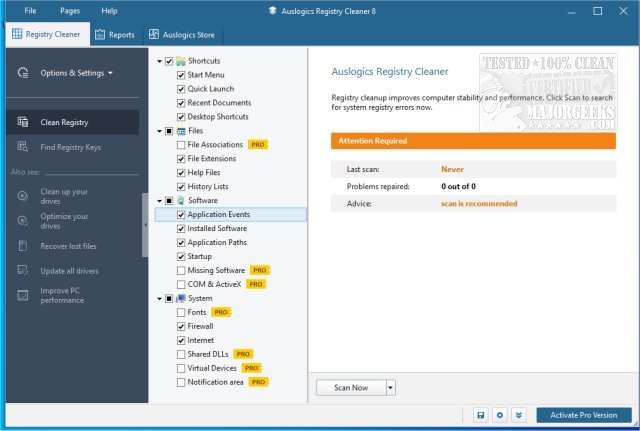
Auslogics Registry Cleaner has released version 11.1.0.1, a tool specifically designed to repair and optimize the Windows registry. By addressing and fixing registry errors, this software helps improve system stability and performance, preventing issues such as crashes and slowdowns that often result from invalid entries left behind after program uninstalls. The Windows Registry is a critical database that contains essential settings for the Microsoft Windows operating system, and without regular maintenance, it can become cluttered, leading to various operational problems.
Key features of Auslogics Registry Cleaner include:
- Repairing registry errors to prevent potential system crashes.
- Cleaning the registry to enhance computer speed and responsiveness.
- Endorsements from industry experts affirming its effectiveness.
- A safety feature that ensures all changes are backed up, allowing for easy restoration if needed.
- Popularity as one of the leading registry cleaning solutions available online.
In addition to its primary functions, users may find related resources helpful, such as guides on opening the Registry Editor, backing up or restoring the Windows Registry, adding the Registry Editor to the Control Panel, and disabling the Registry Editor if necessary.
To further enhance the efficiency of your Windows system, it is advisable to regularly utilize such tools for registry maintenance, alongside other practices like disk cleanup and system updates. Keeping your operating system optimized not only prolongs its lifespan but also enhances the overall user experience
Key features of Auslogics Registry Cleaner include:
- Repairing registry errors to prevent potential system crashes.
- Cleaning the registry to enhance computer speed and responsiveness.
- Endorsements from industry experts affirming its effectiveness.
- A safety feature that ensures all changes are backed up, allowing for easy restoration if needed.
- Popularity as one of the leading registry cleaning solutions available online.
In addition to its primary functions, users may find related resources helpful, such as guides on opening the Registry Editor, backing up or restoring the Windows Registry, adding the Registry Editor to the Control Panel, and disabling the Registry Editor if necessary.
To further enhance the efficiency of your Windows system, it is advisable to regularly utilize such tools for registry maintenance, alongside other practices like disk cleanup and system updates. Keeping your operating system optimized not only prolongs its lifespan but also enhances the overall user experience
Auslogics Registry Cleaner 11.1.0.1 released
Auslogics Registry Cleaner is designed for fixing and repairing the Windows registry.