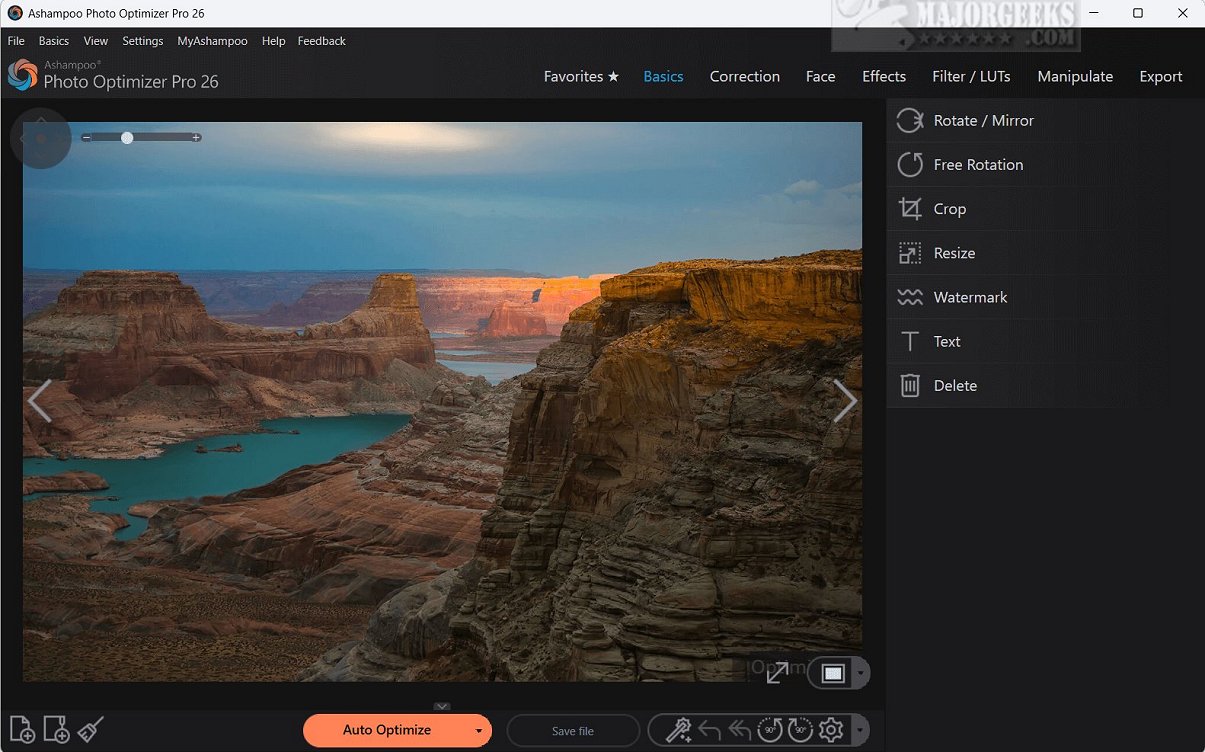
Ashampoo Photo Optimizer Pro 26.0.2.1 has been released, showcasing its capabilities as a sophisticated photo-editing software designed for quick and efficient image enhancements with a simple one-click solution. This software utilizes cutting-edge auto-optimization technology, which intelligently analyzes photos to identify and fix imperfections such as exposure, color temperature, sharpness, and contrast. This ensures that even previously mediocre images are transformed into high-quality visuals, enhancing the overall aesthetic appeal.
A notable feature of Ashampoo Photo Optimizer Pro is its Straighten Horizon tool, which allows photographers to correct perspective distortions and align images, resulting in a more polished look. Additionally, users can personalize their photos by adding custom text, further enhancing the uniqueness of each image.
The software encompasses a range of essential editing features commonly found in lightweight tools, such as color correction, cropping, mirroring, rotating, and resizing photos. These features provide users with flexibility and control over their editing process.
Key features of Ashampoo Photo Optimizer Pro include:
- One-click photo editing
- Photo sharpening
- Rotation and mirroring
- Cropping and resizing
- Printing options
- Straightening horizons
- Adding text
- Batch processing for editing multiple images simultaneously
The software is designed with user-friendliness in mind, making it particularly suitable for amateur photographers who desire an efficient way to enhance their images. It excels at automatic improvements in lighting, color, and contrast, thus streamlining the editing workflow.
In summary, Ashampoo Photo Optimizer Pro 26.0.2.1 is an advanced yet accessible tool for anyone looking to elevate their photography. Its robust features and intuitive interface make it an ideal choice for both novice and experienced users alike, ensuring that stunning results can be achieved quickly and effortlessly.
Looking ahead, future updates could include enhanced AI capabilities for even better image analysis, integration with social media platforms for easy sharing, and additional filters and effects to provide users with more creative options in their editing process
A notable feature of Ashampoo Photo Optimizer Pro is its Straighten Horizon tool, which allows photographers to correct perspective distortions and align images, resulting in a more polished look. Additionally, users can personalize their photos by adding custom text, further enhancing the uniqueness of each image.
The software encompasses a range of essential editing features commonly found in lightweight tools, such as color correction, cropping, mirroring, rotating, and resizing photos. These features provide users with flexibility and control over their editing process.
Key features of Ashampoo Photo Optimizer Pro include:
- One-click photo editing
- Photo sharpening
- Rotation and mirroring
- Cropping and resizing
- Printing options
- Straightening horizons
- Adding text
- Batch processing for editing multiple images simultaneously
The software is designed with user-friendliness in mind, making it particularly suitable for amateur photographers who desire an efficient way to enhance their images. It excels at automatic improvements in lighting, color, and contrast, thus streamlining the editing workflow.
In summary, Ashampoo Photo Optimizer Pro 26.0.2.1 is an advanced yet accessible tool for anyone looking to elevate their photography. Its robust features and intuitive interface make it an ideal choice for both novice and experienced users alike, ensuring that stunning results can be achieved quickly and effortlessly.
Looking ahead, future updates could include enhanced AI capabilities for even better image analysis, integration with social media platforms for easy sharing, and additional filters and effects to provide users with more creative options in their editing process
Ashampoo Photo Optimizer Pro 26.0.2.1 released
Ashampoo Photo Optimizer Pro is an advanced photo-editing software that provides a seamless one-click solution for quick, efficient image enhancements.