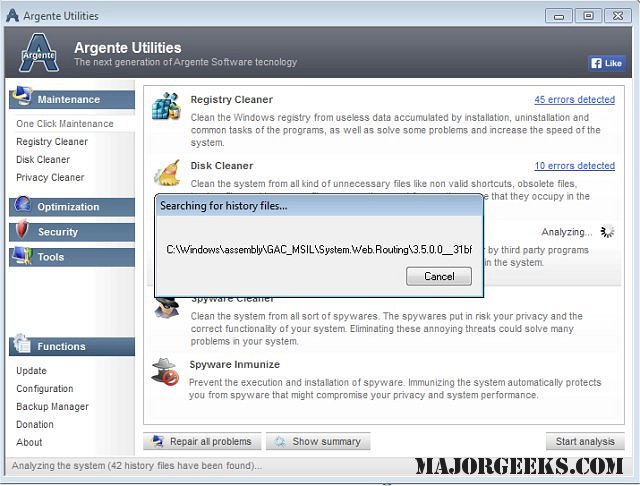
Argente Utilities has released version 3.0.4.5, a comprehensive software suite designed to enhance the performance and security of your computer. This utility provides a variety of tools that help analyze, optimize, clean, protect, and fine-tune your machine, all accessible from a single interface.
The suite includes several key components:
1. Registry Cleaner - This tool helps clean the Windows registry to boost system performance.
2. Disk Cleaner - It scans local drives for unnecessary files that can take up valuable space.
3. Uninstall Manager - This function allows users to manage and remove applications installed on their system.
4. StartUp Manager - It enables the management of programs that automatically launch with Windows, helping to improve boot times.
5. Software Updater - This keeps applications up-to-date, ensuring that users have the latest features and security patches.
6. Duplicate Finder - A tool that aids in identifying and removing duplicate files to free up disk space.
7. Malware Cleaner - It focuses on eliminating malicious software and potential security threats.
8. System Repair - This utility addresses common Windows errors, ensuring smoother operation.
9. Argente Data Shredder - This feature provides a way to securely delete sensitive files and folders, protecting user privacy.
Additionally, Argente Utilities offers a one-click maintenance option that quickly checks for common system errors and allows users to automatically resolve selected issues. This makes it an invaluable tool for both novice and experienced users who want to ensure their systems are running optimally.
In future versions, it would be beneficial for Argente Utilities to include enhanced user tutorials and more advanced features, such as cloud backup options and real-time system monitoring, which could further improve user experience and system management
The suite includes several key components:
1. Registry Cleaner - This tool helps clean the Windows registry to boost system performance.
2. Disk Cleaner - It scans local drives for unnecessary files that can take up valuable space.
3. Uninstall Manager - This function allows users to manage and remove applications installed on their system.
4. StartUp Manager - It enables the management of programs that automatically launch with Windows, helping to improve boot times.
5. Software Updater - This keeps applications up-to-date, ensuring that users have the latest features and security patches.
6. Duplicate Finder - A tool that aids in identifying and removing duplicate files to free up disk space.
7. Malware Cleaner - It focuses on eliminating malicious software and potential security threats.
8. System Repair - This utility addresses common Windows errors, ensuring smoother operation.
9. Argente Data Shredder - This feature provides a way to securely delete sensitive files and folders, protecting user privacy.
Additionally, Argente Utilities offers a one-click maintenance option that quickly checks for common system errors and allows users to automatically resolve selected issues. This makes it an invaluable tool for both novice and experienced users who want to ensure their systems are running optimally.
In future versions, it would be beneficial for Argente Utilities to include enhanced user tutorials and more advanced features, such as cloud backup options and real-time system monitoring, which could further improve user experience and system management
Argente Utilities 3.0.4.5 released
Argente Utilities includes multiple tools intended to assist in analyzing, optimizing, cleaning, protecting and the overall tweaking of your machine.