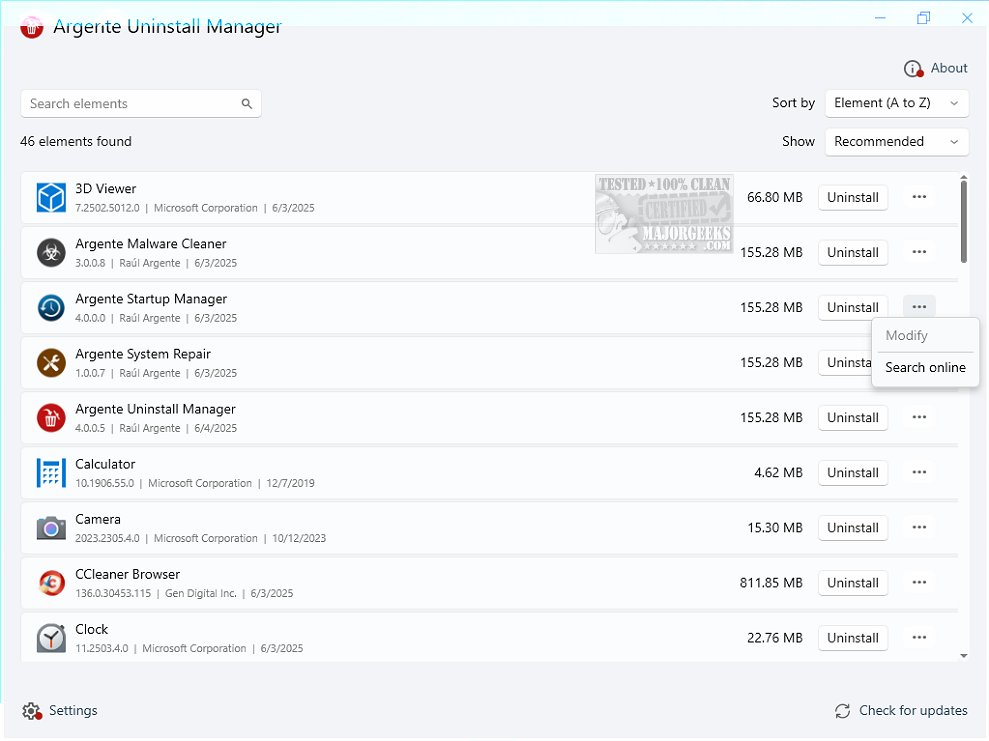
Argente Uninstall Manager version 4.0.5.3 has recently been released, positioning itself as a robust solution for uninstalling software, eliminating leftover files, and backing up applications. As an essential component of Argente Utilities, this tool serves as an efficient alternative to the built-in Windows Add/Remove Programs feature, offering a more user-friendly experience suitable for users of all skill levels.
The application allows users to refresh and view a comprehensive list of installed programs, select specific software for uninstallation, and remove any associated entries. Furthermore, users can conduct online searches for additional information about the software and perform system scans to identify residual files left after uninstallation.
Argente Uninstall Manager is equipped with several features aimed at enhancing user experience, including a search function for easy navigation, options to create, restore, and delete backups, and the ability to check for updates online for installed applications. It also allows users to customize the window's position and size, ensuring that preferences are maintained upon reopening. Importantly, the tool creates a restore point prior to uninstallation, providing a safety net in case any issues arise.
While Argente Uninstall Manager may not be groundbreaking in its approach, it offers a reliable solution for users looking to manage their installed software effectively. By exploring this software, users can better understand their applications and determine which ones fit their specific preferences and requirements.
In conclusion, if you're seeking a more efficient way to manage your applications and ensure a cleaner system, consider trying out Argente Uninstall Manager. Its array of features and user-friendly interface can significantly streamline your software management process. As software continues to evolve, tools like Argente Uninstall Manager remain essential in maintaining an organized and efficient digital environment
The application allows users to refresh and view a comprehensive list of installed programs, select specific software for uninstallation, and remove any associated entries. Furthermore, users can conduct online searches for additional information about the software and perform system scans to identify residual files left after uninstallation.
Argente Uninstall Manager is equipped with several features aimed at enhancing user experience, including a search function for easy navigation, options to create, restore, and delete backups, and the ability to check for updates online for installed applications. It also allows users to customize the window's position and size, ensuring that preferences are maintained upon reopening. Importantly, the tool creates a restore point prior to uninstallation, providing a safety net in case any issues arise.
While Argente Uninstall Manager may not be groundbreaking in its approach, it offers a reliable solution for users looking to manage their installed software effectively. By exploring this software, users can better understand their applications and determine which ones fit their specific preferences and requirements.
In conclusion, if you're seeking a more efficient way to manage your applications and ensure a cleaner system, consider trying out Argente Uninstall Manager. Its array of features and user-friendly interface can significantly streamline your software management process. As software continues to evolve, tools like Argente Uninstall Manager remain essential in maintaining an organized and efficient digital environment
Argente Uninstall Manager 4.0.5.3 released
Argente Uninstall Manager is a comprehensive tool designed to help you efficiently uninstall programs, remove leftover data, and more. This app is part of Argente Utilities.