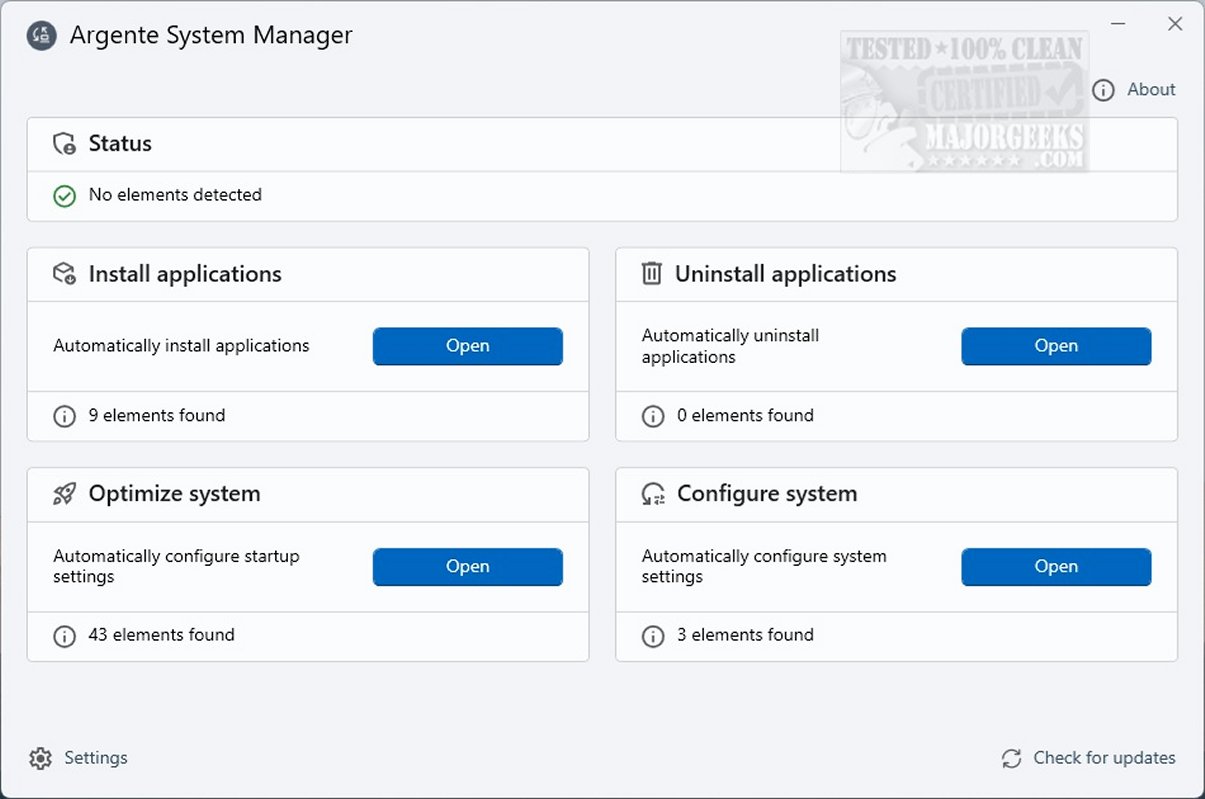
The newly released Argente System Manager 1.0.0.1 Beta is a powerful tool designed to automate and streamline system configuration tasks, making software management on your device more efficient.
Key Functions of Argente System Manager
1. Automation of System Configuration: The software allows users to automate various system configuration tasks, making it easier to manage software installations and removals.
2. Performance Optimization: Argente System Manager enhances system performance by automatically optimizing settings for speed and efficiency. It identifies unnecessary services and applications that can drain resources, disabling them to ensure smoother operation.
3. User-Friendly Interface: With its intuitive design, the Argente System Manager makes it easy for users—both novice and advanced—to restore Windows settings with a single click. This feature is particularly useful after a fresh installation or system format, as it automatically configures essential settings, saving time and reducing manual effort.
4. Simplified Application Management: The tool not only optimizes system performance but also automates the installation of required applications and the removal of those that are no longer needed. This streamlines the software management process and saves users valuable time.
5. Safe Application of Advanced Settings: Argente System Manager allows users to apply advanced Windows settings safely and automatically, reducing the risk of misconfigurations that could hinder system performance.
Geek Verdict
By utilizing Argente System Manager, users can significantly enhance their system's performance. The software simplifies essential maintenance tasks, ensuring that the system remains clean, fast, and optimized for daily use. This leads to a smoother and more responsive computing experience, ultimately enhancing productivity and enjoyment.
Future Potential and Extensions
Looking forward, future updates to Argente System Manager could include enhanced AI-driven optimization features that adapt to user behavior, further improving performance based on individual usage patterns. Additionally, the integration of cloud-based features for backup and restore capabilities could provide users with an even more robust management tool, ensuring data safety and system integrity. Overall, Argente System Manager is poised to become an essential utility for Windows users seeking to optimize their computing environments efficiently
Key Functions of Argente System Manager
1. Automation of System Configuration: The software allows users to automate various system configuration tasks, making it easier to manage software installations and removals.
2. Performance Optimization: Argente System Manager enhances system performance by automatically optimizing settings for speed and efficiency. It identifies unnecessary services and applications that can drain resources, disabling them to ensure smoother operation.
3. User-Friendly Interface: With its intuitive design, the Argente System Manager makes it easy for users—both novice and advanced—to restore Windows settings with a single click. This feature is particularly useful after a fresh installation or system format, as it automatically configures essential settings, saving time and reducing manual effort.
4. Simplified Application Management: The tool not only optimizes system performance but also automates the installation of required applications and the removal of those that are no longer needed. This streamlines the software management process and saves users valuable time.
5. Safe Application of Advanced Settings: Argente System Manager allows users to apply advanced Windows settings safely and automatically, reducing the risk of misconfigurations that could hinder system performance.
Geek Verdict
By utilizing Argente System Manager, users can significantly enhance their system's performance. The software simplifies essential maintenance tasks, ensuring that the system remains clean, fast, and optimized for daily use. This leads to a smoother and more responsive computing experience, ultimately enhancing productivity and enjoyment.
Future Potential and Extensions
Looking forward, future updates to Argente System Manager could include enhanced AI-driven optimization features that adapt to user behavior, further improving performance based on individual usage patterns. Additionally, the integration of cloud-based features for backup and restore capabilities could provide users with an even more robust management tool, ensuring data safety and system integrity. Overall, Argente System Manager is poised to become an essential utility for Windows users seeking to optimize their computing environments efficiently
Argente System Manager 1.0.0.1 Beta released
Argente System Manager enables you to automate system configuration tasks. It facilitates application installation and removal, helping streamline software management on your system.