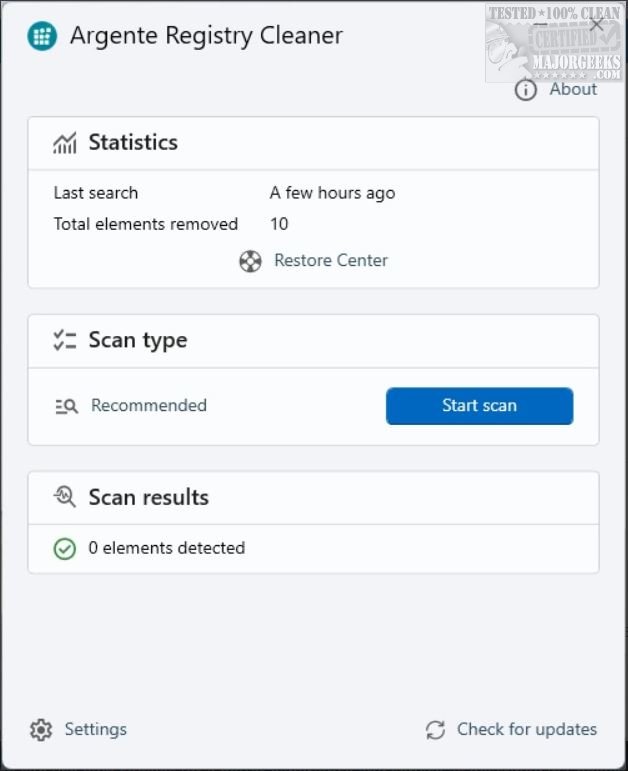
Argente Registry Cleaner has launched its latest version, 4.0.4.6, which provides a free utility designed to eliminate unnecessary clutter from your Windows registry. This tool helps remove invalid entries, remnants from uninstalled programs, and other digital debris that can slow down your computer.
What Makes Argente Registry Cleaner Stand Out?
Argente Registry Cleaner excels in its straightforward approach. It efficiently scans the Windows registry to identify and clean up outdated or irrelevant information, such as leftover entries from uninstalled software or broken paths. The utility is particularly appealing to users who prefer a simple, no-frills registry cleaner without the added complexity found in more bloated alternatives.
While the tool is free to use, users can gain additional benefits—such as hiding donation messages, automatic updates, and maintenance—by registering for the author’s newsletter or making a donation.
Is Cleaning the Registry Necessary?
It’s important to note that while cleaning the registry might help in troubleshooting specific issues or improving system performance slightly, it is not a guaranteed fix for all performance-related problems. Microsoft does not recommend regular registry cleaning as Windows can function adequately with some clutter present. However, for users who frequently install and uninstall software, using Argente Registry Cleaner can be beneficial.
Backup and Safety Features
One of the standout features of Argente Registry Cleaner is its commitment to safety. Before any cleaning operation, it automatically backs up the registry, ensuring that users can restore their system to its previous state if any issues arise post-cleanup.
Scan Modes and Customization
Argente Registry Cleaner offers three distinct scan modes—Safe, Normal, and Deep—catering to different user needs. The Safe mode is quick and cautious, the Normal mode strikes a balance, while the Deep mode is intended for experienced users looking to perform comprehensive cleaning. Additionally, the tool includes an exclusion list feature that allows users to protect specific registry entries, ensuring that custom tweaks or less common software remain unaffected.
The interface is minimalist and user-friendly, free from advertisements and unnecessary buttons, making it easy to navigate through the scanning and cleaning process.
Pros and Cons
Pros:
- Multiple scan modes (Safe, Normal, Deep)
- Automatic registry backup before cleaning
- Simple and uncluttered interface
Cons:
- Lacks scheduling options for regular scans
- Missing some advanced repair tools found in premium alternatives
Conclusion:
Argente Registry Cleaner is an effective and reliable tool for users seeking a straightforward solution to tidy up their registry without unnecessary risks. It’s particularly suitable for casual users who desire a dependable registry cleaner that gets the job done without complexity. Furthermore, Argente Registry Cleaner is part of the broader Argente Utilities suite, making it a good option for those seeking a comprehensive system maintenance toolkit.
Related Resources:
- 5 Ways to Open Registry Editor in Windows
- How to Back up or Restore the Windows Registry
- How to Automatically Back up the Registry on Windows 10 & 11
In summary, with its recent updates and features, Argente Registry Cleaner remains a go-to option for users looking to maintain their system's health, providing a balance of efficiency and safety
What Makes Argente Registry Cleaner Stand Out?
Argente Registry Cleaner excels in its straightforward approach. It efficiently scans the Windows registry to identify and clean up outdated or irrelevant information, such as leftover entries from uninstalled software or broken paths. The utility is particularly appealing to users who prefer a simple, no-frills registry cleaner without the added complexity found in more bloated alternatives.
While the tool is free to use, users can gain additional benefits—such as hiding donation messages, automatic updates, and maintenance—by registering for the author’s newsletter or making a donation.
Is Cleaning the Registry Necessary?
It’s important to note that while cleaning the registry might help in troubleshooting specific issues or improving system performance slightly, it is not a guaranteed fix for all performance-related problems. Microsoft does not recommend regular registry cleaning as Windows can function adequately with some clutter present. However, for users who frequently install and uninstall software, using Argente Registry Cleaner can be beneficial.
Backup and Safety Features
One of the standout features of Argente Registry Cleaner is its commitment to safety. Before any cleaning operation, it automatically backs up the registry, ensuring that users can restore their system to its previous state if any issues arise post-cleanup.
Scan Modes and Customization
Argente Registry Cleaner offers three distinct scan modes—Safe, Normal, and Deep—catering to different user needs. The Safe mode is quick and cautious, the Normal mode strikes a balance, while the Deep mode is intended for experienced users looking to perform comprehensive cleaning. Additionally, the tool includes an exclusion list feature that allows users to protect specific registry entries, ensuring that custom tweaks or less common software remain unaffected.
The interface is minimalist and user-friendly, free from advertisements and unnecessary buttons, making it easy to navigate through the scanning and cleaning process.
Pros and Cons
Pros:
- Multiple scan modes (Safe, Normal, Deep)
- Automatic registry backup before cleaning
- Simple and uncluttered interface
Cons:
- Lacks scheduling options for regular scans
- Missing some advanced repair tools found in premium alternatives
Conclusion:
Argente Registry Cleaner is an effective and reliable tool for users seeking a straightforward solution to tidy up their registry without unnecessary risks. It’s particularly suitable for casual users who desire a dependable registry cleaner that gets the job done without complexity. Furthermore, Argente Registry Cleaner is part of the broader Argente Utilities suite, making it a good option for those seeking a comprehensive system maintenance toolkit.
Related Resources:
- 5 Ways to Open Registry Editor in Windows
- How to Back up or Restore the Windows Registry
- How to Automatically Back up the Registry on Windows 10 & 11
In summary, with its recent updates and features, Argente Registry Cleaner remains a go-to option for users looking to maintain their system's health, providing a balance of efficiency and safety
Argente Registry Cleaner 4.0.4.6 released
Argente Registry Cleaner is a free utility that helps you clean out the digital cobwebs, invalid entries, leftover junk from uninstalled programs, and other clutter that can bog down your system.