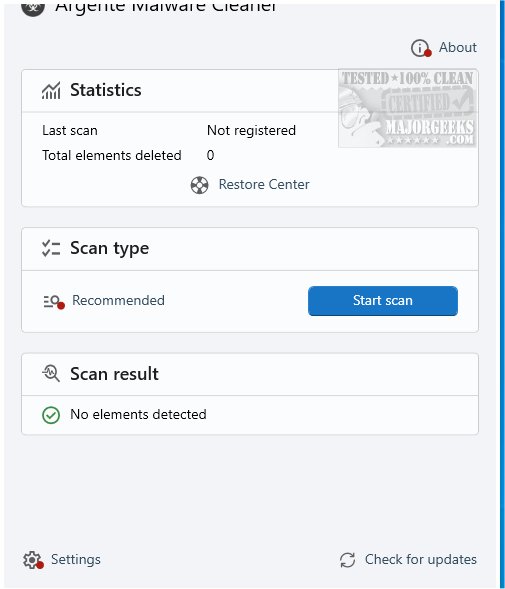
The latest version of Argente Malware Cleaner, 3.0.4.1, has been launched, providing users with an efficient tool for on-demand scanning of local systems to detect and eliminate malware. As part of the Argente Utilities suite, this tool is designed to complement existing antivirus solutions rather than replace them.
Key Features of Argente Malware Cleaner
Argente Malware Cleaner specializes in a thorough analysis of critical areas within a computer that are commonly targeted by malicious software. Its primary function is to identify potentially harmful files and components, adding an essential layer of security to your system. However, it's important to note that this tool does not offer continuous protection against malware, which means it should be used alongside a comprehensive antivirus program for optimal security. For those seeking a full security solution, Malwarebytes is recommended.
User-Friendly Operation
The application offers a simple interface that allows users to initiate scans with the click of a button. Throughout the scanning process, real-time statistics are displayed, showing the number of files scanned and any detections made, which helps users stay informed about the cleaning progress.
Versatile Scanning Modes
Argente Malware Cleaner includes three scanning modes to cater to varying user needs:
1. Simple Scan: A quick scan focusing on memory and startup files, ideal for basic malware detection.
2. Custom Scan: A customizable option that allows users to specify their scanning targets, including memory files, startup items, critical system files, and the C drive for a more thorough examination.
3. Comprehensive Scan: While not explicitly mentioned, users are encouraged to include key system files for a more detailed analysis.
Restore Center for Added Security
A notable feature of Argente Malware Cleaner is its Restore Center, which enables users to create system restore points. This feature is beneficial for reverting changes if any issues arise during the scanning or cleaning process, ensuring that users can quickly return their PCs to a stable state.
Conclusion
Argente Malware Cleaner serves as an effective on-demand scanning tool for identifying and removing potentially harmful programs from local systems. While it lacks the comprehensive capabilities of full-fledged antivirus software, its targeted analysis of key system areas makes it a valuable resource for those seeking straightforward malware detection. This utility can be particularly advantageous for users who want to enhance their security measures alongside established antivirus solutions.
For those exploring options in cybersecurity, it's essential to weigh the benefits of dedicated malware scanners against complete antivirus programs. As always, staying informed about the best practices for online security is crucial in protecting your digital environment
Key Features of Argente Malware Cleaner
Argente Malware Cleaner specializes in a thorough analysis of critical areas within a computer that are commonly targeted by malicious software. Its primary function is to identify potentially harmful files and components, adding an essential layer of security to your system. However, it's important to note that this tool does not offer continuous protection against malware, which means it should be used alongside a comprehensive antivirus program for optimal security. For those seeking a full security solution, Malwarebytes is recommended.
User-Friendly Operation
The application offers a simple interface that allows users to initiate scans with the click of a button. Throughout the scanning process, real-time statistics are displayed, showing the number of files scanned and any detections made, which helps users stay informed about the cleaning progress.
Versatile Scanning Modes
Argente Malware Cleaner includes three scanning modes to cater to varying user needs:
1. Simple Scan: A quick scan focusing on memory and startup files, ideal for basic malware detection.
2. Custom Scan: A customizable option that allows users to specify their scanning targets, including memory files, startup items, critical system files, and the C drive for a more thorough examination.
3. Comprehensive Scan: While not explicitly mentioned, users are encouraged to include key system files for a more detailed analysis.
Restore Center for Added Security
A notable feature of Argente Malware Cleaner is its Restore Center, which enables users to create system restore points. This feature is beneficial for reverting changes if any issues arise during the scanning or cleaning process, ensuring that users can quickly return their PCs to a stable state.
Conclusion
Argente Malware Cleaner serves as an effective on-demand scanning tool for identifying and removing potentially harmful programs from local systems. While it lacks the comprehensive capabilities of full-fledged antivirus software, its targeted analysis of key system areas makes it a valuable resource for those seeking straightforward malware detection. This utility can be particularly advantageous for users who want to enhance their security measures alongside established antivirus solutions.
For those exploring options in cybersecurity, it's essential to weigh the benefits of dedicated malware scanners against complete antivirus programs. As always, staying informed about the best practices for online security is crucial in protecting your digital environment
Argente Malware Cleaner 3.0.4.1 released
Argente Malware Cleaner enables you to perform on-demand scans of your local systems, providing an effective way to detect and remove malware. This tool is a part of Argente Utilities.