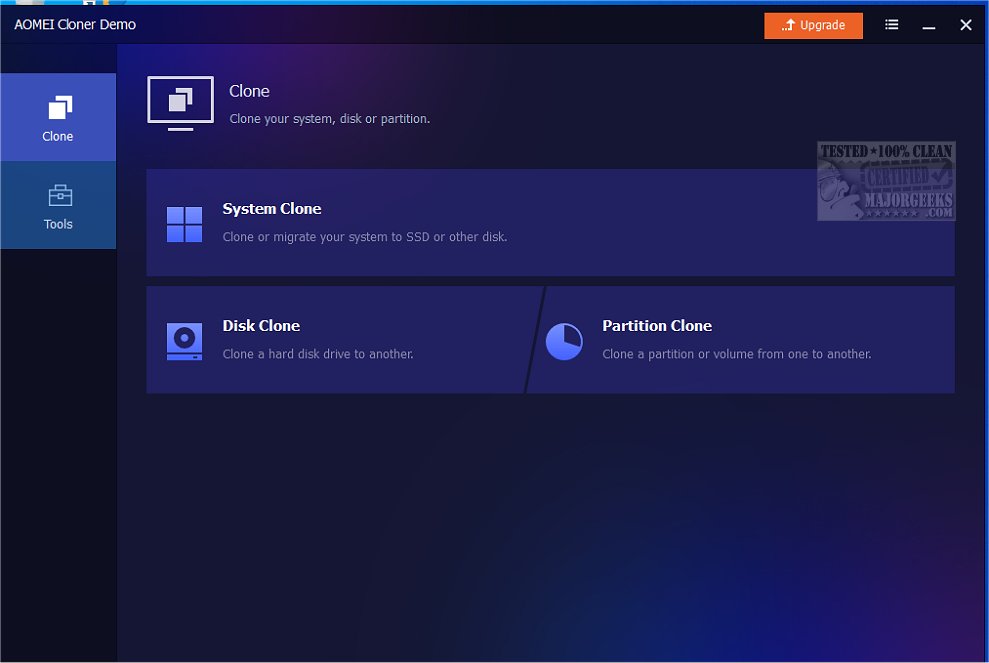
AOMEI Cloner has recently released version 5.1.0, enhancing its capabilities for users seeking reliable disk cloning solutions. This software enables the precise duplication of entire hard drives or specific partitions, supporting various disk types, including HDDs and SSDs. It is particularly beneficial for those looking to upgrade their storage, migrate their operating system, or create bootable rescue images for data recovery.
Key Features of AOMEI Cloner:
1. System Clone: Effortlessly transfer the operating system, applications, and settings to a new disk without needing to reinstall Windows.
2. Disk Clone: Create complete copies of disks for data transfers, upgrades to SSDs, backups, or recovery from failing drives.
3. Partition Clone: Safely back up and transfer specific partitions while maintaining their original organization to prevent fragmentation.
4. Edit Partitions: Customize destination partitions during the cloning process by altering drive letters, types, and sizes.
5. SSD Alignment: Optimize SSD performance and longevity by aligning them during the cloning process.
6. Command-Line Functionality: Automate cloning operations via the command line, allowing for enhanced efficiency for IT professionals.
User-Friendly Interface:
AOMEI Cloner features a wizard-based graphical user interface that guides users through each step of the cloning process, from selecting the source to configuring the destination. This ensures that users can navigate with confidence, whether they are novices or experienced users.
Additional Functionality:
The software simplifies transitioning data from old drives to new ones and supports automatic SSD alignment. Users can also create bootable media, either by burning it to a disc or exporting it as an ISO file, which facilitates quick access to emergency boot options.
Overall Verdict:
AOMEI Cloner is recognized as a dependable and efficient disk cloning solution, catering to a wide range of user needs. Its blend of user-friendliness and advanced features makes it a top choice for anyone looking to upgrade their system or back up important data. The software’s ability to clone to various storage devices, including USB drives, further enhances its versatility and appeal.
Further Resources:
For those looking to dive deeper into related topics, consider checking out guides on resetting or reinstalling Windows 10 & 11, managing system restore points, and more. These resources can complement your experience with AOMEI Cloner, ensuring you have a well-rounded approach to system management and data safety
Key Features of AOMEI Cloner:
1. System Clone: Effortlessly transfer the operating system, applications, and settings to a new disk without needing to reinstall Windows.
2. Disk Clone: Create complete copies of disks for data transfers, upgrades to SSDs, backups, or recovery from failing drives.
3. Partition Clone: Safely back up and transfer specific partitions while maintaining their original organization to prevent fragmentation.
4. Edit Partitions: Customize destination partitions during the cloning process by altering drive letters, types, and sizes.
5. SSD Alignment: Optimize SSD performance and longevity by aligning them during the cloning process.
6. Command-Line Functionality: Automate cloning operations via the command line, allowing for enhanced efficiency for IT professionals.
User-Friendly Interface:
AOMEI Cloner features a wizard-based graphical user interface that guides users through each step of the cloning process, from selecting the source to configuring the destination. This ensures that users can navigate with confidence, whether they are novices or experienced users.
Additional Functionality:
The software simplifies transitioning data from old drives to new ones and supports automatic SSD alignment. Users can also create bootable media, either by burning it to a disc or exporting it as an ISO file, which facilitates quick access to emergency boot options.
Overall Verdict:
AOMEI Cloner is recognized as a dependable and efficient disk cloning solution, catering to a wide range of user needs. Its blend of user-friendliness and advanced features makes it a top choice for anyone looking to upgrade their system or back up important data. The software’s ability to clone to various storage devices, including USB drives, further enhances its versatility and appeal.
Further Resources:
For those looking to dive deeper into related topics, consider checking out guides on resetting or reinstalling Windows 10 & 11, managing system restore points, and more. These resources can complement your experience with AOMEI Cloner, ensuring you have a well-rounded approach to system management and data safety
AOMEI Cloner 5.1.0 released
AOMEI Cloner allows you to create precise duplicates of hard drives or specific partitions, accommodating a range of disk types such as HDDs and SSDs. This software is handy for users looking to upgrade to a new drive, migrate their operating system, or generate a bootable rescue image for recovery purposes.