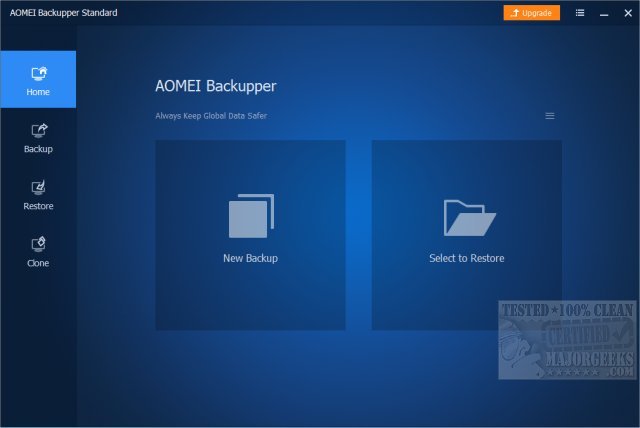
AOMEI has released version 8.1 of its backup software, AOMEI Backupper Standard, which is designed to provide reliable and intuitive backup solutions for both casual users and professionals. This free utility focuses on safeguarding systems and data through a range of features that cater to various backup needs, from basic file protection to advanced scheduled and incremental backups.
The importance of backups cannot be overstated, especially for users who've experienced data loss, system crashes, or the need to reinstall operating systems. AOMEI Backupper Standard simplifies the backup process, offering one-click system image backups, automatic file backups, and disk cloning without the confusion often found in other software. Key use cases include creating backups before significant updates, scheduling regular backups, and cloning hard drives for upgrades—all crucial for maintaining data integrity.
While Windows has its own backup options, AOMEI Backupper stands out for its ease of use and reliability. It allows users to set up scheduled backups for important files, ensuring protection against accidental deletions, and provides seamless disk cloning for those upgrading from HDDs to SSDs. For IT support professionals, the Pro version's Universal Restore feature is particularly beneficial, as it allows recovery across various hardware setups while maintaining data security through encrypted backups.
The Standard version covers essential backup functionalities, but users may encounter upgrade prompts. The Pro version, starting at $39.95, unlocks advanced features such as faster backup speeds, system cloning, real-time sync, and event-triggered backups. These tools enhance backup management, making it easier for power users and IT professionals to handle their backup needs efficiently.
In conclusion, AOMEI Backupper Standard is an excellent backup solution for users seeking ease of use and reliability. Its clean interface and comprehensive features make it suitable for a wide range of users. For those requiring more control and advanced recovery options, the Pro version offers significant enhancements. Ultimately, having a reliable backup solution is crucial, and AOMEI Backupper provides a solid option for both casual and advanced users alike.
Extension: As technology evolves and data becomes increasingly important, having a robust backup strategy is more critical than ever. AOMEI Backupper Standard not only offers peace of mind through its user-friendly design but also equips users with the tools necessary to protect their digital assets effectively. The software's versatility makes it suitable for various environments, from personal use to small businesses. As cyber threats like ransomware become more prevalent, the ability to quickly restore data without significant downtime is invaluable. AOMEI's commitment to continuous improvement and user feedback could lead to future updates that further enhance user experience and security features, making it a worthwhile investment for anyone serious about data protection
The importance of backups cannot be overstated, especially for users who've experienced data loss, system crashes, or the need to reinstall operating systems. AOMEI Backupper Standard simplifies the backup process, offering one-click system image backups, automatic file backups, and disk cloning without the confusion often found in other software. Key use cases include creating backups before significant updates, scheduling regular backups, and cloning hard drives for upgrades—all crucial for maintaining data integrity.
While Windows has its own backup options, AOMEI Backupper stands out for its ease of use and reliability. It allows users to set up scheduled backups for important files, ensuring protection against accidental deletions, and provides seamless disk cloning for those upgrading from HDDs to SSDs. For IT support professionals, the Pro version's Universal Restore feature is particularly beneficial, as it allows recovery across various hardware setups while maintaining data security through encrypted backups.
The Standard version covers essential backup functionalities, but users may encounter upgrade prompts. The Pro version, starting at $39.95, unlocks advanced features such as faster backup speeds, system cloning, real-time sync, and event-triggered backups. These tools enhance backup management, making it easier for power users and IT professionals to handle their backup needs efficiently.
In conclusion, AOMEI Backupper Standard is an excellent backup solution for users seeking ease of use and reliability. Its clean interface and comprehensive features make it suitable for a wide range of users. For those requiring more control and advanced recovery options, the Pro version offers significant enhancements. Ultimately, having a reliable backup solution is crucial, and AOMEI Backupper provides a solid option for both casual and advanced users alike.
Extension: As technology evolves and data becomes increasingly important, having a robust backup strategy is more critical than ever. AOMEI Backupper Standard not only offers peace of mind through its user-friendly design but also equips users with the tools necessary to protect their digital assets effectively. The software's versatility makes it suitable for various environments, from personal use to small businesses. As cyber threats like ransomware become more prevalent, the ability to quickly restore data without significant downtime is invaluable. AOMEI's commitment to continuous improvement and user feedback could lead to future updates that further enhance user experience and security features, making it a worthwhile investment for anyone serious about data protection
AOMEI Backupper Standard 8.1 released
AOMEI Backupper Standard is a straightforward backup software that includes basic and advanced features to ensure your system and data safety.