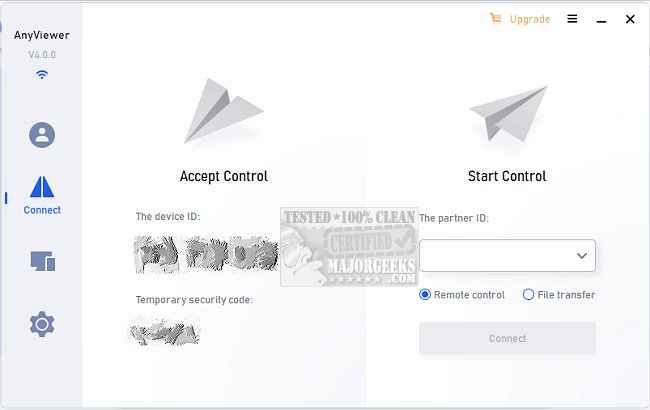
AnyViewer has recently released version 5.6.0, enhancing its reputation as a secure and efficient remote desktop software for Windows PCs and Windows Server. This application enables users to remotely access their computers from virtually anywhere at any time, leveraging internet connectivity. It supports multiple access methods, including remote control from another PC, as well as from iOS and Android devices. Users can log in with a unified account or utilize a security code for unattended access.
The software boasts high-definition visuals and offers virtual mouse and touch controls, ensuring a superior remote experience. This makes it an excellent tool for providing tech support to friends, family, and customers, allowing for quick resolution of IT issues through in-app chat. AnyViewer also allows users to access critical data and applications that may be restricted to their work devices, functioning as if they were using their office PC.
Its quick file transfer capabilities facilitate easy access to essential information, while security features such as disabling the mouse and keyboard and blacking out remote screens help protect user privacy. Additionally, robust authentication measures ensure that users can securely access their cloud-based ERP or CRM systems without the risk of being locked out.
With a focus on delivering a seamless remote work experience, AnyViewer is ideal for professionals who need reliable access to their work computers while on the go. As long as the computer is connected to the internet, users can expect a stable connection.
Looking ahead, AnyViewer could implement further enhancements such as improved collaboration tools, integration with other remote work applications, and expanded cross-platform support to cater to a broader audience. This would not only enhance user experience but also solidify AnyViewer's position as a leading solution in the remote desktop market
The software boasts high-definition visuals and offers virtual mouse and touch controls, ensuring a superior remote experience. This makes it an excellent tool for providing tech support to friends, family, and customers, allowing for quick resolution of IT issues through in-app chat. AnyViewer also allows users to access critical data and applications that may be restricted to their work devices, functioning as if they were using their office PC.
Its quick file transfer capabilities facilitate easy access to essential information, while security features such as disabling the mouse and keyboard and blacking out remote screens help protect user privacy. Additionally, robust authentication measures ensure that users can securely access their cloud-based ERP or CRM systems without the risk of being locked out.
With a focus on delivering a seamless remote work experience, AnyViewer is ideal for professionals who need reliable access to their work computers while on the go. As long as the computer is connected to the internet, users can expect a stable connection.
Looking ahead, AnyViewer could implement further enhancements such as improved collaboration tools, integration with other remote work applications, and expanded cross-platform support to cater to a broader audience. This would not only enhance user experience but also solidify AnyViewer's position as a leading solution in the remote desktop market
AnyViewer 5.6.0 released
AnyViewer is a secure and speedy software for remote desktop on Windows PCs and Windows Server.