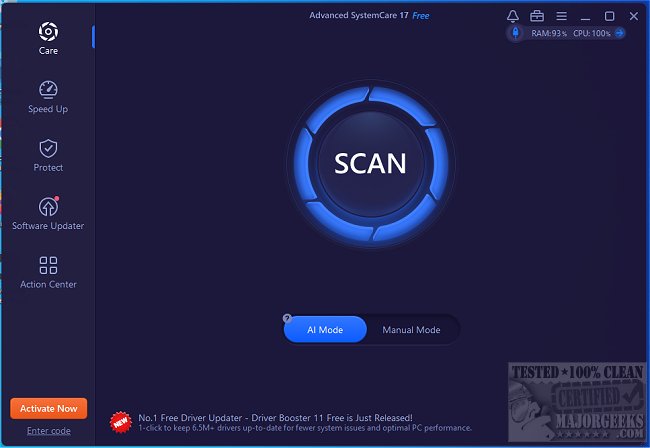
Advanced SystemCare 19.3.0.200 has been released, continuing its reputation as an all-in-one solution for computer maintenance. This software is designed to clean, optimize, speed up, and protect your PC, making it particularly beneficial for users experiencing slow performance or system clutter. It features a one-click optimization tool that removes junk files, enhances startup times, repairs registry issues, and bolsters privacy, ensuring that your computer runs smoothly for various activities, whether for work, gaming, or everyday browsing.
Over time, computers accumulate junk files and bloated startup programs, leading to decreased performance. Advanced SystemCare simplifies the optimization process by automating these tasks, allowing users to maintain a fast and secure PC with minimal effort. The software includes tools that boost speed by terminating unnecessary background processes, freeing up RAM, and cleaning up clutter, while also fixing system errors that might result in crashes or sluggishness. Its real-time monitoring capabilities track CPU, RAM, and disk usage to proactively prevent slowdowns, and its privacy features eliminate browsing history and block trackers, enhancing user security. Additionally, the Turbo Boost mode is tailored for gamers and professionals, optimizing system resources for smoother performance.
When to Use Advanced SystemCare:
- If your PC has prolonged startup times, the Startup Manager can help reduce boot duration.
- When storage is running low, the junk file cleanup feature can free up significant disk space.
- For applications that are slow or freezing, AI optimization can mitigate lag.
- If gaming performance is subpar, Turbo Boost mode can enhance FPS by reallocating resources.
- Privacy concerns can be addressed through deletion of browsing history and blocking of tracking attempts.
- Users who prefer not to spend hours making manual adjustments can benefit from the one-click cleanup functionality.
Pros and Cons
Pros:
- Simple one-click cleanup and performance enhancement.
- Significantly speeds up Windows without complex adjustments.
- Effective for gaming and demanding tasks.
- Strong privacy and security features.
Cons:
- Some advanced functionalities are only available in the Pro version.
- The program may suggest additional IObit software during use.
Conclusion
For users seeking a straightforward solution to optimize and maintain their computers, Advanced SystemCare is highly recommended. It addresses various performance issues like slow startup times, reduced storage, and lagging applications, automating the fixes for a hassle-free experience.
In addition to its core functionalities, users might also explore related topics such as managing startup applications, improving wireless network performance, and automatically deleting junk files in Windows 10 and 11. Furthermore, keeping the software updated ensures that users benefit from the latest features and improvements offered by Advanced SystemCare
Over time, computers accumulate junk files and bloated startup programs, leading to decreased performance. Advanced SystemCare simplifies the optimization process by automating these tasks, allowing users to maintain a fast and secure PC with minimal effort. The software includes tools that boost speed by terminating unnecessary background processes, freeing up RAM, and cleaning up clutter, while also fixing system errors that might result in crashes or sluggishness. Its real-time monitoring capabilities track CPU, RAM, and disk usage to proactively prevent slowdowns, and its privacy features eliminate browsing history and block trackers, enhancing user security. Additionally, the Turbo Boost mode is tailored for gamers and professionals, optimizing system resources for smoother performance.
When to Use Advanced SystemCare:
- If your PC has prolonged startup times, the Startup Manager can help reduce boot duration.
- When storage is running low, the junk file cleanup feature can free up significant disk space.
- For applications that are slow or freezing, AI optimization can mitigate lag.
- If gaming performance is subpar, Turbo Boost mode can enhance FPS by reallocating resources.
- Privacy concerns can be addressed through deletion of browsing history and blocking of tracking attempts.
- Users who prefer not to spend hours making manual adjustments can benefit from the one-click cleanup functionality.
Pros and Cons
Pros:
- Simple one-click cleanup and performance enhancement.
- Significantly speeds up Windows without complex adjustments.
- Effective for gaming and demanding tasks.
- Strong privacy and security features.
Cons:
- Some advanced functionalities are only available in the Pro version.
- The program may suggest additional IObit software during use.
Conclusion
For users seeking a straightforward solution to optimize and maintain their computers, Advanced SystemCare is highly recommended. It addresses various performance issues like slow startup times, reduced storage, and lagging applications, automating the fixes for a hassle-free experience.
In addition to its core functionalities, users might also explore related topics such as managing startup applications, improving wireless network performance, and automatically deleting junk files in Windows 10 and 11. Furthermore, keeping the software updated ensures that users benefit from the latest features and improvements offered by Advanced SystemCare
Advanced SystemCare 19.3.0.200 released
Advanced SystemCare is a popular and efficient all-in-one computer tweaker that will help clean, optimize, speed up, and protect your computer. Video tutorial available.