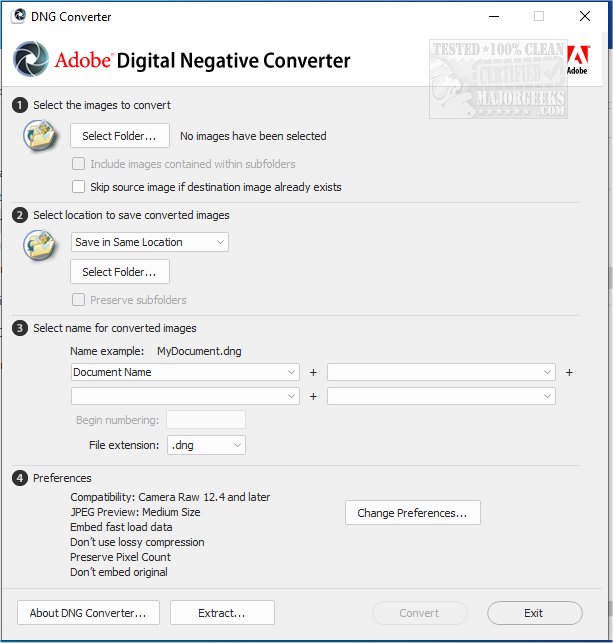
Adobe has recently released version 18.2 of its DNG Converter, a tool that enables users to convert camera-specific raw files into a standardized Digital Negative (DNG) format. This conversion facilitates backward compatibility with older versions of Adobe software such as Photoshop, Lightroom, Bridge, After Effects, and Photoshop Elements, making it easier for photographers to work with the latest camera technologies without needing to upgrade their software.
One of the key advantages of using DNG is its openness; the Digital Negative is a publicly available specification that not only Adobe supports but is also accessible for other software and hardware developers. This openness promotes longevity and security for image files, which is crucial for long-term archiving. The DNG format can retain all pixel data and proprietary metadata from the original raw files, although in some instances, the DNG Converter may streamline the metadata to include only essential information necessary for generating high-quality images. To safeguard against any loss of proprietary data, users have the option to embed the original raw file within the DNG.
The Adobe DNG Converter supports a range of Camera Raw versions from 2.4 to 1.32 and DNG versions from 1.1 to 1.6, providing extensive compatibility across different camera models and software versions.
In summary, the Adobe DNG Converter 18.2 not only enhances workflow efficiency for photographers by ensuring compatibility with various Adobe products but also offers a secure and versatile solution for managing raw images. As photography continues to evolve with new technologies, tools like the DNG Converter play a vital role in preserving the integrity and accessibility of digital images for future use
One of the key advantages of using DNG is its openness; the Digital Negative is a publicly available specification that not only Adobe supports but is also accessible for other software and hardware developers. This openness promotes longevity and security for image files, which is crucial for long-term archiving. The DNG format can retain all pixel data and proprietary metadata from the original raw files, although in some instances, the DNG Converter may streamline the metadata to include only essential information necessary for generating high-quality images. To safeguard against any loss of proprietary data, users have the option to embed the original raw file within the DNG.
The Adobe DNG Converter supports a range of Camera Raw versions from 2.4 to 1.32 and DNG versions from 1.1 to 1.6, providing extensive compatibility across different camera models and software versions.
In summary, the Adobe DNG Converter 18.2 not only enhances workflow efficiency for photographers by ensuring compatibility with various Adobe products but also offers a secure and versatile solution for managing raw images. As photography continues to evolve with new technologies, tools like the DNG Converter play a vital role in preserving the integrity and accessibility of digital images for future use
Adobe DNG Converter 18.2 released
Adobe DNG Converter (Digital Negative) allows camera-specific raw files to be converted to a universal DNG raw file.