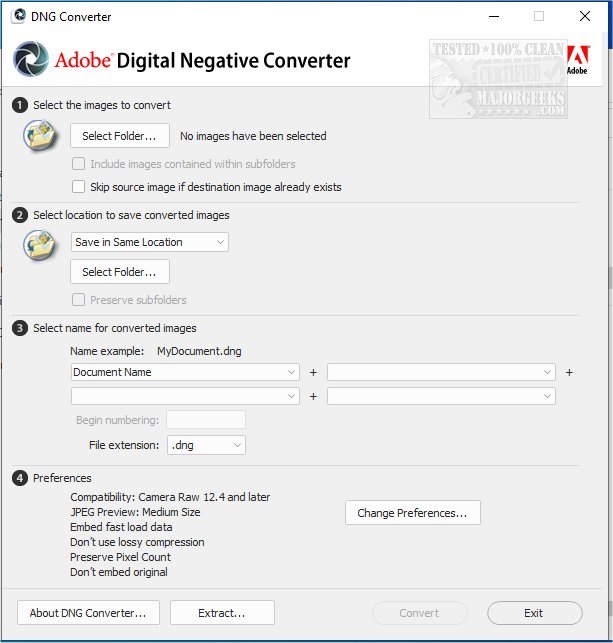
Adobe has released version 18.1.1 of its DNG Converter, a tool that enables the conversion of camera-specific raw files into the universally recognized DNG (Digital Negative) format. This conversion offers several advantages, including enhanced backward compatibility with older versions of Adobe software such as Photoshop, Lightroom, Bridge, After Effects, and Photoshop Elements. The DNG format stands out due to its open specification, which is not only supported by Adobe but also available for use by other software and hardware developers.
One of the primary benefits of using the DNG format is its suitability for long-term image archival, given its stability and support across various platforms. The format is designed to retain all pixel information from current raw files while also accommodating additional proprietary metadata that some camera manufacturers include. In cases where proprietary metadata is ignored, users have the option to embed the original raw file within the DNG, preserving all necessary details.
The Adobe DNG Converter supports a wide range of Camera Raw versions (from 2.4 to 1.32) and DNG versions (from 1.1 to 1.6), making it a versatile tool for photographers and digital artists alike.
In addition to the DNG Converter updates, users may be interested in various other functionalities and tips for enhancing their use of Windows 10 and 11, such as restoring the Windows Photo Viewer, creating picture slideshows, or customizing the 'Edit With Photos' context menu.
Overall, the Adobe DNG Converter 18.1.1 represents a significant evolution in digital imaging, ensuring that photographers can maintain compatibility and flexibility with their raw files for years to come
One of the primary benefits of using the DNG format is its suitability for long-term image archival, given its stability and support across various platforms. The format is designed to retain all pixel information from current raw files while also accommodating additional proprietary metadata that some camera manufacturers include. In cases where proprietary metadata is ignored, users have the option to embed the original raw file within the DNG, preserving all necessary details.
The Adobe DNG Converter supports a wide range of Camera Raw versions (from 2.4 to 1.32) and DNG versions (from 1.1 to 1.6), making it a versatile tool for photographers and digital artists alike.
In addition to the DNG Converter updates, users may be interested in various other functionalities and tips for enhancing their use of Windows 10 and 11, such as restoring the Windows Photo Viewer, creating picture slideshows, or customizing the 'Edit With Photos' context menu.
Overall, the Adobe DNG Converter 18.1.1 represents a significant evolution in digital imaging, ensuring that photographers can maintain compatibility and flexibility with their raw files for years to come
Adobe DNG Converter 18.1.1 released
Adobe DNG Converter (Digital Negative) allows camera-specific raw files to be converted to a universal DNG raw file.